Upsign
Upsign is electronic signature software for sending, signing, and tracking documents.
What Upsign is
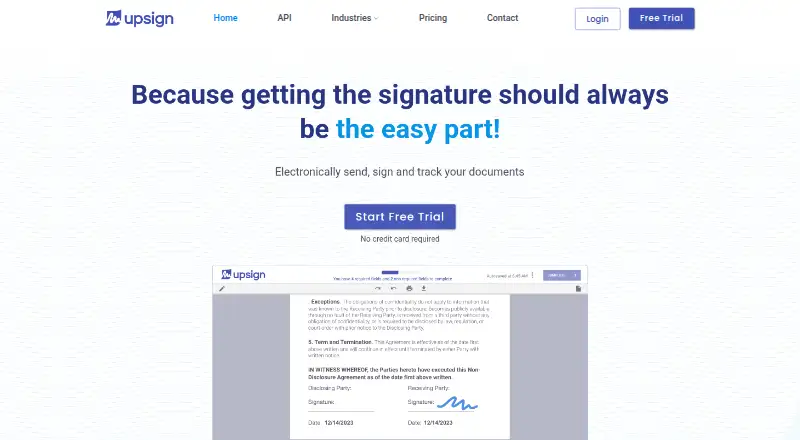
Upsign is electronic signature software for sending, signing, and tracking documents. Senders can set signer and approver order, monitor signing status, send reminders, send documents in bulk, and create reusable templates. Guided steps help recipients complete documents, including users who are not technical. Recipients can view, approve, sign, and complete documents from a phone or computer without creating an account; Upsign says signing can take minutes. An audit trail records document history, including views and signatures. A searchable library provides free legal contracts and forms to download or send for signature. Upsign is available on Android, iOS, and the web. Personal allows one user, Team allows up to five, and Business lists unlimited users; all three plans list unlimited documents. Business also includes user groups, approval workflows, signing groups, bulk signing, and dedicated integration support. The pricing page lists a free plan, a 30-day trial, Personal at $12 a month, Team at $24 a month, and Business at $45 a month, all billed monthly. No specific integrations are named. The pricing FAQ says Upsign uses bank-grade security measures, provides court-admissible audit history, and complies with e-signature laws including ESIGN and UETA.
Good
- Recipients can sign without creating an account
- Audit trail records document views and signatures
- Unlimited documents on Personal, Team, and Business
- Includes free legal contracts and forms
Watch out
- Personal is limited to one user
- Team allows up to five users
- Specific integrations are not named
Who it suits
Upsign suits individuals or teams that send documents for signatures and need status tracking, reminders, or reusable workflows. Its recipient flow supports signing without an account on a phone or computer.
Verdict
Upsign covers document sending, recipient signing, and workflow tracking, with plans that allow unlimited documents. Its user limits vary by plan, and organizations should note that specific integrations are not identified.
Plans and prices
From Upsign's own pricing page, checked 9 Oct 2026.
| Plan | Price | What it gives you |
|---|---|---|
| Personal | $12 a month | 1 user · unlimited documents · billed monthly |
| Team | $24 a month | up to 5 users · unlimited documents · billed monthly |
| Business | $45 a month | unlimited users · unlimited documents · billed monthly |
| Enterprise | Priced on request | For large organizations; advanced organization management, integrations and workflows · Request a quote |
The facts
Each one read from Upsign's own pages, with the date it was checked.
What it does
- Audit trail
- The product records document history including views and signatures in an audit trail.checked 9 Oct 2026
- Document library
- Upsign provides a searchable library of free legal contracts and forms that users can download or send for signature.checked 9 Oct 2026
- Enterprise features
- The Business plan lists user groups, approval workflows, signing groups, bulk signing, and dedicated integration support.checked 9 Oct 2026
- Guided signing
- Guided steps help recipients complete and sign documents, including recipients who are not technical.checked 9 Oct 2026
- Integration information
- The pricing page describes Business and Enterprise as plans for organizations needing integrations, but does not name specific integrations.checked 9 Oct 2026
- Legal and security
- The pricing FAQ says Upsign uses bank-grade security measures, provides a court-admissible audit history, and complies with e-signature laws including ESIGN and UETA.checked 9 Oct 2026
- Product
- Upsign is electronic signature software for sending, signing and tracking documents.checked 9 Oct 2026
- Recipients
- Recipients can view, approve, sign, and complete documents without creating an account.checked 9 Oct 2026
- Signing
- Recipients can sign from a phone or computer, and the site says signing can take minutes.checked 9 Oct 2026
- Support
- Upsign links to a support knowledge base and lists [email protected] as a contact email.checked 9 Oct 2026
- Workflow tools
- Senders can track signing status, send reminders, send in bulk, set signer and approver order, and create reusable templates.checked 9 Oct 2026
Money
- Free trial
- The pricing page says paid plans include a free 30-day trial and advertises no credit card required.checked 9 Oct 2026
- Plan limits
- The Personal plan allows one user, Team allows up to five users, and Business lists unlimited users; all list unlimited documents.checked 9 Oct 2026
Alternatives to Upsign
- 1

OpenSign
Free planOpen sourceWebAPILinuxmacOS8.4From $9.99 a month - 2

Zoho Sign
Free planAndroidiOSWebAPI8.3From $10 a month - 3

PandaDoc
Free planAndroidiOSWebAPI8.2From $19 a month - 4

BoldSign
Free planAndroidiOSAPIExtension7.9From $5 a month - 5

Skribble
Free planAndroidiOSWebAPI7.8From €23 a month - 6

Xodo Sign
Free planAndroidiOSAPI7.7Free plan