UNESCO PDF-to-Podcast
UNESCO PDF-to-Podcast turns scientific PDFs into podcast-style audio conversations.
What UNESCO PDF-to-Podcast is
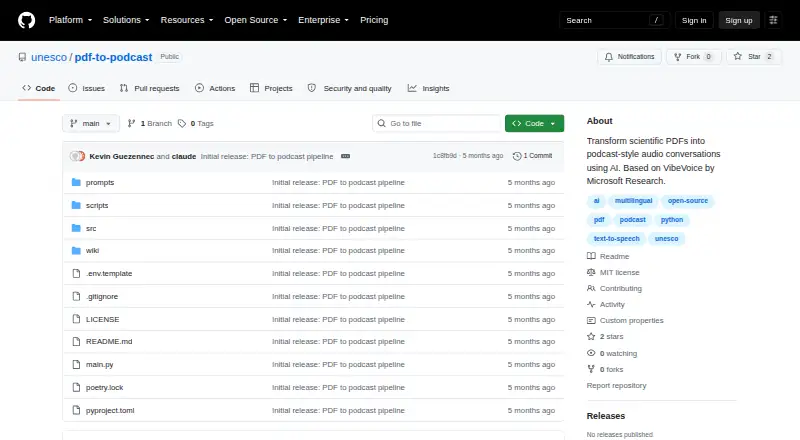
UNESCO PDF-to-Podcast turns scientific PDFs into podcast-style audio conversations. Its pipeline extracts structured content with Docling, creates a conversational script using Ollama with Granite4, then synthesizes audio with VibeVoice. You can tailor scripts for experts, the general public, young people, or novices, and generate them in English, French, Chinese, Spanish, Arabic, or Russian. English and Chinese include native voices; the other languages use English voices unless you add your own samples. Set a target duration and choose two to four speakers; defaults are 10 minutes and two speakers. The project is free and open source under the MIT license, and supports Linux, macOS, Windows, and self-hosted use. Setup requires Python 3.9 or later, Poetry, and Ollama. A GPU is recommended, though CPU use is possible. It currently processes one PDF at a time, long documents may need chunking, and audio generation can require significant GPU memory, especially with the 7B model.
Good
- Free and open source under the MIT license
- Scripts can target four audience types
- Supports six UNESCO official languages
- Duration and speaker count are configurable
Watch out
- Processes one PDF at a time
- Long PDFs may need chunking
- Audio generation can need significant GPU memory
- Four languages use English voices by default
Who it suits
It suits readers who want to turn a scientific PDF into a tailored, multi-speaker audio conversation. Users should be comfortable setting up Python, Poetry, and Ollama, and account for the single-PDF workflow and GPU memory needs.
Verdict
UNESCO PDF-to-Podcast provides a configurable route from scientific documents to podcast-style audio. Its one-PDF-at-a-time workflow, setup requirements, and hardware demands are worth considering first.
The facts
Each one read from UNESCO PDF-to-Podcast's own pages, with the date it was checked.
What it does
- Audience options
- Scripts can be tailored for experts, the general public, young people, or novices.checked 4 Oct 2026
- Audiences
- Scripts can be tailored for experts, the general public, young people, or novice audiences.checked 4 Oct 2026
- Audio controls
- Users can set podcast duration and choose 2–4 speakers; the default duration is 10 minutes and default speaker count is 2.checked 4 Oct 2026
- Hardware
- The README warns that audio generation requires significant GPU memory, especially with the optional 7B model.checked 4 Oct 2026
- Install and run
- The maker documents installation with Poetry or pip in a Python environment and running the pipeline from the command line.checked 4 Oct 2026
- Installation
- The project requires Python 3.9 or later, Poetry, and Ollama, and recommends a GPU while allowing a CPU fallback.checked 4 Oct 2026
- Integrations
- The documented pipeline uses Docling for PDF extraction, Ollama with Granite4 for script generation, and VibeVoice for audio synthesis.checked 4 Oct 2026
- Languages
- The project supports script generation in UNESCO’s six official languages: English, French, Chinese, Spanish, Arabic, and Russian.checked 4 Oct 2026
- License
- The repository’s LICENSE file identifies the project license as MIT.checked 4 Oct 2026
- License and maturity
- The repository labels the project MIT License (TBD) and identifies version 0.2.0 as MVP Complete.checked 4 Oct 2026
- Limits
- The project currently accepts a single PDF at a time, with batch processing described as planned; long PDFs may need chunking.checked 4 Oct 2026
- Local setup
- The README provides installation instructions for macOS and Linux.checked 4 Oct 2026
- Models and tools
- The pipeline uses Docling for PDF extraction, Ollama with Granite4 for script generation, and VibeVoice for audio synthesis.checked 4 Oct 2026
- Notable limits
- The README says the project currently handles one PDF at a time, long PDFs may need chunking, and audio generation needs significant GPU memory, especially with the 7B model.checked 4 Oct 2026
- PDF processing
- Its pipeline extracts structured PDF content, generates a conversational script, and synthesizes podcast audio.checked 4 Oct 2026
- Pipeline
- Its pipeline extracts PDF content, generates a conversational script, and synthesizes podcast audio.checked 4 Oct 2026
- Podcast controls
- Users can set a target duration and select between two and four speakers.checked 4 Oct 2026
- Purpose
- The project converts scientific PDFs into podcast-style audio conversations using AI.checked 4 Oct 2026
- Requirements
- The README lists Python 3.9 or newer, Poetry, and Ollama as prerequisites, and recommends a GPU while allowing CPU fallback.checked 4 Oct 2026
- Security
- The README describes a local Ollama-based script-generation setup and makes no specific security certification or compliance claim.checked 4 Oct 2026
- Support
- The project points users to GitHub Issues, Discussions, and wiki documentation for support.checked 4 Oct 2026
- Voice availability
- English and Chinese have included native voices; French, Spanish, Arabic, and Russian fall back to English voices unless users add their own samples.checked 4 Oct 2026
The company
- Maker
- The project’s pyproject.toml lists UNESCO Data & AI as its author contact.checked 4 Oct 2026
- Maker profile
- The UNESCO GitHub profile describes its code repository as an open-source hub for education, science, culture, and sustainable development.checked 4 Oct 2026