
Udio
Udio is a music-generation service available on web and iOS, with vocal generation and audio upload.
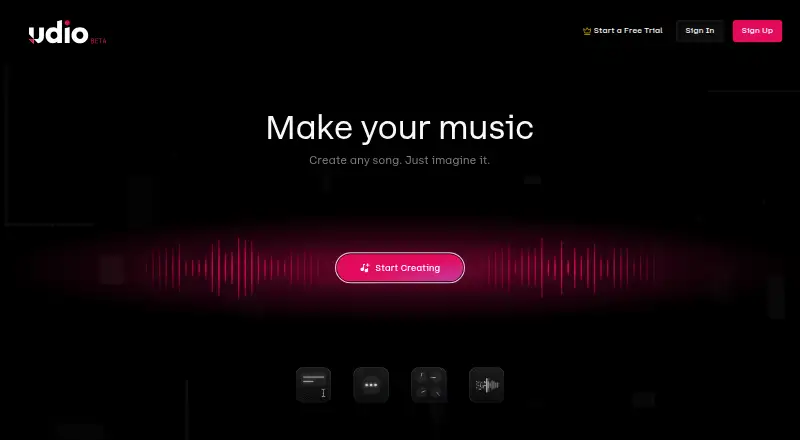
What Udio is
Udio is a music-generation service available on web and iOS, with vocal generation and audio upload. Its free plan provides 10 daily credits and 100 monthly credits. The Standard plan costs $10.00 per month and includes 2,400 credits monthly; Pro costs $30.00 per month and includes 6,000 monthly credits, with 10 songs simultaneously. A seven-day trial is listed. The maximum track length is listed as 2.1666666667, and stem export is not available. Udio's supported-platform listing describes access across web and mobile, while its platform list names web and iOS. The plans differ by credit allowance, and Pro also specifies a simultaneous-song limit. Users choosing a plan can consider the listed credit quantities and whether the Pro plan's simultaneous-song allowance fits their needs. The free option includes both daily and monthly credits, while the paid options provide larger monthly pools.
Good
- Generates vocals
- Accepts audio uploads
- Free plan has daily and monthly credits
- Available on web and iOS
Watch out
- Stem export is unavailable
- Maximum track length is listed as 2.1666666667
- Pro costs $30.00 per month
Who it suits
Udio may suit people who want to generate vocals or work from uploaded audio on web or iOS. The free plan provides a limited credit allowance, while paid plans offer larger monthly pools.
Verdict
Udio offers vocal generation and audio upload across a free plan and two monthly paid plans. Compare the credit allowances and note that stem export is unavailable.
Plans and prices
From Udio's own pricing page, checked 8 Oct 2026.
| Plan | Price | What it gives you |
|---|---|---|
| Free | Free | 10 daily credits · 100 monthly credits · up to three 130-second songs per day |
| Standard | $10 a month | Up to 2,400 credits per month · Monthly pricing; Udio’s example shows $10USD/month |
| Pro | $30 a month | Up to 6,000 credits per month · up to 10 songs at the same time · Monthly pricing; Udio’s example shows $30USD/month |
The facts
Each one read from Udio's own pages, with the date it was checked.
What it does
- Audio tools
- Paid subscribers can upload audio to extend, inpaint, remix, stylize, or edit it in a waveform-centric Session editor.checked 8 Oct 2026
- Audio upload
- Yeschecked 22 Sep 2026
- Audio upload rights
- Udio says uploaders must own the audio rights and identifies commercial or copyrighted tracks as not allowed uploads.checked 8 Oct 2026
- Creation tools
- The Create page offers sliders and fields to fine-tune tracks, experiment, and generate variations.checked 8 Oct 2026
- Downloads
- Udio says downloads of audio, video, and stems have been disabled.checked 8 Oct 2026
- Integrations
- Account signup supports Google, Discord, X, Apple, or email.checked 8 Oct 2026
- Library and sharing
- The library includes search, filters, favorites, playlists, and a trash bin for recovering deleted songs; the player can share songs.checked 8 Oct 2026
- Maximum track length
- 2.1666666667checked 22 Sep 2026
- Paid from
- 10checked 22 Sep 2026
- Song generation
- Each prompt generates two songs, and the listed clip lengths are 32 seconds or 2 minutes 10 seconds.checked 8 Oct 2026
- Stem export
- Nochecked 22 Sep 2026
- Support
- Udio directs users to contact support through the messenger in the lower-right corner of its service.checked 8 Oct 2026
- Vocal generation
- Yeschecked 22 Sep 2026
- What it does
- Udio generates songs from a text prompt describing a style, mood, or theme.checked 8 Oct 2026
Money
- Free plan
- Yeschecked 22 Sep 2026
- Trial
- Creators can start one free Standard subscription trial lasting up to seven days; Udio says an uncanceled trial is charged at the annual price unless changed to monthly.checked 8 Oct 2026
- Trial limits
- The trial does not increase credit limits and allows no more than three 2-minute songs per day.checked 8 Oct 2026
Where it runs
- iOS app
- Udio offers an official iPhone app, while its help page says it does not currently have an Android app.checked 8 Oct 2026
- iOS limitations
- The app supports track extension but does not yet support audio uploading, remixing, inpainting, styling, or searching for songs by title.checked 8 Oct 2026
- Supported platforms
- web_and_mobilechecked 22 Sep 2026
The full review of Udio
Overview
Udio is a text-prompt song generator for creators who want vocals and ways to reshape audio. It suits people developing short song ideas, particularly on the web; look elsewhere if you need downloadable finished tracks or stems.
Each prompt produces two songs, with clip choices of 32 seconds or 2 minutes 10 seconds. That makes it useful for exploring compact ideas, but the maximum length rules it out for generating longer compositions in one pass. Sliders and fields on the Create page let you refine tracks and generate variations, while library search, filters, favorites, playlists, and a trash bin support a more organized iteration process. Songs can also be shared from the player.
Key features
Udio offers vocal generation and audio upload. Paid subscribers can extend, inpaint, remix, stylize, or edit uploaded material in a waveform-focused Session editor, giving them several routes for working from existing audio. Uploads must be audio the user owns; Udio prohibits commercial or copyrighted tracks.
The iPhone app is narrower than the web experience: it supports track extension, but not audio upload, remixing, inpainting, styling, or searching by song title. Choose the web version for those tasks. Udio has no Android app. Signup is available through Google, Discord, X, Apple, or email.
Downloads of audio, video, and stems are disabled, and stem export is unavailable. That is a major limitation for anyone who wants to take generated material into another editor or keep finished files locally. Support is handled through the messenger in the lower-right corner of the service.
Pricing
Udio has a free tier and two monthly paid plans. The free plan costs nothing and provides 10 daily credits, 100 monthly credits, and up to three 130-second songs per day. It is enough to explore the workflow, but the daily song cap and disabled downloads make it a limited choice for production work.
Standard costs $10 a month, billed monthly, and includes up to 2,400 credits per month. It is the entry paid option for creators who want paid audio tools and more monthly generation capacity. Pro costs $30 a month, billed monthly, with up to 6,000 credits per month and up to 10 songs generated at the same time. That concurrency is useful for users who want to run several generations in parallel; the higher credit allowance alone will matter most to frequent creators.
A free Standard subscription trial lasts up to seven days and does not increase credit limits; it permits no more than three two-minute songs per day. Unless canceled, the trial is charged at the annual price, unless changed to monthly, so check the billing selection before starting. The trial is not a way to bypass generation caps.
Platforms
Udio runs on the web and iOS. The iPhone app's extension-only audio workflow leaves more involved editing to the web version, and Android users cannot use a Udio app.
Who it's for
Udio is a fit for vocal-focused creators who want to generate short ideas, iterate with controls, organize a library, and reshape audio they own. The free tier offers a way to start without a subscription, while Standard and Pro provide larger monthly credit allowances for more regular use. It is not a good fit for users who need exports, stems, long single-pass tracks, or a full set of creation tools on iPhone.
Pros and cons
- Pros: Two songs per prompt, vocal generation, and adjustable controls make it useful for exploring alternatives to an idea.
- Pros: Paid audio editing includes extension, inpainting, remixing, styling, and waveform editing for audio the subscriber owns.
- Pros: Search, filters, playlists, favorites, and deleted-song recovery help keep a growing library manageable.
- Cons: Downloads are disabled and stems cannot be exported, so generated work cannot be taken out as audio files or stems.
- Cons: The 2-minute-10-second maximum track length limits longer compositions in a single generation.
- Cons: The iPhone app omits upload and several editing tools, and there is no Android app.
Alternatives
For a broader comparison, browse AI Music Generators or Songwriting Software.
Suno is worth considering if Android access matters: it supports Android and iOS, has a free plan with 50 credits per day and 8 minutes of audio upload, and its Pro plan is $8 a month.
Eleven Music is a web alternative with a free plan offering 10,000 credits per month for personal use and a Starter plan at $6 a month.
Solos Music is another iOS and web option, with a free plan that gives 15 signup credits and a recurring monthly bonus.
MusicWave.ai is web-based and has a free tier with 10 credits for two song generations; its Starter plan costs $5.99 a month.
Ailume offers a web-based free plan for personal, non-commercial use, with attribution potentially required.
SongUp AI has a free plan with three instant songs for personal use, while its Pro plan costs $9.99 a month.
Treblo is available on web, iOS, and Android; its free plan includes unlimited songs, generation, inpainting, extending, stem separation, and downloads in several formats.
CAVN AI runs on Android, iOS, web, and API, and its free plan includes 10 daily renewing credits, about four songs, and two concurrent generations, without commercial use.
Verdict
Choose Udio if you want vocal song generation, flexible short-form iteration, and paid tools for reshaping audio you own. Its two-song prompts, library tools, and substantial paid credit tiers support idea development, but the short maximum length and disabled exports are decisive drawbacks. For work that must leave the service as audio or stems, choose another tool.
Getting started
- Open Udio on the web or install its official iPhone app
- Create an account with Google, Discord, X, Apple or email
- Enter a prompt describing a style, mood or theme
- Use Create controls to refine tracks and generate variations
- Choose the free plan, a paid plan or the seven-day Standard trial
Limits worth knowing
The Free plan includes 10 daily credits, 100 monthly credits and up to three 130-second songs per day. The trial does not raise credit limits and allows no more than three 2-minute songs daily; an uncanceled trial is charged at the annual price unless changed to monthly.
Questions
Is Udio free?
Yes. The Free plan costs nothing and includes 10 daily credits and 100 monthly credits.
What are the paid prices?
Standard costs $10.00 per month with up to 2,400 monthly credits. Pro costs $30.00 per month with up to 6,000 monthly credits and up to 10 simultaneous songs.
Which platforms have official apps?
Udio lists web and iOS access and offers an official iPhone app. Its help page says an Android app is not currently available.
Can I upload audio?
Audio upload is available, and paid subscribers can extend, inpaint, remix, stylize or edit uploads. Uploaders must own the audio rights.
Can I download songs or stems?
Udio says downloads of audio, video and stems have been disabled, and stem export is unavailable.