
U.S. Web Design System
U.S. Web Design System (USWDS) is a free, open source toolkit for government teams creating accessible, mobile-friendly websites.
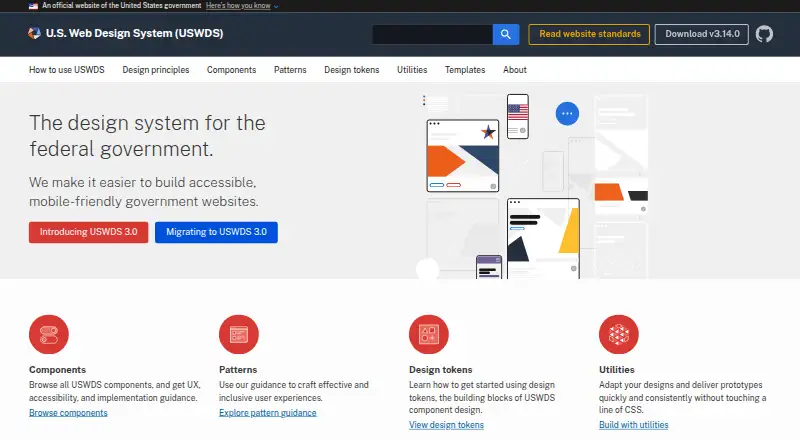
What U.S. Web Design System is
U.S. Web Design System (USWDS) is a free, open source toolkit for government teams creating accessible, mobile-friendly websites. It combines principles, guidance, code, components, design tokens, utilities, patterns, and page templates. Components include user experience, accessibility, and implementation guidance. Developers can install and compile the system, customize components and design tokens, and add it to projects through npm with Node. Downloadable design kits are available for Figma and Sketch. USWDS says its guidance and code address Section 508 and 21st Century IDEA requirements from the start. Version 3.0 supports Chrome, Firefox, Safari, and Edge, but not Internet Explorer 11. The project reports Snyk dependency checks, GitHub CodeQL analysis for JavaScript pull requests, security reports with releases, and patches for 1.x and 2.x branches. Questions can be posted in GitHub Discussions or sent by email.
Good
- Free open source toolkit
- Includes responsive components
- Provides accessibility guidance
- Offers Figma and Sketch kits
- Supports npm installation
Watch out
- Internet Explorer 11 is unsupported
- Requires installation and compilation
- Focused on government websites
Who it suits
It is designed for government teams building accessible, responsive sites. Developers and designers can use its code, guidance, templates, tokens, and Figma or Sketch assets.
Verdict
USWDS combines implementation code with design guidance and downloadable assets for government web projects. Its browser support and setup requirements should be checked before adoption.
Plans and prices
From U.S. Web Design System's own pricing page, checked 8 Oct 2026.
| Plan | Price | What it gives you |
|---|---|---|
| USWDS | Free | Open source design system · Code and design assets available to download |
The facts
Each one read from U.S. Web Design System's own pages, with the date it was checked.
What it does
- Accessibility and compliance
- USWDS says its principles, guidance, and code address Section 508 and 21st Century IDEA requirements from the start.checked 8 Oct 2026
- Audience and community
- USWDS is designed for government teams and is maintained by an open source community whose contributors support dozens of agencies and nearly 200 sites.checked 8 Oct 2026
- Components
- The system includes components with user experience, accessibility, and implementation guidance.checked 8 Oct 2026
- Customization
- Developers can install and compile the system, then customize projects with components and design tokens.checked 8 Oct 2026
- Design assets
- The download page offers design kits for Figma and Sketch.checked 8 Oct 2026
- Integrations
- The recommended developer setup uses Node and npm, and the system can be installed as a project dependency through npm.checked 8 Oct 2026
- Patterns and design tools
- USWDS provides pattern guidance, design tokens, utilities, and page templates.checked 8 Oct 2026
- Purpose
- USWDS is a toolkit of principles, guidance, and code for building accessible, mobile-friendly government websites.checked 8 Oct 2026
- Security
- The team reports using Snyk for dependency vulnerability checks and GitHub CodeQL for JavaScript static analysis on pull requests.checked 8 Oct 2026
- Security releases
- USWDS says it includes a security and vulnerability report with each release and releases security patches for the 1.x and 2.x branches.checked 8 Oct 2026
- Support
- Users can ask questions in GitHub Discussions or email the USWDS team at [email protected].checked 8 Oct 2026
Where it runs
- Browser support
- The developer guide says version 3.0 supports Chrome, Firefox, Safari, and Edge, and no longer supports Internet Explorer 11.checked 8 Oct 2026
The company
- Founded
- 2015checked 28 Sep 2026
Alternatives to U.S. Web Design System
- 1
Figma Wireframe Kit
Free planAndroidiOSWebAPI8.0From $3 a month - 2

Ant Design Icons
Free planAndroidiOSWeb7.1Free plan - 3

Shopify
Web7.1From $29 a month - 4

GitHub Primer
Free planOpen sourceWebAPI7.0Free plan - 5

MUI
Free planWeb6.8From $299 a year - 6
Shadcn Studio Figma UI Kit
Free planWeb6.7$99 one-time