TurtleStitch
TurtleStitch is a free platform for creating, sharing, and remixing embroidery patterns through code.
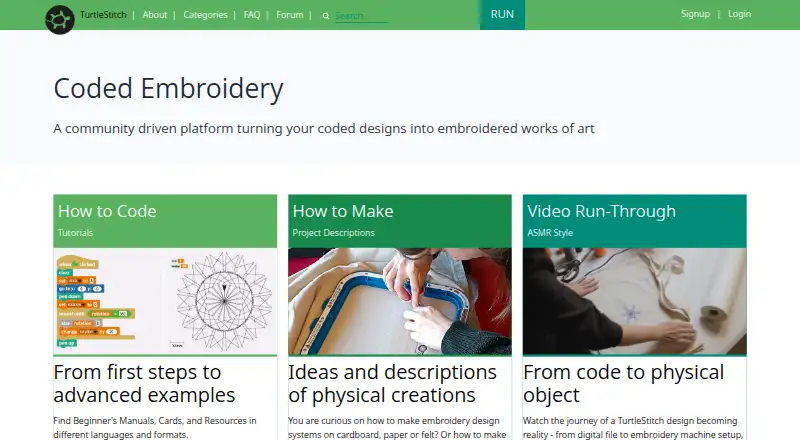
What TurtleStitch is
TurtleStitch is a free platform for creating, sharing, and remixing embroidery patterns through code. Built on Snap!, it brings block-based programming into textile craft in a browser, and is described for learners with or without programming experience. Users can export designs for embroidery machines that read .exp or .dst files. Density Warning flags possible stitch-density issues, while X-Ray View helps locate overlapping areas. Online use requires internet access and a modern browser; the FAQ names Firefox, Chrome, and Safari. For offline work, users can download a release, open index.html in a browser, and use its blocks and libraries, though cloud access is unavailable. Offline projects are saved as XML files on the user's computer and can be reopened. Cloud project saving requires an account and email address, and cloud projects are public by default, with an Unshare option in project settings. The site describes use in schools, workshops, maker spaces, artistic projects, and community settings. It also directs questions to its community forum and technical issues to GitHub.
Good
- Free and open-source web platform
- Block-based programming is designed for varied experience levels
- Density and overlap checks help review designs
- Offline projects can be saved and reopened as XML
Watch out
- Offline use does not include cloud access
- Cloud saving requires an account and email
- Cloud-saved projects are public by default
Who it suits
TurtleStitch suits learners, educators, and makers who want to combine coding with embroidery design. It can be used online or offline, with machine exports for .exp and .dst formats.
Verdict
TurtleStitch connects block-based coding with embroidery design and supports offline project work. Consider its public-by-default cloud sharing and embroidery file-format requirements before choosing it.
Plans and prices
From TurtleStitch's own pricing page, checked 7 Oct 2026.
| Plan | Price | What it gives you |
|---|---|---|
| Free | Free | Free and open-source web platform |
The facts
Each one read from TurtleStitch's own pages, with the date it was checked.
What it does
- Analytics and hosting
- The privacy policy says TurtleStitch uses cookie-free Umami analytics for anonymized usage statistics and locates its servers in the European Union.checked 7 Oct 2026
- Cloud sharing
- The privacy policy says cloud-saved projects are shared publicly by default, with an Unshare option in project settings.checked 7 Oct 2026
- Coding environment
- Built on Snap!, TurtleStitch combines block-based programming with textile craft in the browser.checked 7 Oct 2026
- Design checks
- Density Warning flags potential stitch-density problems, while X-Ray View helps find overlapping areas.checked 7 Oct 2026
- Education
- The site describes use in schools, workshops, maker spaces, artistic projects, and community settings, and says it is designed for learners with or without programming experience.checked 7 Oct 2026
- Exports
- Users can export designs for embroidery machines, and the FAQ specifies machines that read .exp or .dst files.checked 7 Oct 2026
- Integrations
- TurtleStitch is based on Snap!, and its FAQ identifies Ink/Stitch as software that may convert designs for machines using other formats.checked 7 Oct 2026
- Local saving
- Offline projects are exported as XML files to the user's computer and can be reopened from there.checked 7 Oct 2026
- Offline use
- Users can download a release, open index.html in a browser, and work offline with all blocks and libraries; cloud access is unavailable offline.checked 7 Oct 2026
- Privacy
- The privacy policy says users can program without providing personally identifiable information, while cloud project saving requires an account and email address.checked 7 Oct 2026
- Purpose
- TurtleStitch lets users create, share, and remix embroidery patterns through code.checked 7 Oct 2026
- Security statement
- The privacy policy says the site follows industry standards for server security but cannot absolutely guarantee protection from malicious database access.checked 7 Oct 2026
- Support
- The site directs users to its community forum for questions and feedback and to GitHub for technical issues.checked 7 Oct 2026
- Teacher accounts
- Registered users granted teacher status can create student logins without collecting personal information from students.checked 7 Oct 2026
Where it runs
- Browser requirements
- The FAQ says users need internet access and a modern browser, and names Firefox, Chrome, and Safari as supported options.checked 7 Oct 2026
The full review of TurtleStitch
Overview
TurtleStitch is a coding workspace for turning embroidery ideas into machine-ready patterns. It suits learners, teachers and makers who want to explore textile design through programming; its free, open-source platform is compelling, provided its supported file formats fit your machine.
Its combination of stitch checks, simulation and offline editing makes experimentation practical without tying every session to the cloud. The less comfortable trade-off is that saved cloud projects are public by default.
Key features
Built on Snap!, TurtleStitch uses block-based programming to create, share and remix embroidery patterns in a browser. That approach is a strong fit for classrooms, workshops and creative experimentation, including for people new to programming. It is less suited to users seeking a conventional digitizing interface.
Density Warning flags potential stitch-density problems, and X-Ray View helps reveal overlapping areas. Stitch simulation and vector import round out the design workflow. These checks help users inspect a pattern, but they do not guarantee compatibility with a particular machine.
Exports are designed for embroidery machines that read DST or EXP files. If your machine needs another format, the FAQ points to Ink/Stitch as software that may convert designs, adding a separate step and tool.
Cloud saving requires an account and email address, while programming can be done without personally identifying information. Cloud projects are public by default; users can unshare them in project settings. The privacy policy describes cookie-free Umami analytics for anonymized usage statistics and EU-based servers, while cautioning that server security cannot be guaranteed against malicious database access.
For offline work, users can download a release and open its index.html file in a browser. All blocks and libraries remain available, but cloud access does not; projects are saved locally as XML files and can be reopened later. Online use requires internet access and a modern browser, with Firefox, Chrome and Safari named as supported options.
Pricing
Free — free. TurtleStitch is a free and open-source web platform, with stitch simulation and vector import. There are no paid tiers or seat limits described. This suits individual makers and educators who want the coding-based workflow without a subscription; the main constraints are format compatibility and the distinction between local XML projects and cloud sharing.
Registered users granted teacher status can create student logins without collecting personal information from students, making the platform particularly relevant to school use. Questions and feedback go to the community forum; technical issues can be directed to GitHub.
Platforms
TurtleStitch is available on the web and can also be run from a downloaded release for offline editing. It supports Linux, macOS and Windows, as well as self-hosted use. The browser route requires internet access; offline sessions give up cloud access.
Who it's for
Choose TurtleStitch for coding-led embroidery exploration, especially in schools, workshops, maker spaces and community projects. Its block-based environment accommodates learners with or without programming experience, and teacher accounts can provide student access without gathering student personal information.
Look elsewhere if your machine does not accept DST or EXP and you do not want a conversion step, or if cloud projects need to be private by default. Local offline XML saving is an option, but it is separate from cloud project access.
Pros and cons
- Pro: Free and open-source, with stitch simulation and vector import, so users can explore and inspect designs without a paid plan.
- Pro: Offline editing retains all blocks and libraries, with projects saved locally as XML for reopening.
- Pro: Teacher-created student logins avoid collecting students' personal information.
- Con: Cloud-saved projects are public by default, so users must change project settings to unshare work they do not want public.
- Con: Machine exports target DST and EXP; other formats may require conversion through separate software.
- Con: Offline work cannot access cloud projects, so it does not replace the online workflow for shared files.
Alternatives
Embroidery Design Software is a useful category starting point for comparing options.
- Boldbobbin is worth comparing for readers who want an alternative with a free personal plan and iOS support.
- mySewnet Embroidery suits readers looking for embroidery, quilting and craft-cutting tools plus 100MB of free Vault storage; paid Essential is $99.99 a year.
- StitchConsole may suit users who want a free tier with unlimited designs, ten synced designs at a time, ten image conversions and ten export formats.
- Ink/Stitch is the direct alternative for users who prefer free, open-source embroidery software running as an Inkscape extension; TurtleStitch also identifies it as a possible format-conversion tool.
- PEmbroider is a free open-source library for macOS and Windows.
- Embrowser may suit users who want a browser-based free tier with saved-design, storage, font and image-trace quotas.
- Embird is an alternative for macOS and Windows users considering paid software with a free trial.
- DRAWings PRO XII is another paid macOS and Windows alternative with a free trial.
Verdict
TurtleStitch is an excellent fit for teachers, learners and makers who want to turn block-based code into embroidery designs at no cost, with offline editing as a useful bonus. Choose it for that distinctive educational workflow and its inspection tools; look elsewhere if you need a different machine format or private-by-default cloud sharing.
Alternatives to TurtleStitch
- 1

Boldbobbin
Free planiOSWebLinuxmacOS8.0From $21 a month - 2

mySewnet Embroidery
Free planAndroidiOSWebmacOS8.0Free plan - 3
Ink/Stitch
Free planOpen sourceWebExtensionLinuxmacOS7.5Free plan - 4
PEmbroider
Free planOpen sourceAPImacOSWindows7.1Free plan - 5

Embird
macOSWindows6.9$15 one-time - 6
StitchConsole
Free planWebLinuxmacOSWindows6.9From $19 a month