TUIFIManager
TUIFIManager is a free, open-source file manager that runs in a terminal, with an orientation toward Termux users.
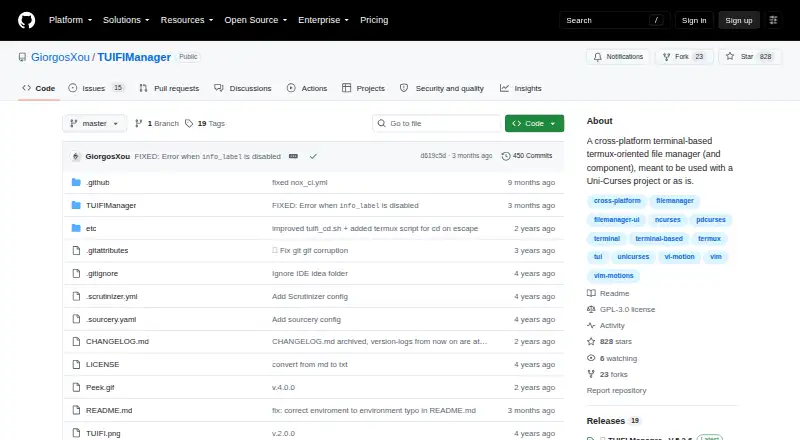
What TUIFIManager is
TUIFIManager is a free, open-source file manager that runs in a terminal, with an orientation toward Termux users. It is available for Android, Linux, macOS, and Windows, and the project can also be imported as a component in a Uni-Curses project. Its keybindings cover copying, cutting, pasting, deleting, renaming, creating files and folders, and showing or hiding hidden files. Vim mode supports normal and vim shortcuts, while the README also lists common mouse events and X11 drag-and-drop from terminals. Termux users have several additional keybindings. Installation uses pip commands, followed by running `tuifi` in a terminal. The project reports about 35 MB of RAM use and documents environment variables for settings such as vim mode, editor, configuration path, hidden files, and filename display lines. It requires Python 3.8 or newer. Synthetic XDND is experimental and needs additional packages; the README describes its documentation as a work in progress. Changing default keys other than commands is not currently configurable, and listed macros, treeview, undo and redo, and multiple tabs are desired features, not current ones.
Good
- Available on Android, Linux, macOS, and Windows.
- Supports common file operations through keybindings.
- Vim mode offers normal and vim shortcuts.
- Project reports about 35 MB of RAM use.
Watch out
- Changing default keys besides commands is not configurable.
- Documentation is marked as a work in progress.
- Synthetic XDND is experimental and requires extra packages.
Who it suits
TUIFIManager suits people who want terminal-based file management, particularly Termux users. It may also suit developers seeking a file-manager component for a Uni-Curses project.
Verdict
TUIFIManager covers core file operations in a terminal and includes Termux support, vim mode, and customization through environment variables. Readers should note its documentation status and the limits on key customization; several requested features are not current capabilities.
Plans and prices
From TUIFIManager's own pricing page, checked 14 Oct 2026.
| Plan | Price | What it gives you |
|---|---|---|
| TUIFIManager | Free | Open source · terminal use · pip install |
The facts
Each one read from TUIFIManager's own pages, with the date it was checked.
What it does
- Customization
- Environment variables configure editor, colors, scrolling, hidden files and other behavior.checked 14 Oct 2026
- Developer interface
- The documented extension method is Python importing and Uni-Curses component use; no web API or SDK is documented.checked 14 Oct 2026
- Documentation
- The README calls documentation work in progress.checked 14 Oct 2026
- Experimental feature
- Synthetic XDND is experimental and requires requests, pynput, PySide6 and python-xlib.checked 14 Oct 2026
- Features
- Documented controls include navigation, search, copy, cut, paste, delete, rename and file creation.checked 14 Oct 2026
- File operations
- The listed keybindings support copying, cutting, pasting, deleting, renaming, creating files and folders, and toggling hidden files.checked 9 Oct 2026
- Independent reaction
- A Lunduke commenter says it suits an older 512 MB RAM laptop.checked 14 Oct 2026
- Input
- It supports common mouse events, X11 terminal drag-and-drop and Vim shortcuts.checked 14 Oct 2026
- Install
- The README gives `pip3 install TUIFIManager --upgrade` and the `tuifi` command.checked 14 Oct 2026
- Integration
- It can be imported as a component in Uni-Curses projects.checked 14 Oct 2026
- Known limitation
- The README says changing default keys besides commands is not currently possible through configuration.checked 9 Oct 2026
- License and audience
- The repository identifies the license as GPL-3.0 and describes the project as a terminal file manager oriented toward Termux users.checked 9 Oct 2026
- License discrepancy
- GitHub says GPL-3.0, while PyPI shows MIT-related metadata.checked 14 Oct 2026
- Memory
- The README says the application uses about 35 MB of RAM.checked 9 Oct 2026
- Mouse and drag-and-drop
- The README lists support for common mouse events and X11 drag-and-drop from terminals.checked 9 Oct 2026
- Package compatibility
- The PyPI project page lists macOS, Windows, and POSIX operating-system classifiers and requires Python 3.8 or newer.checked 9 Oct 2026
- Praise: ASCII interface
- Lunduke highlights Python implementation, Linux/Windows/Mac operation and ASCII file icons.checked 14 Oct 2026
- Praise: customization
- Korben highlights environment-variable customization of behavior and appearance.checked 14 Oct 2026
Where it runs
- Limit: key remapping
- The README says default keys other than commands cannot currently be changed through configuration.checked 14 Oct 2026
- Linux support
- Yeschecked 21 Sep 2026
- macOS support
- Yeschecked 21 Sep 2026
The company
- Maker
- PyPI identifies the author as George Chousos and maintainer as GiorgosXou.checked 14 Oct 2026
Money
- Planned features
- The README lists macros, treeview, undo and redo, multiple tabs, and other features as desired rather than current features.checked 9 Oct 2026
- Planned work
- Macros, treeview, undo/redo, tabs, image or Sixel support and multithreading are listed as desired.checked 14 Oct 2026
Alternatives to TUIFIManager
- 1
Alfa
Free planWebAPILinuxmacOS7.2Free plan - 2
FileManagerTUI
Free planOpen sourceLinuxmacOSWindows7.2Free plan - 3
nnn
Free planAndroidLinuxmacOSWindows7.2Free plan - 4
Newt
Free planOpen sourceLinuxmacOSWindows7.0Free plan - 5

Rat Commander
Free planLinuxmacOSWindows6.8Free plan - 6
Clifm
Free planAndroidLinuxmacOS6.7Free plan