TortoiseGit
TortoiseGit is a free Windows Shell interface to Git, based on TortoiseSVN.
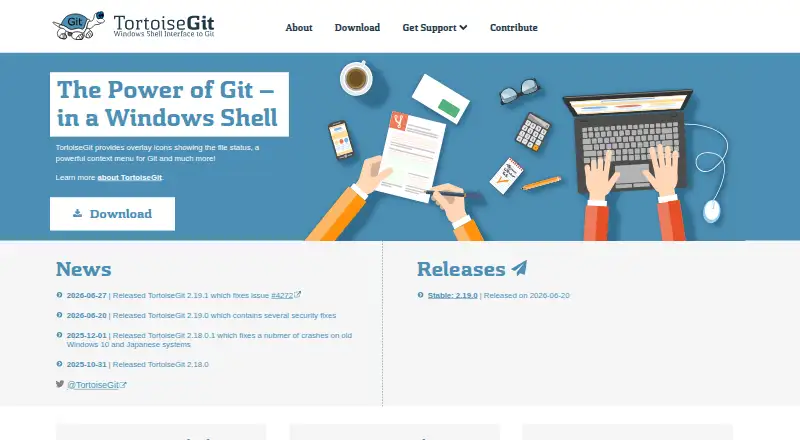
What TortoiseGit is
TortoiseGit is a free Windows Shell interface to Git, based on TortoiseSVN. Its commands appear mainly in Windows Explorer context menus, while overlay icons show file status and relevant actions. Users can commit, inspect logs, compare versions, create branches and tags, and make patches. The commit dialog includes spell checking, path and keyword autocomplete, and special-character formatting. Web-based bug trackers can link issue numbers to commits and warn when a commit lacks one. TortoiseGitMerge handles change review, conflict resolution, and patch application; TortoiseGitBlame and TortoiseGitIDiff provide history and image comparison. It supports offline work, Git LFS, submodules, interactive rebase, and a conflict editor. A command-line git.exe is required, with Git for Windows 2.24 or newer specified. Current support requires Windows 10 version 1607 or newer.
Good
- Git commands available from Explorer context menus
- Supports branches, tags, patches, and comparisons
- Includes conflict and image comparison tools
- Supports Git LFS and submodules
- Free for commercial use under GPL
Watch out
- Requires separate command-line git.exe
- Current FAQ requires Windows 10 1607 or newer
- Older Windows versions need older releases
- Windows only
Who it suits
It suits Windows developers who prefer Git commands inside Explorer. Teams needing issue links, conflict tools, history views, or image comparison may also find it suitable.
Verdict
TortoiseGit brings substantial Git operations and supporting tools into Windows Explorer without a license cost. Users should confirm their Windows version and Git for Windows installation meet the stated requirements.
Plans and prices
From TortoiseGit's own pricing page, checked 3 Oct 2026.
| Plan | Price | What it gives you |
|---|---|---|
| TortoiseGit | Free | GPL open source · free for commercial use |
The facts
Each one read from TortoiseGit's own pages, with the date it was checked.
What it does
- Commit dialog
- The commit dialog includes a spell checker, path and keyword autocomplete, and text formatting with special characters.checked 3 Oct 2026
- Compatibility
- The current FAQ requires Windows 10 version 1607 or newer; Windows 7, Vista, and XP require older releases.checked 3 Oct 2026
- File status
- It displays file status with Explorer overlay icons and shows commands relevant to the selected file or folder.checked 3 Oct 2026
- Git operations
- It supports committing, viewing logs, comparing versions, creating branches and tags, and creating patches.checked 3 Oct 2026
- Git prerequisite
- TortoiseGit requires a command line git.exe, and the FAQ specifies Git for Windows 2.24 or newer as required.checked 3 Oct 2026
- Included tools
- TortoiseGitMerge can display changes, help resolve conflicts, and apply patch files; TortoiseGitBlame and TortoiseGitIDiff provide file history and image comparison features.checked 3 Oct 2026
- Installers
- The download page offers 32 bit, 64 bit, and ARM64 Windows installers and language packs.checked 3 Oct 2026
- Issue tracking
- It can integrate with web based bug trackers to link issue numbers to commits and optionally warn when a commit has no issue number.checked 3 Oct 2026
- Project maintainer
- The official site identifies Sven Strickroth as the project's lead developer and says the website is maintained by him.checked 3 Oct 2026
- Purpose
- TortoiseGit is a Windows Shell interface to Git based on TortoiseSVN.checked 3 Oct 2026
- Security
- The FAQ says the automatic updater cryptographically verifies binaries; the support page says the crash reporter can upload crash dumps to drdump.com for team review.checked 3 Oct 2026
- Support
- Support is available through manuals, an FAQ, a GitLab issue tracker, mailing lists, and the StackOverflow tortoisegit tag.checked 3 Oct 2026
- Website privacy
- The site says it does not use cookies or track users, uses encrypted connections, and stores access logs for aggregated statistics and site protection.checked 3 Oct 2026
- Workflow
- Its commands are available from Windows Explorer, and its main interaction is through Explorer context menus.checked 3 Oct 2026
Money
- Free plan
- Yeschecked 20 Sep 2026
Alternatives to TortoiseGit
- 1

SmartGit
Free planLinuxmacOSWindows7.8From $5 a month - 2

Gitnuro
Free planOpen sourceLinuxmacOSWindows7.8Free plan - 3
Fork
Free planmacOSSelf-hostedWindows7.6Free plan - 4

GitKraken Desktop
Free planLinuxmacOSWindows7.5Free plan - 5

GitHub CodeQL
Free planWebExtensionLinuxmacOS7.5From $30 a month - 6

GitButler
Free planLinuxmacOSWindows7.4Free plan