Topmarks
Topmarks provides educational resources for children, teachers, and parents, including interactive games, worksheets, classroom materials, and apps.
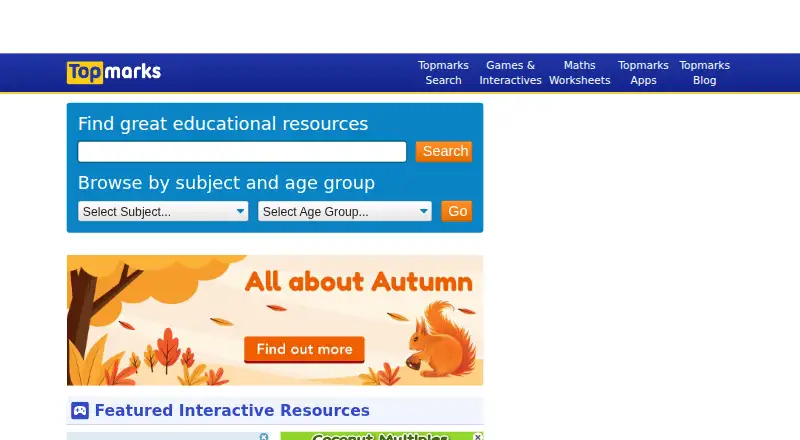
What Topmarks is
Topmarks provides educational resources for children, teachers, and parents, including interactive games, worksheets, classroom materials, and apps. Its listed coverage includes maths, English, spelling and grammar, reading, writing, geometry, measures, and problem solving, with resources grouped for ages 3–5, 5–7, 7–11, and 11–16 and for Reception to Year 6. The site also selects educational content from around the web. Its Hit the Button Maths app offers practice in times tables, division, square numbers, number bonds, doubling, and halving, with 166 game modes across six topics and timed or untimed practice. The app allows up to 30 player profiles per device and guest play, works without an internet connection, and has no ads or in-app purchases. The website is free to use. Hit the Button Maths costs $3.99, paid once; licenses do not transfer across platforms, and educational institutions need a license for each computer. Topmarks is available on the web and is listed for Windows, macOS, iOS, and Android; Chromebook support is also described.
Good
- Website resources are free to use.
- Hit the Button offers 166 maths game modes.
- App supports up to 30 profiles per device.
- App works offline and has no ads or in-app purchases.
Watch out
- Hit the Button Maths costs $3.99, paid once.
- App licenses do not transfer across platforms.
- Institutions need a license for each computer.
- Standalone redistribution or sale of resources is prohibited.
Who it suits
Topmarks may suit parents supporting learning at home and teachers looking for classroom resources. Hit the Button Maths is described as mental maths and calculation practice for ages 5–11.
Verdict
Topmarks offers a broad set of learning resources, while Hit the Button Maths focuses on calculation practice for ages 5–11. Check the app's one-time price and licensing limits if you plan to use it across platforms or institutional computers.
Plans and prices
From Topmarks's own pricing page, checked 7 Oct 2026.
| Plan | Price | What it gives you |
|---|---|---|
| Topmarks website | Free | Free to use · no subscription |
| Hit the Button Maths app | $3.99, paid once | £3.49 GBP / $3.99 USD / €3.99 EUR / $5.99 AUD · Licenses are not transferable across platforms · Educational institutions need a license for each computer |
The facts
Each one read from Topmarks's own pages, with the date it was checked.
What it does
- Age range
- The Hit the Button Maths app is described as mental maths and calculation practice for ages 5–11.checked 7 Oct 2026
- Connectivity and ads
- The app requires no internet connection and has no ads or in-app purchases.checked 7 Oct 2026
- Curated resources
- Alongside its own resources, Topmarks hand-picks educational content from around the web.checked 7 Oct 2026
- Educational use limits
- Teachers may use resources in their classrooms and live online lessons, and parents may use them at home; standalone redistribution or sale is prohibited.checked 7 Oct 2026
- Game modes
- The app offers 166 maths game modes across six topics, with timed and untimed practice.checked 7 Oct 2026
- Intended users
- Topmarks describes resources for children, teachers, and parents supporting learning at home and in school.checked 7 Oct 2026
- Player profiles
- The app supports up to 30 player profiles per device and also offers guest play.checked 7 Oct 2026
- Support
- Topmarks directs users with questions about its resources or website to email support.checked 7 Oct 2026
- Web privacy
- The website privacy policy says it complies with GDPR requirements and the ICO Age Appropriate Design Code.checked 7 Oct 2026
- Website security
- The website uses Cloudflare to mitigate security risks during cyber-attacks.checked 7 Oct 2026
- What it offers
- Topmarks provides educational resources including learning games, worksheets, and classroom resources for primary-age children.checked 7 Oct 2026
Where it runs
- App platforms
- The app is listed for Windows, Mac, iPad, iPhone, Android devices, and Kindle Fire; Chromebook support is also described in the support FAQ.checked 7 Oct 2026
- App privacy
- Topmarks says its apps do not collect or share personal information, and pupil data is stored locally on the device.checked 7 Oct 2026
- App topics
- Hit the Button covers times tables, division, square numbers, number bonds, doubling, and halving.checked 7 Oct 2026
The company
- Founded
- 1998checked 28 Sep 2026
- Headquarters
- Nottingham, UKchecked 28 Sep 2026
The full review of Topmarks
Topmarks is a free library of primary-learning materials for children, parents and teachers. It is best for finding activities across school subjects and age bands; its separate Hit the Button app is a more focused option for calculation practice.
Overview
Topmarks combines its own games, worksheets and classroom resources with educational content selected from elsewhere on the web. Its coverage ranges from ages 3–5 through 11–16 and spans Reception to Year 6, including maths, English, reading, writing, spelling and grammar. That breadth is useful when a family or teacher needs material for a particular topic, but it is a collection of resources rather than a single course or structured sequence.
Formats include interactive games, printable worksheets, classroom materials and apps. Teachers may use resources in classrooms and live online lessons, and parents may use them at home. Standalone redistribution or sale is prohibited, so the materials are not suitable for repackaging or resale.
Key features
Subject and age coverage
Alongside English, Topmarks covers number, geometry, measures, data handling and problem solving. The spread gives primary learners and educators several ways to approach a topic, including screen-based games and worksheets. Because the age bands extend beyond the stated Reception-to-Year-6 range, choose by the learner’s needs and the resource itself rather than treating the age labels as a continuous curriculum.
Hit the Button Maths
Hit the Button is a dedicated mental-maths app for ages 5–11, with 166 game modes across times tables, division, square numbers, number bonds, doubling and halving. Timed and untimed practice lets learners work on speed or take a less pressured route through the same calculation topics. Up to 30 player profiles can be saved on one device, with guest play as another option, making it practical for shared household or classroom devices.
The app works offline and has no ads or in-app purchases, avoiding interruptions and extra purchase prompts during practice. Its narrow focus is also a limit: it suits calculation drills, not the wider mix of subjects and resource formats on the website.
Pricing
The Topmarks website is free to use, with no subscription. Hit the Button Maths is a one-time purchase at £3.49 GBP / $3.99 USD / €3.99 EUR / $5.99 AUD. That fee buys a focused practice app rather than the broader website library. App licenses cannot be transferred between platforms, and educational institutions need a separate license for each computer, so schools should account for both device count and platform before buying.
There is no free trial for the app. The website remains the choice for free games, worksheets and classroom resources; the paid app makes sense when repeated mental-arithmetic practice is the priority.
Platforms
The website is accessible on the web, and Topmarks lists Android, iOS, macOS and Windows among its platforms. Hit the Button is listed for Windows, Mac, iPad, iPhone, Android devices and Kindle Fire; Chromebook support is also described in its support FAQ. Since licenses do not transfer between platforms, a purchase on one platform does not cover another.
Who it's for
Topmarks suits parents looking for learning activities at home and teachers seeking material for classroom or live online lessons. Its range of subjects and formats makes the website useful for finding a particular activity, while Hit the Button is a better fit for children aged 5–11 who need focused calculation practice. Those seeking a single, guided course should look elsewhere.
Topmarks says its apps do not collect or share personal information and store pupil data locally on the device. Its website privacy policy says it complies with GDPR requirements and the ICO Age Appropriate Design Code. The website uses Cloudflare to mitigate security risks during cyber-attacks, and questions about resources or the site can be sent to email support.
Pros and cons
- Pro: A free website brings together games, worksheets and classroom resources across maths and English, giving families and teachers options beyond a single activity format.
- Pro: Hit the Button offers 166 modes, offline play and up to 30 local profiles, making it well suited to repeated practice on a shared device.
- Pro: No ads or in-app purchases keep the app focused on practice without additional prompts or spending.
- Con: The app is limited to calculation topics, so it cannot replace the website’s broader learning resources.
- Con: The one-time app purchase is tied to its platform, and institutions must license each computer separately.
- Con: The site is a resource library, not a unified course, so learners who need a guided sequence may prefer a more structured option.
Alternatives
Teacher Resource Libraries is a useful category to explore when comparing other teaching-resource collections. Choose Myatt & Co if you want a film-led option: it has a free tier with a small selection of films and a £22.00 GBP monthly plan for all films and resources. CommonLit is a stronger alternative for teachers and students seeking a free text library and CommonLit 360 curriculum, with a paid Spark school plan at $4,200 USD per year.
BusyTeacher may suit teachers looking specifically for printable materials: its free offering includes 18,421 resources without registration, while its library of 80 PDF e-books costs $80.00 USD once. ReadWriteThink is another free educational-materials option. SBS Learn is worth considering for free Australian Curriculum-aligned digital resources for educators, ready to download, save and share. Scootle offers free registration with guest access, and requests an education or university email. Australian Teacher is another free teaching-resource option, with downloads and printing subject to its copyright terms. Classroom Secrets offers a free plan as well as a £6.56 GBP monthly plan for one user.
Verdict
Choose Topmarks if you want free, varied learning resources for home or classroom use, especially across primary maths and English. Its strongest case is breadth: games, worksheets and teaching materials sit alongside a focused offline maths app. Look elsewhere if you need a structured course, or choose another tool if your priority falls outside Hit the Button’s calculation practice.
Getting started
- Open the Topmarks website at https://www.topmarks.co.uk/
- Choose resources by subject, age band, or school stage
- Use website materials in class, live online lessons, or at home
- Purchase Hit the Button Maths for a supported device if needed
- Install the app on Windows, Mac, iPad, iPhone, Android, Kindle Fire, or Chromebook
Limits worth knowing
The website is free, but its resources may not be redistributed or sold as standalone materials. Hit the Button Maths is a separate one-time purchase, and each educational computer needs its own license.
Questions
Is Topmarks free?
The Topmarks website is free to use with no subscription. Hit the Button Maths is listed as a one-time purchase at 3.99 USD, £3.49 GBP, €3.99 EUR, or $5.99 AUD.
Which devices support Hit the Button Maths?
The app is listed for Windows, Mac, iPad, iPhone, Android devices, and Kindle Fire. Chromebook support is also described in the support FAQ.
Does the maths app need internet access?
No. Hit the Button Maths requires no internet connection and has no ads or in-app purchases.
What ages does Hit the Button Maths target?
It is described as mental-maths and calculation practice for ages 5–11.
Can teachers use Topmarks resources?
Teachers may use the resources in classrooms and live online lessons. Parents may use them at home, but standalone redistribution or sale is prohibited.
Alternatives to Topmarks
- 1
Myatt & Co
Free planAndroidiOSWebmacOS8.0From £220 a year - 2
BusyTeacher
Free planAndroidiOSWeb7.9$10 one-time - 3

CommonLit
Free planAndroidiOSWeb7.5From $4,200 a year - 4
ReadWriteThink
Free planAndroidiOSWeb7.3Free plan - 5
Twinkl
AndroidiOSWeb6.8From $7.49 a month - 6

Classroom Secrets
Free planWeb6.7From $62.99 a year