Tomato Timer
Tomato Timer is a focus timer for work sessions, with short breaks between intervals and a longer break after every four rounds.
What Tomato Timer is
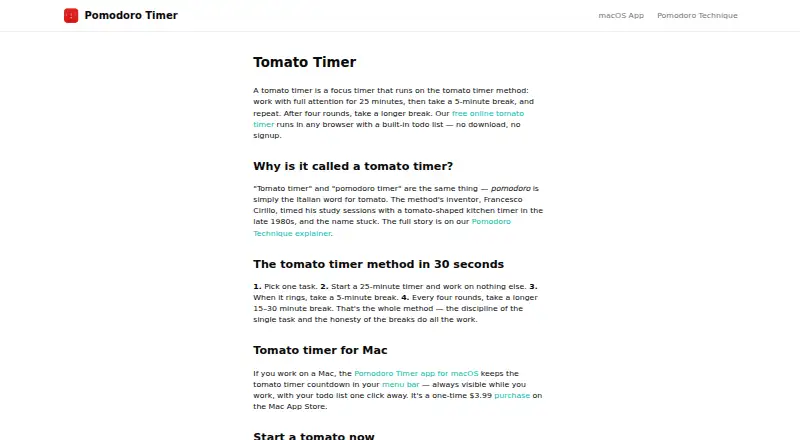
Tomato Timer is a focus timer for work sessions, with short breaks between intervals and a longer break after every four rounds. Its browser version is free to use without a download or signup, and includes a todo list for linking sessions to tasks plus custom focus durations. Web timer data stays in the browser and is stored locally on the device. A native Mac app places the countdown in the macOS menu bar and includes a todo list. It works offline, keeping todos and timer history on the Mac; the app’s privacy policy says that locally stored data is encrypted and not transmitted to external servers or third parties. The Mac app requires macOS 12.2 or later and supports Apple Silicon and Intel Macs. The browser timer can be used on Windows or Linux. The web timer costs nothing; the macOS app costs $3.99, paid once-time purchase, with no subscription.
Good
- Browser timer needs no download or signup.
- Custom focus durations and a built-in todo list.
- Mac app works offline and stores data locally.
- Locally stored Mac app data is encrypted.
Watch out
- Mac app requires macOS 12.2 or later.
- Mac app costs 3.99 USD one-time.
Who it suits
It suits people who want timed work sessions with breaks and a task list, especially those who prefer a browser timer or an offline Mac app. The browser version also fits Windows and Linux users.
Verdict
Tomato Timer pairs a simple work-and-break cycle with task lists and adjustable focus durations. Choose the free browser timer for Windows or Linux access, or the paid Mac app for offline use and local history.
Plans and prices
From Tomato Timer's own pricing page, checked 8 Oct 2026.
| Plan | Price | What it gives you |
|---|---|---|
| Web timer | Free | Browser timer · built-in todo list · custom focus durations · no signup or download |
| macOS app | $3.99, paid once | macOS 12.2 or later · Apple Silicon and Intel Macs · One-time purchase; no subscription |
The facts
Each one read from Tomato Timer's own pages, with the date it was checked.
Where it runs
- Browser access
- The free online timer runs in a browser without a download or signup.checked 8 Oct 2026
- Browser data
- The download page says web timer data stays in the browser and is stored locally on the device rather than on the maker’s servers.checked 8 Oct 2026
- Mac app
- The native Mac app places its countdown in the macOS menu bar and includes a todo list.checked 8 Oct 2026
- Mac compatibility
- The app runs on macOS 12.2 or later on Apple Silicon and Intel Macs.checked 8 Oct 2026
- Windows and Linux
- The maker says the browser timer can be used on Windows or Linux.checked 8 Oct 2026
What it does
- Custom durations
- The browser timer includes custom focus durations.checked 8 Oct 2026
- Data encryption
- The Mac app privacy policy states that locally stored data is encrypted.checked 8 Oct 2026
- Offline use
- The Mac app works fully offline, with todos and timer history stored locally on the Mac.checked 8 Oct 2026
- Privacy policy
- The Mac app privacy policy says task, timer, and settings data is stored locally and not transmitted to external servers or third parties.checked 8 Oct 2026
- Purpose
- The timer supports focused work intervals followed by short breaks, with a longer break after four rounds.checked 8 Oct 2026
- Support contact
- The site provides a contact link for questions, but the opened contact link returned an error.checked 8 Oct 2026
- Task list
- The web timer includes a todo list for associating work sessions with tasks.checked 8 Oct 2026
Alternatives to Tomato Timer
- 1
Pomodoist
Free planOpen sourceAndroidiOSWebAPI8.6Free plan - 2

Forest
Free planAndroidiOSWebExtension8.1From $35.99 a year - 3
Pomodoro PWA Timer
Free planAndroidiOSWebAPI8.0From $49 a month - 4
Focus To-Do
Free planAndroidiOSWebExtension7.6Free plan - 5
PomoDial
Free planWebExtension7.2From $2.99 a month - 6

Pomofocus
Free planWebLinuxmacOSWindows7.0Free plan