
The100.io
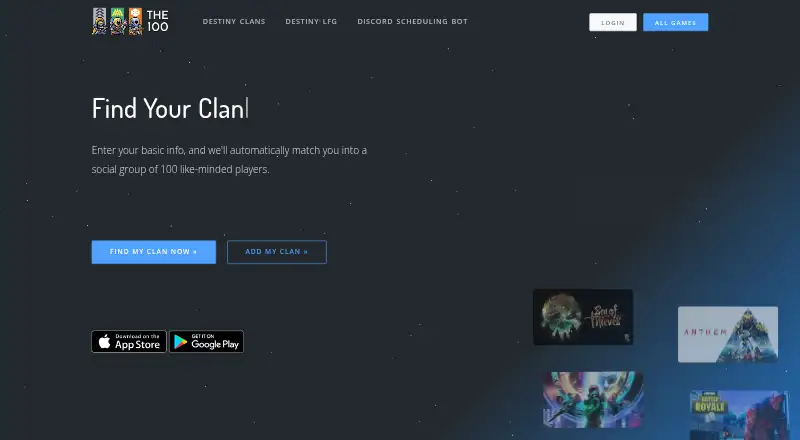
The100.io helps video game players find groups based on their play schedules, time zones, age, and preference for serious or casual play.
What The100.io is
The100.io helps video game players find groups based on their play schedules, time zones, age, and preference for serious or casual play. Players can create sessions by selecting a game, date, start time, platform, and group, with optional notes. Others can join, waitlist, or reserve a spot when a session is full. Members can join or leave groups, though some groups require admin approval. Users can link Discord accounts; the bot can recognize linked players, post their games, list upcoming group sessions, and create sessions from plain-language descriptions. Notification settings include controls for gaming email and mobile push alerts. The service has web, Android, and iOS access, while most active development happens on the website. Finding a group and basic functionality are free. Supporters can contribute monthly and cancel at any time; supporter features include Google Calendar and iCal sync, custom game options, and joining up to six groups. Users must be at least 13 years old.
Good
- Group matching considers schedule, timezone, age, and play style.
- Sessions offer waitlists and reserve spots.
- Discord bot can list and create group sessions.
- Basic functionality is free.
Watch out
- Some groups require admin approval to join.
- Most active development happens on the website.
- Users must be at least 13 years old.
Who it suits
The100.io suits players looking for gaming groups and scheduled sessions with others who share their play style or availability. It also suits players who use Discord to coordinate games.
Verdict
The100.io provides group discovery, session scheduling, and Discord tools across web and mobile apps. Basic use is free, while supporters can access calendar sync and join up to six groups.
Plans and prices
From The100.io's own pricing page, checked 3 Oct 2026.
| Plan | Price | What it gives you |
|---|---|---|
| Basic | Free | Basic functionality; core features |
| One-time contribution | — | Permanent supporter badge · supporter perks for 3 months · Choose any amount |
| Supporter | — | Up to 6 groups · Google Calendar and iCal sync · supporter customization and features · Monthly contribution; cancel any time |
The facts
Each one read from The100.io's own pages, with the date it was checked.
What it does
- API access
- The API documentation says personal API tokens are currently limited to supporters, and Discord Bots API access requires prior approval.checked 2 Oct 2026
- Discord
- Players can link their Discord account and use the100 Discord bot to recognize them and post their games.checked 3 Oct 2026
- Discord bot
- The Discord bot supports commands to list upcoming group sessions and create sessions using plain-language descriptions of what and when.checked 2 Oct 2026
- Discord integration
- Users can link their Discord account, and the Discord bot can recognize linked users and post their games.checked 2 Oct 2026
- Eligibility
- The terms state that users must be at least 13 years old to use the service.checked 3 Oct 2026
- Game waitlists
- Players can join a waitlist or reserve spot when a gaming session is full.checked 3 Oct 2026
- Groups
- Public groups can be automatically matched with like-minded players, while private groups hide games and chat from public view and require approval for new members.checked 3 Oct 2026
- Joining sessions
- Players can join a session, join its waitlist, or join as a reserve if it is full.checked 2 Oct 2026
- Notifications
- Users can control gaming email and mobile push notifications, including toggles for specific notification types.checked 2 Oct 2026
- Payments
- Supporter payments are handled by Stripe, and the site says it does not see or store card information.checked 3 Oct 2026
- Privacy
- The site says most user information is public, while email addresses are kept private.checked 3 Oct 2026
- Purpose
- The service matches players into groups of 100 based on when they play, timezone, age, and whether they are serious or casual.checked 3 Oct 2026
- Security
- The site says it uses SSL on all web pages and stores passwords hashed and salted with Bcrypt.checked 3 Oct 2026
- Sessions
- Players can create gaming sessions with a game, date, start time, platform, group, and optional notes for others to join.checked 3 Oct 2026
- Support
- Users can contact support through the support page or email, and can manage or cancel a monthly contribution from their profile.checked 3 Oct 2026
- Supporter community
- Supporters get private access to a Discord channel to talk with developers and other supporters.checked 3 Oct 2026
- Supporter contributions
- Supporter contributions are voluntary monthly contributions that users can cancel from their profile at any time.checked 2 Oct 2026
- Supporter features
- Supporters get Google Calendar and iCal game sync, can add friends and custom characters to games, and can join up to six groups.checked 3 Oct 2026
Money
- Free access
- The site says finding a group is free, and its terms say basic functionality has no fee while certain features may require payment.checked 2 Oct 2026
The company
- Maker
- The About page says The 100 was created by Mike LaPeter with help from volunteers.checked 3 Oct 2026
Where it runs
- Mobile apps
- The service has iOS and Android apps for core LFG and group features, while most active development happens on the website.checked 3 Oct 2026
The full review of The100.io
The100.io is a group-finding and gaming-session service for people who want teammates with compatible schedules and play styles. It is best suited to players building regular groups around planned sessions, rather than those seeking a general-purpose gaming community. Its free core is useful; calendar sync and a six-group limit make the supporter tier more attractive to committed organizers.
Overview
The service matches players using when they play, their timezone and age, and whether they prefer serious or casual gaming. That emphasis on routine and fit gives players a focused way to find teammates, while session tools help turn a group into scheduled play. Some groups require admin approval, so finding a promising group does not always mean joining immediately.
Key features
Players can publish a session with a game, date, start time, platform, group and notes. Other members can join, take a reserve spot or join a waitlist when the session fills. This is a practical setup for coordinating a specific play time and keeping a queue of interested players, though it is oriented around group sessions rather than a broad event-management toolkit.
Discord support is one of the service’s stronger conveniences for groups that already use the platform. Members can link accounts so the bot recognizes them and posts their games; it can also show upcoming group sessions and create sessions from plain-language descriptions of what and when. Email and mobile push controls include switches for particular notification types, giving players some say over how much scheduling activity reaches them.
Supporters can sync games with Google Calendar or iCal, add friends and custom characters to games, and join up to six groups. The private supporter Discord channel also gives contributors a place to talk with developers and other supporters. These extras are most relevant to players who coordinate across several groups or rely on an external calendar; casual users can use the core group and session functions without them.
The mobile apps cover core group-finding and group features on iOS and Android, but most active development takes place on the website. Users who want the most actively developed experience should favor the web version. The service says email is kept private while most other user information is public, and that web pages use SSL and stored passwords are hashed and salted with Bcrypt. Users must be at least 13. Support is available through a bug-report form or the listed support email.
Pricing
Basic: free. Basic functionality and core features are free, making this the sensible starting point for players who need group discovery and session coordination. The trade-off is that calendar sync, supporter customization, and the higher group allowance are not part of the basic tier.
Supporter: custom pricing. This is a voluntary monthly contribution, cancellable from the user profile at any time. It includes up to six groups, Google Calendar and iCal sync, supporter features and customization, and access to the private supporter Discord channel. Choose it if those extras support regular coordination; the core remains available without a contribution.
One-time contribution: custom pricing. Users choose any amount for a permanent supporter badge and supporter perks for three months. It suits someone who prefers a one-off contribution to a monthly commitment, but the perks are time-limited even though the badge is permanent. There is no free trial. Payments are handled by Stripe, and the site says it does not see or store card information.
Platforms
The100.io is available on web, Android and iOS. The mobile apps support core LFG and group features, while the website is where most active development happens. Players who prioritize the current development focus should choose web; mobile users still have access to the core experience.
Who it's for
The100.io fits players who want teammates aligned by schedule and play style, and groups that need a straightforward way to publish sessions, manage full-session waitlists and coordinate through Discord. Supporters who participate in multiple groups can benefit from the six-group cap and calendar sync. It is a weaker fit for players who require a mobile-first development focus or are looking for broad community tools beyond game discovery and session planning.
Pros and cons
- Schedule- and play-style-based matching: helps players look for teammates whose routines and approach to gaming are compatible.
- Useful full-session handling: waitlist and reserve options keep interested players connected when a session has no open spots.
- Discord session tools: the bot can list upcoming group sessions and create sessions from plain-language descriptions.
- Supporter extras target organizers: calendar sync and up to six groups are meaningful for players coordinating across several communities.
- Website-led development: mobile apps cover core features, but users seeking the most actively developed experience should use the web version.
- Group access can require approval: some players may have to wait for an admin before joining a group.
Alternatives
Gaming Community Platforms is the broader category for comparing services in this space. Consider Steam Community if you want a free option across desktop and mobile platforms, with access to more Hubs requiring a Steam account. Ascended is another freemium choice with a free tier capped at three communities or groups and 720p streaming and uploads. Z League offers a free-to-download option with in-app purchases, while GameTree keeps core LFG features free and requires an account for personality matching and Steam sync.
Game Jolt is a free alternative. For a web-only community tool, NexGild has a free plan limited to one game and 30 members, with Discord integration and basic event scheduling. Spawn Point Gaming is a web-based freemium alternative with free, Pro and Elite plans. WildStack is web-based and offers free matchmaking, groups, chat and voice.
Verdict
Choose The100.io if you want teammates matched around when and how you play, plus a focused way to schedule sessions and coordinate through Discord. Its free core is enough to establish a group and organize play; supporters have a clear reason to contribute when calendar syncing or membership in up to six groups matters. Look elsewhere if mobile development is a priority or your community needs tools beyond group discovery and session scheduling.
Getting started
- Open The100.io on the website, iOS, or Android.
- Find a group using play timing, timezone, age, and serious or casual preference.
- Join a group, requesting administrator approval when required.
- Create a session by choosing the game, date, time, platform, group, and notes.
- Link Discord to let the bot recognize you and post your games.
- Adjust gaming email and mobile push notification settings.
Limits worth knowing
Basic functionality is free, but the terms say certain features may require payment. Supporter membership allows joining up to six groups, and personal API tokens are limited to supporters.
Questions
Is The100.io free?
Finding a group and basic functionality are free. The site also offers voluntary monthly supporter contributions that can be canceled from a profile.
Which platforms support The100.io?
The service is available on the web, Android, and iOS. The mobile apps provide core LFG and group features.
What do supporters receive?
Listed benefits include Google Calendar and iCal syncing, friends and custom characters in games, up to six groups, and private supporter Discord access.
Can I use Discord with The100.io?
Yes. You can link a Discord account, and the bot can recognize linked users, post games, list upcoming sessions, and create sessions from plain-language descriptions.
Can players join a full session?
Players can join its waitlist or join as a reserve when a gaming session is full.
What are the API access rules?
Personal API tokens are currently limited to supporters. Discord Bots API access requires prior approval.
Alternatives to The100.io
- 1

GameTree
Free planAndroidiOSWebmacOS8.0From $9.99 a month - 2
Ascended
Free planAndroidiOSWebWindows7.4From $4.99 a month - 3

Steam Community
Free planAndroidiOSWebLinux7.3Free plan - 4
Z League
Free planAndroidiOSWeb7.1Free plan - 5

Toornament
Free planWebAPI6.8€19 one-time - 6
TrueAchievements
Free planWeb6.8From $39.99 a year