
Texloom Studio
Texloom Studio is an AI-powered textile design platform for making seamless patterns, matching colours, and preparing print-ready files.
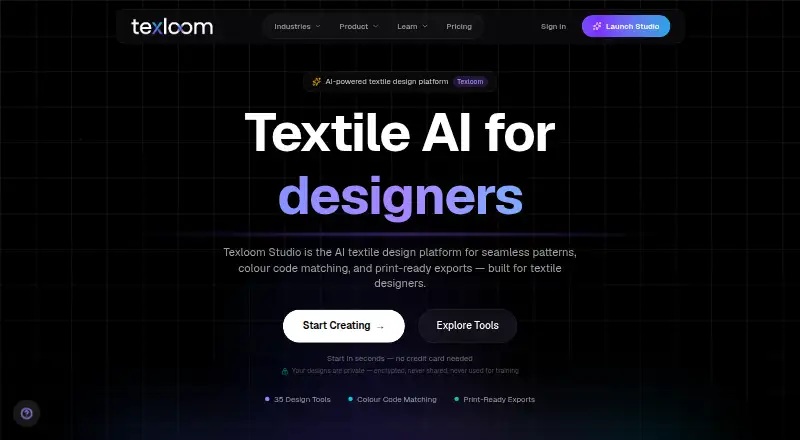
What Texloom Studio is
Texloom Studio is an AI-powered textile design platform for making seamless patterns, matching colours, and preparing print-ready files. Its listed tools include pattern generation, style and colour transfer, texture removal, upscaling, vectorization, recoloring, and color separation. Users can upload PSD, PNG, JPEG, and TIFF files, and export PNG, JPG, TIFF, WebP, SVG, PDF, and PSD formats at resolutions up to 600 DPI. Production exports include CMYK TIFF and layered PSD. Repeat options include block, half-brick, and half-drop, while the colour library contains 2,736 colours with permanent TX codes. The free plan starts with 100 credits, and 27 tool pages can be used without signing up. Paid plans provide monthly credits and result download windows from 24 hours to 30 days. Texloom is available in a web browser and Chrome extension. The extension can send a right-clicked image to Texloom tools and save picked palettes to Recolor Studio, but it cannot pick colours outside Chrome or capture certain Chrome pages.
Good
- Free plan includes 100 starting credits.
- Exports reach resolutions up to 600 DPI.
- Supports block, half-brick, and half-drop repeats.
- Lists 2,736 colours with permanent TX codes.
- Designs are not used to train AI models.
Watch out
- Free plan results have a download window.
- Chrome extension cannot pick colours outside Chrome.
- Extension cannot capture certain Chrome pages.
Who it suits
Texloom Studio is aimed at textile and surface or print designers, print production teams, and design studios. Its print-ready exports may suit workflows that use layered PSD or CMYK TIFF files.
Verdict
Texloom Studio combines textile pattern tools with colour, repeat, and print-export options. The free plan offers a way to start, while paid plans set credit amounts and result download windows.
Plans and prices
From Texloom Studio's own pricing page, checked 30 Sep 2026.
| Plan | Price | What it gives you |
|---|---|---|
| Free | Free | 100 starting credits · 27 tool pages free without signup |
| Starter | $15 a month | 300 credits per month · up to 600 DPI · 24-hour result download window · up to 2 AI jobs at once · $15/month or $10/month, billed $120 per year |
| Professional | $35 a month | 900 credits per month · up to 600 DPI · 7-day result download window · up to 3 AI jobs at once · $35/month or $24/month, billed $290 per year |
| Studio | $83 a month | 2,400 credits per month · up to 600 DPI · 30-day result download window · up to 4 AI jobs at once · $83/month or $58/month, billed $690 per year |
| Enterprise | Priced on request | Custom credit volume · dedicated CSM · SLA-backed uptime · onboarding · Custom |
The facts
Each one read from Texloom Studio's own pages, with the date it was checked.
What it does
- Colour library
- Texloom says its colour library contains 2,736 colours with permanent TX codes.checked 30 Sep 2026
- Data retention
- Processed results are stored for the plan's download window, from 24 hours to 30 days, and then permanently deleted from servers.checked 30 Sep 2026
- Design tools
- The platform lists tools including pattern generation, style transfer, colour transfer, texture removal, upscaling, vectorization, recoloring, and color separation.checked 30 Sep 2026
- Export formats
- The site lists PNG, JPG, TIFF, WebP, SVG, PDF, and PSD export formats and resolutions up to 600 DPI.checked 30 Sep 2026
- Extension limit
- The Chrome extension cannot pick colours outside Chrome and cannot capture Chrome settings pages, the Web Store, or the PDF viewer.checked 30 Sep 2026
- Integrations
- The Chrome extension can send a right-clicked image into Texloom Studio tools and save picked palettes to Recolor Studio.checked 30 Sep 2026
- Intended users
- The maker describes the product as built for textile designers and says it serves surface and print designers, print production teams, and design studios.checked 30 Sep 2026
- Production workflow
- Users can upload PSD, PNG, JPEG, and TIFF files and export print-ready files including CMYK TIFF and layered PSD.checked 30 Sep 2026
- Purpose
- Texloom Studio is an AI-powered textile design platform for seamless patterns, colour matching, and print-ready exports.checked 30 Sep 2026
- Security
- The design security page says data is encrypted in transit with TLS 1.3 and at rest with AES-256, and designs are not used to train AI models.checked 30 Sep 2026
- Support
- The FAQ lists support by email at [email protected]; paid Professional and Studio plans include priority email and chat support.checked 30 Sep 2026
The company
- Founded
- 2024checked 28 Sep 2026
- Headquarters
- Batala, Punjab, Indiachecked 28 Sep 2026
- Maker background
- The about page names Prince Ramgarhia as founder and says Texloom Studio was founded in 2024 in Punjab, India.checked 30 Sep 2026
The full review of Texloom Studio
Overview
Texloom Studio is a textile-design platform for creating repeat patterns, adjusting colour and preparing artwork for print. It is best suited to surface designers and production teams that need these steps in one workflow. Its production-oriented tools are compelling, but monthly credits and timed result downloads make the right plan important.
Key features
Pattern generation, style transfer, colour transfer, texture removal, upscaling, vectorization, recolouring and colour separation cover both image-making and refinement. Block, half-brick and half-drop repeats, alongside seamless-repeat and colorway tools, make Texloom more focused on textile work than a general image generator. Vector editing adds flexibility, though the platform's strongest case is a workflow built around patterns and print preparation.
Users can bring in PSD, PNG, JPEG and TIFF files, then export PNG, JPG, TIFF, WebP, SVG, PDF or PSD at up to 600 DPI. CMYK TIFF and layered PSD are especially useful when artwork is headed into production. The 2,736-colour library uses permanent TX codes, giving teams a consistent way to identify colours across palette work.
The Chrome extension sends a right-clicked image into Texloom tools and can save picked palettes to Recolor Studio. It is a practical shortcut for browser-based references, not a system-wide colour picker: it cannot sample outside Chrome or capture Chrome settings, the Web Store or its PDF viewer.
Texloom says designs are encrypted in transit with TLS 1.3 and at rest with AES-256, and are not used to train AI models. Processed results remain downloadable for 24 hours to 30 days, depending on plan, before permanent deletion. That makes prompt downloads part of the workflow, especially on Starter.
Pricing
The free plan costs nothing and includes 100 starting credits; 27 tool pages are free without signup. It is a low-commitment way to explore the tools, but the starting credit allowance is not a monthly refill.
Starter is $15 a month, billed $15/month or $10/month, billed $120 per year. It provides 300 credits per month, up to 600 DPI, a 24-hour result download window and up to two concurrent AI jobs. This is the entry paid tier for individual users with modest throughput who can retrieve results promptly.
Professional is $35 a month, billed $35/month or $24/month, billed $290 per year. Its 900 monthly credits, seven-day download window and three concurrent jobs suit heavier individual use or small teams; it also includes priority email and chat support. Studio is $83 a month, billed $83/month or $58/month, billed $690 per year. With 2,400 monthly credits, a 30-day download window and four concurrent jobs, it is the clearest fit for a busy studio managing ongoing work and needing more time to retrieve results.
All three paid tiers support up to 600 DPI. Annual billing lowers the stated monthly rate, but requires the annual commitment. Enterprise has custom pricing and offers custom credit volume, a dedicated CSM, SLA-backed uptime and onboarding; it suits organizations seeking a managed arrangement rather than a fixed credit tier. There is no free trial. Email support is available at [email protected], while Professional and Studio add priority email and chat.
Platforms
Texloom runs in a web browser and through a Chrome extension. The extension's browser-only reach is useful for gathering reference images and palettes, but it will not cover work in desktop applications or the excluded Chrome pages.
Who it's for
Texloom is a strong match for textile, surface and print designers, print production teams and design studios that need repeat construction, colour tools and production exports together. Its higher tiers make more sense when monthly credit volume, simultaneous jobs or longer download windows matter. Someone seeking a simple, occasional pattern tool may find the paid credit plans and production-focused breadth unnecessary.
Pros and cons
- Pros: Multiple repeat types, colourway tools and vector editing serve textile-specific design work.
- Pros: CMYK TIFF, layered PSD and exports up to 600 DPI support a print-oriented workflow.
- Pros: A free plan and 27 no-signup tool pages provide ways to start without a subscription.
- Cons: The free plan has 100 starting credits, while paid plans meter work through monthly credit quotas.
- Cons: Starter results are downloadable for only 24 hours, so users must manage retrieval carefully.
- Cons: The extension cannot sample outside Chrome, limiting its use as a general colour-capture tool.
Alternatives
For a broader comparison of pattern tools, browse Pattern Design Software or AI Pattern Generators; fashion-focused options are gathered in AI Fashion Design Generators.
ArahWeave is worth considering for weaving CAD/CAM on Linux, macOS or Windows; its free demo cannot save projects. Repper offers a free mobile web app with a time-limited image-upload window and simplified exports, so it may suit mobile exploration better. Raspberry AI Prints & Patterns starts with 50 one-time free credits and has a paid Individual tier at $49 a month, making it an alternative to compare for AI print and pattern work.
JUMI PatternMaker is a no-sign-up option with SVG and PNG exports up to 8000px and personal and commercial use. Loocie Design is free during beta across desktop, tablet and phone, with files auto-deleted after a short time. Seamlessify combines two one-time AI credits after email verification with unlimited browser-based direct stitching, but does not refill monthly credits.
Tiler is a free web alternative. Patternly offers paid web access with credit packs, including 10 credits for 3.00 GBP once; it may suit buyers who prefer one-off credit purchases.
Verdict
Choose Texloom Studio if textile or print work calls for repeat tools, colour control and production-ready exports in a single platform. The combination of CMYK and layered-file output with textile-specific pattern tools is its strongest reason to choose it. Look elsewhere if you need a general-purpose colour picker, a desktop-first workflow or predictable use without monthly credit limits.
Alternatives to Texloom Studio
- 1

Raspberry AI Prints & Patterns
Free planWebAPI7.4From $49 a month - 2
Seamlessify
Free planWeb7.4From $9.99 a month - 3
Repper
Free planAndroidiOSWeb7.3From $12.99 a month - 4

ArahWeave
Free planLinuxmacOSWindows6.8€2,500 one-time - 5
Loocie Design
Free planWeb6.6Free plan - 6
Textile Designer AI
WebAPImacOSWindows6.4From ₹999 a month