Tiler
Tiler is a free browser tool for turning supplied SVG artwork into seamless repeating patterns.
What Tiler is
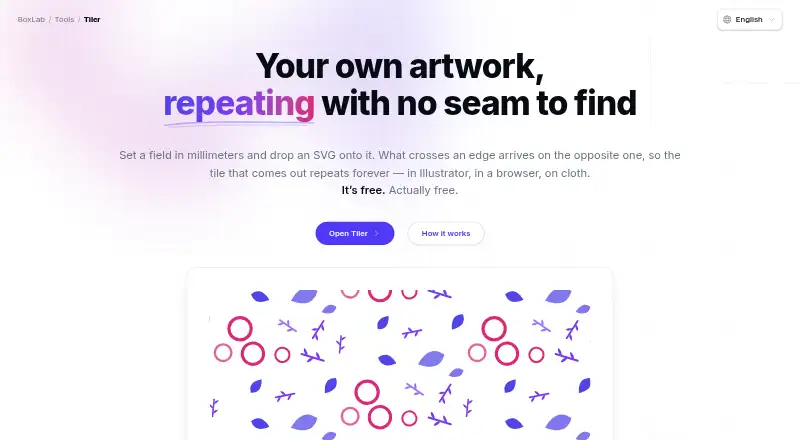
Tiler is a free browser tool for turning supplied SVG artwork into seamless repeating patterns. Set the pattern field in millimeters, then arrange motifs by hand or scatter them with controls for count, size, size variation, rotation, mirroring and spacing. Choose straight, half-drop, half-brick or mirror repeats. Individual placements can keep their original colors or use one ink, with separate opacity; a ground or transparent background is also available. Tiler exports a vector SVG tile at true size in millimeters, a PNG at 72–600 dpi, or a PDF sheet in several page sizes. The PDF is rasterized at the selected resolution. SVG is the only accepted input, so photographs or scans need to be traced before import. BoxLab says artwork is read, drawn and written in the browser rather than uploaded, no account is required, and script-capable content is stripped from imported SVGs. The maker presents it for gift wrap, textiles, packaging, stationery and surface design, print and prepress, and screen backgrounds.
Good
- Four repeat types, including half-drop and mirror.
- Hand placement or controlled motif scattering.
- Per-placement color and opacity controls.
- Exports SVG, PNG and PDF.
- No account required; artwork is not uploaded, according to BoxLab.
Watch out
- SVG is the only supported input format.
- PDF sheets are rasterized at the selected resolution.
Who it suits
Tiler suits people creating repeat patterns for print, textiles, packaging, stationery or screen backgrounds. It is a fit for users with SVG artwork who want browser-based placement and export controls without an account.
Verdict
Tiler provides detailed controls for building repeating designs from SVG artwork, with vector SVG output and raster PNG or PDF options. Its main constraint is the SVG-only input, and PDF output is rasterized rather than vector.
Plans and prices
From Tiler's own pricing page, checked 7 Oct 2026.
| Plan | Price | What it gives you |
|---|---|---|
| Free | Free | No paid features or stated usage limits · no account required |
The facts
Each one read from Tiler's own pages, with the date it was checked.
Money
- Account and trial
- BoxLab says its tools have no paid features, limits, or trial period, and require no sign-up.checked 7 Oct 2026
What it does
- Audience
- The maker presents Tiler for gift wrap, textiles and apparel, packaging, stationery and surfaces, print and prepress, and screen backgrounds.checked 7 Oct 2026
- Color
- You can recolor individual placements to one ink, preserve the artwork’s colors, adjust opacity, and add a ground or transparent background.checked 7 Oct 2026
- Color controls
- Each placement can be recolored to one ink or retain its original colors, and can have its own opacity.checked 7 Oct 2026
- Export limits
- PNG export supports 72–600 dpi, while PDF sheets are raster images at the resolution shown in the panel.checked 7 Oct 2026
- Exports
- Tiler exports an SVG tile at true size in millimeters, a PNG at 72–600 dpi, and a PDF sheet in several page sizes.checked 7 Oct 2026
- How it works
- Users set a field in millimeters, add SVG artwork, and arrange motifs across the field.checked 7 Oct 2026
- Input format
- SVG is the only supported input format; the page recommends tracing photographs or scans before importing them.checked 7 Oct 2026
- Input limit
- SVG is the only supported artwork input format; the page suggests tracing photographs or scans before importing them.checked 7 Oct 2026
- Integrations
- The maker describes SVG output for use in Illustrator, browsers, and print, and says exported tiles can be used as CSS backgrounds.checked 7 Oct 2026
- Intended users
- The maker presents Tiler for gift wrap, textiles and apparel, packaging, surface and stationery design, print and prepress, and screen backgrounds.checked 7 Oct 2026
- PDF limitation
- The exported PDF sheet is rasterized at the selected resolution; the SVG export is vector.checked 7 Oct 2026
- Placement
- You can arrange motifs by hand or strew them with controls for count, size, rotation, mirroring, and spacing.checked 7 Oct 2026
- Privacy
- The maker says artwork is read, drawn, and written in the browser and is not uploaded; no account is required.checked 7 Oct 2026
- Privacy and security
- The maker says files are read, drawn, and written in the browser, are not uploaded, and script-capable content is stripped from imported SVGs.checked 7 Oct 2026
- Purpose
- Tiler creates seamless repeating patterns from artwork supplied by the user.checked 7 Oct 2026
- Repeat types
- It offers straight, half-drop, half-brick, and mirror repeats.checked 7 Oct 2026
- Strewing
- Users can scatter motifs using controls for count, size, size variation, rotation, mirroring, and spacing, or place them by hand.checked 7 Oct 2026
- SVG handling
- The page says SVG IDs are renamed and anything that could run a script is stripped before the artwork reaches the page.checked 7 Oct 2026
The company
- Maker
- The Tiler page identifies BoxLab Tools as a BoxLab tool but does not state a maker headquarters or founding date.checked 7 Oct 2026
Alternatives to Tiler
- 1

Raspberry AI Prints & Patterns
Free planWebAPI7.4From $49 a month - 2
Seamlessify
Free planWeb7.4From $9.99 a month - 3
Repper
Free planAndroidiOSWeb7.3From $12.99 a month - 4

Texloom Studio
Free planWebExtension6.9From $15 a month - 5

ArahWeave
Free planLinuxmacOSWindows6.8€2,500 one-time - 6
Loocie Design
Free planWeb6.6Free plan