JUMI PatternMaker
JUMI PatternMaker is a free browser-based tool for designing seamless repeating patterns.
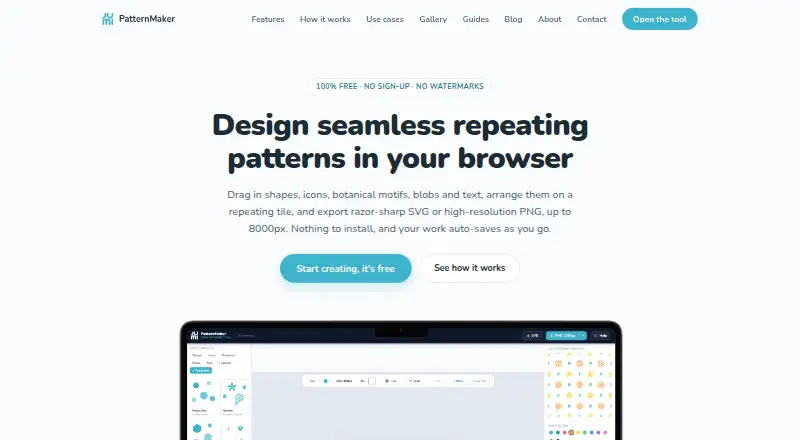
What JUMI PatternMaker is
JUMI PatternMaker is a free browser-based tool for designing seamless repeating patterns. When an element crosses a tile edge, the editor redraws it on the opposite side, including rotation-aware wrapping. Design options include shapes, lines, searchable icons, animal and food motifs, stickers, botanical motifs, blobs, text, uploads, and templates. Elements can use solid or gradient fills, strokes, stroke styles, and opacity. Users can upload SVG or PNG artwork as tileable elements, and recolour SVG fills. Patterns export as SVG or PNG at 1000, 2000, 4000, or 8000 pixels, with a transparent PNG background option. Work auto-saves in the browser; editable projects can also be saved as JSON and reopened. Artwork, uploads, and saved patterns stay in the browser rather than being sent to JUMI. Saved work is specific to the device and browser, does not sync, and cannot be recovered by JUMI if browser data is cleared or the device is lost. The tool is optimized for desktop and tablet; a larger screen is needed to create patterns on a phone.
Good
- Free, with no subscription or watermark
- Exports SVG and PNG up to 8000 pixels
- Supports SVG and PNG artwork uploads
- Auto-saves work in the browser
- Created patterns may be used commercially
Watch out
- Saved work does not sync between devices
- Cleared browser data can make work unrecoverable
- A larger screen is needed to create on a phone
- Library elements cannot be redistributed as standalone assets
Who it suits
JUMI PatternMaker suits surface and textile designers, print-on-demand sellers, crafters, web and app designers, students, and educators who need repeating patterns. It is a better fit for desktop or tablet use than for designing on a phone.
Verdict
JUMI PatternMaker provides pattern design, tiling, project saving, and high-resolution exports in a browser. Its device-specific saving and phone screen limitation are worth considering before starting a project.
Plans and prices
From JUMI PatternMaker's own pricing page, checked 30 Sep 2026.
| Plan | Price | What it gives you |
|---|---|---|
| Free | Free | No sign-up · no subscription · no watermark · SVG and PNG exports up to 8000px · personal and commercial use |
The facts
Each one read from JUMI PatternMaker's own pages, with the date it was checked.
What it does
- Commercial use
- Patterns users create may be used for lawful personal or commercial purposes, but JUMI library elements cannot be redistributed as standalone assets.checked 30 Sep 2026
- Design elements
- The editor includes shapes, lines, searchable icons, animal and food motifs, stickers, botanical motifs, blobs, text, uploads, and templates.checked 30 Sep 2026
- Exports
- Patterns export as scalable SVG or PNG at 1000, 2000, 4000, or 8000 pixels, with an option for a transparent PNG background.checked 30 Sep 2026
- Funding and cookies
- The service is funded by Google AdSense advertising and affiliate links; advertising and analytics cookies are subject to user consent.checked 30 Sep 2026
- Privacy
- Artwork, uploads, and saved patterns are processed and stored in the user's browser and are not sent to JUMI's servers.checked 30 Sep 2026
- Privacy limits
- Saved work is device- and browser-specific, does not sync, and cannot be recovered by JUMI if browser data is cleared or the device is lost.checked 30 Sep 2026
- Project saving
- Work auto-saves in the browser; users can also save editable project files as JSON and reopen them later.checked 30 Sep 2026
- Purpose
- JUMI PatternMaker is a free browser-based tool for designing seamless repeating patterns.checked 30 Sep 2026
- Seamless tiling
- Elements crossing a tile edge are automatically redrawn on the opposite side, with rotation-aware wrapping.checked 30 Sep 2026
- Styling
- Elements can be styled with solid or gradient fills, strokes, stroke styles, and opacity.checked 30 Sep 2026
- Support
- Users can email [email protected] for support, bug reports, feedback, and feature requests; JUMI says it aims to reply within a few working days.checked 30 Sep 2026
- Uploads
- Users can upload SVG or PNG artwork as tileable elements, and SVG fills can be recoloured.checked 30 Sep 2026
- Who it is for
- JUMI describes the tool for surface and textile designers, print-on-demand sellers, crafters, web and app designers, students, and educators.checked 30 Sep 2026
The company
- Headquarters
- Farnham, England, GU9 7QE, United Kingdomchecked 28 Sep 2026
Where it runs
- Platform limit
- The tool is optimised for desktop and tablet; the site says a larger screen is needed to create patterns on a phone.checked 30 Sep 2026
The full review of JUMI PatternMaker
JUMI PatternMaker is a browser editor for constructing seamless repeating patterns from ready-made motifs, templates, or imported artwork. It is a strong fit for surface designers, crafters, educators, students, and print-on-demand creators who need a capable tile-to-export workflow without a subscription. The important qualification is that projects remain tied to the browser and device where they were created.
Overview
JUMI’s defining feature is automatic edge wrapping. When an element crosses a tile boundary, the editor redraws it on the opposite side, including rotated elements, so continuous repeats do not require manual edge matching. You can work with a single tile or an edge-wrapped seamless repeat, with colorway tools and vector editing included.
The editor is broad enough for varied visual starting points: shapes, lines, searchable icons, animal and food motifs, stickers, botanical designs, blobs, text, uploads, and templates. That library speeds up exploratory work, while SVG and PNG uploads let experienced designers bring their own artwork into the same repeat system. SVG fills can be recoloured. Solid and gradient fills, strokes, stroke styles, and opacity provide meaningful styling control, although this remains a pattern-focused editor rather than a full illustration suite.
Key features
- Seamless construction: Automatic, rotation-aware edge wrapping handles the most error-prone part of repeat design and is especially useful when motifs intentionally break the tile boundary.
- Source flexibility: Built-in motifs and templates support quick composition; SVG or PNG uploads support original artwork. Recolourable SVG fills make colourway exploration practical without rebuilding elements.
- Export choices: Designs can be exported as scalable SVG or PNG at 1000, 2000, 4000, or 8000 pixels. A transparent PNG background is available when a solid backdrop would interfere with downstream use.
- Editable projects: Browser auto-save helps preserve ongoing work, while JSON project files provide a way to reopen editable designs later rather than relying only on flattened exports.
- Privacy by architecture: Artwork, uploads, and saved patterns stay in the browser instead of being sent to JUMI’s servers. That is reassuring for private client or unreleased work, but it also means the browser’s storage is the responsibility of the user.
Pricing
JUMI PatternMaker is free: the Free plan costs nothing, requires no sign-up, has no subscription and no watermark, and allows personal and commercial use. It includes SVG and PNG exports up to 8000px, so the headline capabilities are not reserved for a paid tier. There is no free trial because there is no paid plan to trial.
Commercial use covers patterns you create, but JUMI’s library elements cannot be redistributed as standalone assets. That distinction matters if you are selling finished fabric, wallpaper, or products rather than packaging individual library motifs for resale.
Platforms
The app runs in a web browser and is optimized for desktop and laptop use, with tablet support. A larger screen is needed for pattern creation on a phone, making mobile suitable for limited access rather than a comfortable primary workspace. Because saving is device- and browser-specific, work does not sync between computers or browsers and cannot be recovered by JUMI after browser data is cleared or a device is lost.
Who it's for
Surface and textile designers get the edge-wrapped repeat workflow and high-resolution exports they need; print-on-demand sellers can move from motif to commercial artwork without a recurring fee. Crafters, web and app designers, students, and educators benefit from the no-sign-up entry point and approachable built-in library. Choose another tool if you need cloud synchronization, dependable recovery, or a phone-first workspace. Support is available by email for questions, bug reports, feedback, and feature requests, with replies aimed within a few working days.
Pros and cons
Pros
- Free without friction: No account, subscription, or watermark, with commercial use and exports up to 8000px.
- Reliable repeat logic: Rotation-aware edge wrapping reduces alignment work and supports genuinely seamless tiles.
- Useful input mix: A searchable motif library, templates, and SVG/PNG imports accommodate both beginners and original artwork.
- Private local storage: Browser processing keeps uploads off JUMI’s servers.
Cons
- No cross-device recovery: Clearing browser data or losing a device can permanently remove saved work unless you preserve JSON project files yourself.
- Weak phone experience: The workflow needs a larger screen, limiting mobile creation.
- Asset redistribution restriction: Library elements cannot be sold or shared as standalone assets.
- Ad-supported service: Google AdSense advertising and affiliate links fund the service; advertising and analytics cookies require consent.
Alternatives
For a broader category comparison, see Pattern Design Software.
- ArahWeave is the better pick for Linux, macOS, or Windows users who need a desktop weaving-oriented tool; its free demo cannot save projects.
- Repper suits people who want Android or iOS access and a free trial, though its free mobile tier limits image uploads to the first two weeks and simplifies exports.
- Raspberry AI Prints & Patterns is preferable when AI generation and a credit-based workflow matter more than an unlimited manual editor.
- Texloom Studio is a fit for users who want a browser extension with free starting credits and optional paid tiers.
- Loocie Design offers desktop, tablet, and phone access during its free beta, but files auto-delete after a short time.
- Seamlessify is worth considering for AI-assisted generation alongside unlimited direct browser stitching.
- Tiler is another free web option with no paid features or stated usage limits.
- Patternly fits occasional users who prefer buying credits per pattern instead of using a subscription.
Verdict
Choose JUMI PatternMaker if you want a genuinely free, no-sign-up way to build seamless repeats, recolour vector artwork, and export production-sized SVG or PNG files. Its main reason to look elsewhere is equally clear: local, device-specific saving demands disciplined backups and rules out effortless multi-device work, while phone users face a cramped creation experience.
Alternatives to JUMI PatternMaker
- 1

Raspberry AI Prints & Patterns
Free planWebAPI7.4From $49 a month - 2
Seamlessify
Free planWeb7.4From $9.99 a month - 3
Repper
Free planAndroidiOSWeb7.3From $12.99 a month - 4

Texloom Studio
Free planWebExtension6.9From $15 a month - 5

ArahWeave
Free planLinuxmacOSWindows6.8€2,500 one-time - 6
Loocie Design
Free planWeb6.6Free plan