TestingWhiz
TestingWhiz is a codeless automation tool for testing software and connected services.
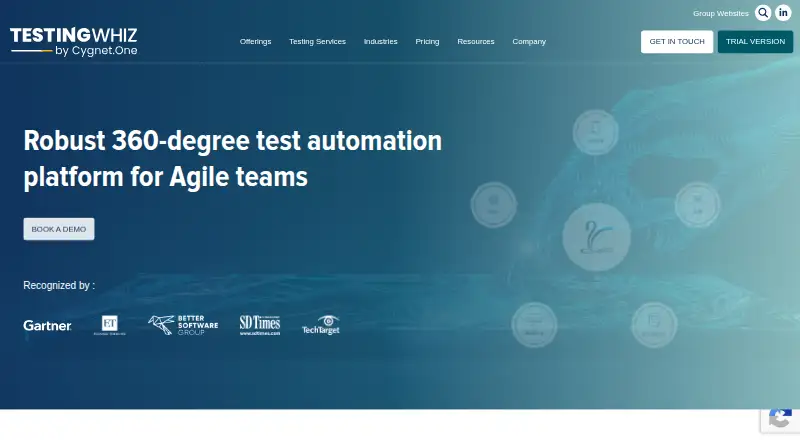
What TestingWhiz is
TestingWhiz is a codeless automation tool for testing software and connected services. It targets web, desktop, mobile, databases, FTP, browser extensions, cloud, web services, and APIs. Recorders include Object Eye for web, an integrated mobile recorder, and a visual recorder for desktop applications. An integrated Selenium Java editor can import existing Selenium tests and lets users write Selenium code. OCR is built in through Google Vision API and Tesseract. Browser coverage includes Chrome, Firefox, Internet Explorer, Microsoft Edge, Edge Chromium, and headless browsers, with profiles for BrowserStack, LambdaTest, and Sauce Labs. Continuous-integration plugins support Azure DevOps, Jenkins, AWS, and Bamboo. TestingWhiz connects with Micro Focus ALM, Zephyr, TestRail, Azure DevOps services, JIRA, Mantis, and FogBugz, while version-control integrations include Subversion, GitHub, GitLab, and Bitbucket. Reporting provides HTML and PDF output, execution trends, failure screenshots, and execution video recording. Scripts are created on Windows but can run on Mac and Linux. The product was founded in 2000, is owned by Cygnet Infotech Pvt Ltd, and supports Android, iOS, Linux, macOS, Windows, and browser-extension environments.
Good
- Codeless automation covers web, desktop, mobile, and APIs
- Recorders support web, mobile, and desktop applications
- Selenium Java editor imports existing Selenium tests
- OCR uses Google Vision API and Tesseract
- CI plugins include Jenkins, Azure DevOps, AWS, and Bamboo
- Reports include trends, screenshots, and execution video
Watch out
- Automation scripts can be created only on Windows
- Paid plan pricing is available on request
- Some integrations depend on external services and profiles
Who it suits
TestingWhiz suits QA teams automating tests across web, desktop, mobile, databases, and APIs without relying entirely on hand-written scripts. It also fits teams that need browser-cloud profiles, CI plugins, test-management links, and version-control connections.
Verdict
Choose TestingWhiz when one automation tool must cover many test targets and connect with existing QA systems. Its recorders, Selenium editor, OCR, reporting, and integrations support varied workflows. Look elsewhere if script creation must happen on macOS or Linux, or if you require publicly listed paid prices.
Plans and prices
From TestingWhiz's own pricing page, checked 2 Oct 2026.
| Plan | Price | What it gives you |
|---|---|---|
| Community Edition | Free | FREE Community Edition |
| Floating | Priced on request | single session at a time across machines · complete Desktop, Web, Mobile, FTP, Database and API modules |
| Node Locked | Priced on request | one machine per user · complete Desktop, Web, Mobile, Database, FTP and API modules |
The facts
Each one read from TestingWhiz's own pages, with the date it was checked.
Where it runs
- Browsers and clouds
- It supports Chrome, Firefox, Internet Explorer, Microsoft Edge, Edge Chromium and headless browsers, plus BrowserStack, LambdaTest and Sauce Labs profiles.checked 2 Oct 2026
What it does
- CI integrations
- Continuous-integration plugins are available for Azure DevOps, Jenkins, AWS and Bamboo.checked 2 Oct 2026
- Defect tracking
- It integrates with Atlassian JIRA, Mantis, FogBugz and Azure DevOps Server.checked 2 Oct 2026
- OCR
- TestingWhiz provides integrated OCR using Google Vision API and Tesseract.checked 2 Oct 2026
- Operating systems
- Automation scripts are created only on Windows but can be executed on Mac and Linux.checked 2 Oct 2026
- Purpose
- TestingWhiz is a codeless automation tool for software, web, mobile, database, cloud, web-services and API testing.checked 2 Oct 2026
- Recorders
- The product includes an Object Eye web recorder, an integrated mobile recorder and a visual recorder for desktop applications.checked 2 Oct 2026
- Reporting
- The tool provides HTML and PDF reporting, execution trends, screenshots on failure and execution video recording.checked 2 Oct 2026
- Security testing
- TestingWhiz web-services testing includes security testing for denial-of-service attacks, penetration and spam data.checked 2 Oct 2026
- Selenium migration
- Its integrated Selenium Java editor can import existing Selenium tests and allows users to write Selenium code.checked 2 Oct 2026
- Support
- All paid plans include unlimited support-team help, knowledge-base access, user-community access, product updates, training and webinars.checked 2 Oct 2026
- Test management
- TestingWhiz integrates with Micro Focus ALM, Zephyr, TestRail and Azure DevOps services.checked 2 Oct 2026
- Version control
- Its version-control integration supports Subversion, GitHub, GitLab and Bitbucket.checked 2 Oct 2026
The company
- Founded
- 2000checked 28 Sep 2026
- Headquarters
- Princeton, New Jersey, USAchecked 28 Sep 2026
- Legal owner
- The TestingWhiz website states that it is owned by Cygnet Infotech Pvt Ltd.checked 2 Oct 2026
Money
- Free trial
- The free Trial Version includes Jenkins and LambdaTest integrations, a centralized MongoDB report repository, risk-based testing and Chrome/Firefox execution.checked 2 Oct 2026
The full review of TestingWhiz
TestingWhiz is a codeless automation suite spanning web, desktop, mobile, databases, APIs, FTP, cloud services and browser extensions. It is best suited to QA teams that need one environment for varied targets while retaining Selenium and established delivery-system connections. Its breadth is compelling, but authoring is restricted to Windows.
Overview
Founded in 2000 and owned by Cygnet Infotech Pvt Ltd, TestingWhiz combines visual test creation with code-based Selenium work. Hybrid execution, cross-browser coverage, mobile testing, scheduling and CI/CD support make it a practical fit for organizations standardizing several testing disciplines rather than adopting separate tools for each target.
The central trade-off is operational: scripts are created only on Windows, although completed automation can run on Mac and Linux. That suits Windows-based QA authoring teams with mixed execution infrastructure, but not groups that require a Mac- or Linux-native development workstation.
Key features
Three recorders address different starting points: Object Eye records web interactions, an integrated recorder handles mobile tests, and a visual recorder targets desktop applications. This lowers the coding barrier across several test types, while still allowing teams to import existing Selenium tests through the integrated Selenium Java editor and continue writing Selenium code.
Integrated OCR uses Google Vision API and Tesseract, giving image- and text-dependent checks an option beyond ordinary element locators. Browser coverage includes Chrome, Firefox, Internet Explorer, Microsoft Edge, Edge Chromium and headless browsers. BrowserStack, LambdaTest and Sauce Labs profiles extend those runs to hosted browser environments.
TestingWhiz is particularly strong when automation must connect to the rest of a QA process. CI plugins cover Azure DevOps, Jenkins, AWS and Bamboo. Test-management links include Micro Focus ALM, Zephyr, TestRail and Azure DevOps services; defect tracking connects with Atlassian JIRA, Mantis, FogBugz and Azure DevOps Server. Subversion, GitHub, GitLab and Bitbucket integrations support source control.
HTML and PDF reports, execution trends, failure screenshots and execution video recording provide evidence for triage and release review. Web-services testing also includes checks for denial-of-service attacks, penetration and spam data, useful for teams that want security-oriented coverage inside API testing.
Pricing
TestingWhiz uses a freemium model. The Community Edition costs free and is the entry point for individuals or teams evaluating the workflow. The Node Locked plan uses one machine per user and includes complete Desktop, Web, Mobile, Database, FTP and API modules; pricing is custom. It is the straightforward fit when a named user works from a dedicated workstation.
The Floating plan permits a single session at a time across machines and includes complete Desktop, Web, Mobile, FTP, Database and API modules. It is better for teams sharing licenses among occasional users, though concurrent use is deliberately limited to one session. Paid plans include unlimited support-team help, knowledge-base and community access, product updates, training and webinars. A free trial is offered, but no public paid-plan prices or additional free-plan quotas are stated.
Platforms
TestingWhiz is listed for Android, iOS, Linux, macOS, Windows and extension environments. In practice, authoring automation scripts requires Windows; Mac and Linux are execution targets rather than authoring systems. Test targets include web, desktop, mobile, web services and APIs, databases, FTP and browser extensions.
Who it's for
Choose it for a QA organization consolidating heterogeneous testing, especially one with Selenium Java assets and a mature CI, test-management, defect-tracking or version-control stack. Its recorder choice and broad integrations also help teams introducing automation across web, mobile and desktop products.
It is a poor match for developers who must create and maintain tests entirely on macOS or Linux, or for buyers who need transparent published pricing before selecting a paid tier.
Pros and cons
- Pro: One tool covers web, desktop, mobile, databases, APIs, FTP and extensions, reducing the need to coordinate separate automation products.
- Pro: Selenium Java import and editing protect existing Selenium investments while adding codeless recorders.
- Pro: CI, test-management, defect-tracking and version-control integrations fit established delivery workflows.
- Pro: OCR, failure screenshots, videos and trend reporting improve diagnosis and review evidence.
- Con: Windows-only script creation excludes teams that require native Mac or Linux authoring.
- Con: Floating licensing allows only one session at a time, which can constrain shared-team throughput.
- Con: Paid pricing is custom, making budget comparison harder before engaging with the vendor.
Alternatives
Katalon Studio is the better choice when you want low-code and full-code authoring with an AI Assistant and MCP Server across web, mobile and desktop, and need native macOS or Linux options.
TestMu AI Web Automation (formerly LambdaTest Web Automation) suits teams prioritizing a cloud-oriented free tier with 100 lifetime minutes and two parallel web and mobile sessions.
HyperExecute is preferable when a free plan with 300 testing minutes, two concurrent sessions and Windows or Linux virtual machines matches your execution model.
CloudQA fits buyers seeking free automated test creation and local execution, unlimited API tests, seven days of history and Chrome coverage.
Cucumber.js is a free npm development dependency for teams that want a code-first, open test framework.
Firebase Cloud Messaging is a no-cost messaging service rather than a general automation suite.
Codeception is a free MIT-licensed option for teams preferring an open-source framework.
Testim offers a free Community plan with documentation and Community Slack support, with features subject to change.
Browse the Test Automation Software category for more options.
Verdict
TestingWhiz is a strong choice for Windows-based QA teams that need broad, recorder-driven automation plus Selenium migration and deep enterprise-tool integration. Look elsewhere if authoring must happen on macOS or Linux, if shared execution needs more than one simultaneous floating session, or if paid pricing must be public upfront.
Getting started
- Open the TestingWhiz website
- Start with the free Community Edition or free trial
- Install the Windows environment used to create automation scripts
- Record web, mobile, or desktop actions, or import Selenium tests
- Connect browsers, cloud profiles, CI tools, and QA integrations
- Run scripts on Windows, Mac, or Linux
Limits worth knowing
The free Community Edition is available, while Node Locked and Floating plan prices are provided on request. Automation scripts must be created on Windows, although execution can occur on Mac and Linux.
Questions
Is TestingWhiz free?
Yes. The Community Edition costs nothing, and a free trial is also listed.
What platforms does TestingWhiz support?
It supports Android, iOS, Linux, macOS, Windows, and browser extensions. Scripts are created on Windows and can run on Mac and Linux.
Which testing targets are covered?
TestingWhiz covers web, desktop, mobile, web services and APIs, databases, FTP, and browser extensions.
Are paid plan prices listed?
No paid amount is given. Node Locked and Floating plans are listed with pricing on request.
Does TestingWhiz integrate with CI and version control?
Yes. CI plugins include Azure DevOps, Jenkins, AWS, and Bamboo. Version-control support includes Subversion, GitHub, GitLab, and Bitbucket.
Who owns TestingWhiz?
The TestingWhiz website states that it is owned by Cygnet Infotech Pvt Ltd.
Alternatives to TestingWhiz
- 1

Katalon Studio
Free planAndroidiOSWebAPI8.4From $1,000 a year - 2

Testsigma
Open sourceAndroidiOSWebAPI8.3From $14 a month - 3

HyperExecute
Free planWebAPIExtensionLinux7.9From $103 a month - 4
Keysight Eggplant Test
AndroidiOSWebAPI7.9$9,999 one-time - 5
Perfecto
AndroidiOSWebAPI7.9From $83 a month - 6

CloudQA
Free planWebAPIExtensionLinux7.7From $119 a month