TensorFlow
TensorFlow is a free, open-source platform for building machine learning models and deploying them across different environments.
What TensorFlow is
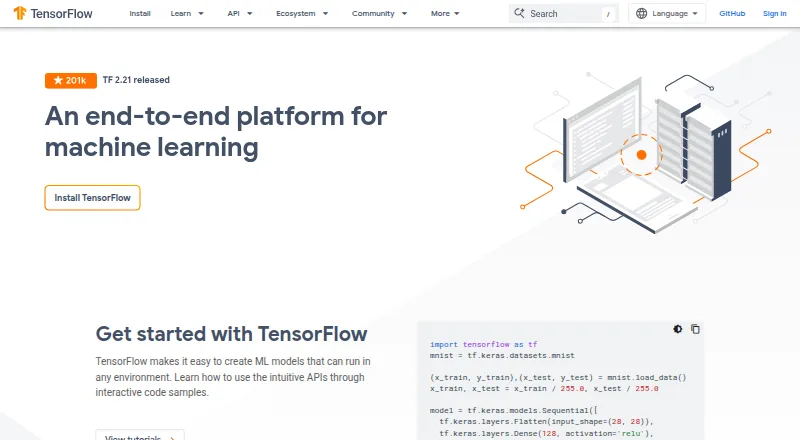
TensorFlow is a free, open-source platform for building machine learning models and deploying them across different environments. Model-building options include the high-level Keras API, eager execution, and tools for distributed training. Deployment targets include servers, edge devices, and the web: TFX supports production pipelines, TensorFlow Lite handles mobile and edge inference, and TensorFlow.js supports JavaScript environments. The broader ecosystem includes LiteRT, tf.data, TensorFlow Datasets, and TensorBoard. TensorFlow also provides resources on fairness, interpretability, privacy, and security. Its responsible AI toolkit lists TF Privacy for privacy-focused training and TF Federated for federated learning. The installation guide lists supported 64-bit environments including Ubuntu, Windows, and macOS; macOS has no GPU support, and WSL2 GPU support is marked experimental. Google Colab can run TensorFlow tutorials in browser-based Jupyter notebooks without installation or setup. The API and reference implementation were released under the Apache 2.0 license in November 2015.
Good
- Free and open source under Apache 2.0.
- Supports distributed training.
- Deployment options include servers, edge, and web.
- Includes tools for privacy-focused and federated learning.
- Google Colab tutorials require no local setup.
Watch out
- macOS has no GPU support.
- WSL2 GPU support is experimental.
- The free trial field is listed as no.
Who it suits
TensorFlow suits developers and teams creating machine learning models for servers, edge devices, web, or mobile inference. Its distributed training and production pipeline tools may also suit teams deploying models at scale.
Verdict
TensorFlow provides model-building and deployment tools across several environments, along with a broad ecosystem and responsible AI resources. Note the macOS GPU limitation and experimental WSL2 GPU support when choosing an installation environment.
Plans and prices
From TensorFlow's own pricing page, checked 29 Sep 2026.
| Plan | Price | What it gives you |
|---|---|---|
| TensorFlow | Free | Open-source machine learning platform · installable packages for supported systems |
The facts
Each one read from TensorFlow's own pages, with the date it was checked.
Where it runs
- Browser development
- TensorFlow.js is described as a JavaScript library for training and deploying machine learning models in the browser, Node.js, mobile, and other environments.checked 29 Sep 2026
- Platform limitation
- The install guide states that macOS has no GPU support for TensorFlow.checked 29 Sep 2026
What it does
- Cloud learning option
- Google Colab runs TensorFlow tutorials in a browser-based Jupyter notebook environment with no installation or setup required.checked 29 Sep 2026
- Ecosystem
- The TensorFlow ecosystem includes TensorFlow.js, LiteRT, tf.data, TFX, tf.keras, TensorFlow Datasets, and TensorBoard.checked 29 Sep 2026
- Integrations
- The TFX pipeline tutorial describes exporting pipeline source code that can be orchestrated with Apache Airflow and Apache Beam.checked 29 Sep 2026
- License and release
- TensorFlow's API and reference implementation were released as an open-source package under the Apache 2.0 license in November 2015.checked 29 Sep 2026
- Model building
- TensorFlow offers the high-level Keras API, eager execution, and a Distribution Strategy API for distributed training.checked 29 Sep 2026
- Privacy tools
- The responsible AI toolkit lists TF Privacy for training models with privacy and TF Federated for federated learning.checked 29 Sep 2026
- Product
- TensorFlow is an end-to-end platform for creating machine learning models that can run in different environments.checked 29 Sep 2026
- Production deployment
- TensorFlow supports model deployment on servers, edge devices, and the web, with TFX for production pipelines, TensorFlow Lite for mobile and edge inference, and TensorFlow.js for JavaScript environments.checked 29 Sep 2026
- Responsible AI
- TensorFlow provides resources and tools addressing fairness, interpretability, privacy, and security in machine learning workflows.checked 29 Sep 2026
- Support
- TensorFlow directs users to its issue tracker, release notes, Stack Overflow, community forum, and announcement mailing list.checked 29 Sep 2026
- Supported systems
- The install guide lists tested and supported 64-bit environments including Ubuntu, Windows, and macOS, plus WSL2 with GPU support marked experimental.checked 29 Sep 2026
The company
- Maker
- TensorFlow's whitepaper describes the system as built at Google.checked 29 Sep 2026
The full review of TensorFlow
TensorFlow is an open-source machine-learning platform for building, training and deploying models. It suits developers and teams that need one toolkit spanning distributed training and several deployment environments. Its breadth is a strong reason to choose it, but installation and GPU support depend on the target system.
Overview
Built at Google and released under the Apache 2.0 license in November 2015, TensorFlow combines model-development tools with paths to production. Its ecosystem brings together tools for data, pipelines, deployment and visualization, rather than limiting the platform to model training.
Readers comparing tools in this category can browse Deep Learning Software.
Key features
Model building and training
The high-level Keras API, eager execution and Distribution Strategy API cover model development and distributed training. Local training and GPU acceleration are supported, and the supported languages include Python, Java, Go and JavaScript. This range fits teams that want to train locally or scale training across distributed environments; macOS users should account for the lack of TensorFlow GPU support.
Production deployment
TensorFlow supports deployment to servers, edge devices and the web. TFX provides production pipeline tooling, TensorFlow Lite supports mobile and edge inference, and TensorFlow.js brings training and deployment to browsers, Node.js, mobile and other JavaScript environments. The breadth is useful when models must travel beyond a single server, though it means choosing the component suited to each target.
Ecosystem and responsible AI
The ecosystem includes TensorFlow.js, LiteRT, tf.data, TFX, tf.keras, TensorFlow Datasets and TensorBoard. TFX tutorials describe exporting pipeline source code for orchestration with Apache Airflow and Apache Beam, a practical fit for teams using those systems. Responsible AI resources address fairness, interpretability, privacy and security; TF Privacy supports privacy-focused model training, while TF Federated supports federated learning.
Pricing
TensorFlow is free: its open-source packages cost nothing, with installable packages for supported systems. There is no free trial because the platform is free. This removes a licensing cost for individuals and teams, while users remain responsible for selecting an environment compatible with their needs.
Platforms
TensorFlow supports Android, iOS, Linux, macOS, Windows, web, API and self-hosted environments. Tested and supported 64-bit environments include Ubuntu, Windows and macOS; WSL2 GPU support is experimental. macOS has no GPU support for TensorFlow, so developers needing GPU acceleration should choose another supported environment. Google Colab offers a browser-based Jupyter notebook environment for TensorFlow tutorials without installation or setup.
SavedModel, Keras .keras, TensorFlow Lite (.tflite) and TensorFlow.js are supported model formats. Support resources include the issue tracker, release notes, Stack Overflow, community forum and announcement mailing list.
Who it's for
TensorFlow is a strong fit for developers who need model-building tools, distributed training and deployment options spanning servers, edge and web. Its free license and broad ecosystem also suit teams building workflows around production pipelines or responsible AI tools. It is a weaker fit for macOS users who require TensorFlow GPU support, or for anyone who needs stable WSL2 GPU support.
Pros and cons
- Pro: Deployment tools cover servers, edge devices and web, including dedicated mobile/edge and JavaScript options.
- Pro: Distributed training, GPU acceleration and four supported languages provide flexibility across development environments.
- Pro: Free open-source packages and responsible AI tools make the platform accessible while addressing privacy and fairness workflows.
- Con: TensorFlow has no GPU support on macOS, limiting that environment for accelerated training.
- Con: WSL2 GPU support is experimental, which makes it a less dependable choice for GPU-based work.
Alternatives
- DeepSpeed is a free, open-source library for Linux, macOS and self-hosted environments; consider it as another option for those platforms.
- NVIDIA Triton Inference Server offers a free open-source development option, free Triton containers on NVIDIA NGC and a free trial; it supports API, Linux, self-hosted and Windows environments.
- Caffe is a free option for Linux, macOS and Windows.
- Deeplearning4j is a free option for Windows, macOS and Linux.
- Keras is a free option for Linux, macOS and Windows.
- PyTorch is a free option spanning Android, iOS, Linux, macOS, Windows, API and self-hosted environments.
- NVIDIA TensorRT is a free option for Windows and Linux.
- Lightning AI Studios is a web-based freemium option; its free plan includes one active Studio, 50 GB persistent storage and up to two concurrent GPUs.
Verdict
Choose TensorFlow if you want a free, open-source platform that can take models from development through distributed training and deployment across servers, edge devices and web environments. Its ecosystem and deployment coverage are the main reasons to choose it. Look elsewhere if macOS GPU support or dependable WSL2 GPU support is essential.
Getting started
- Visit the TensorFlow website.
- Use Google Colab to run TensorFlow tutorials in browser-based Jupyter notebooks without installation or setup.
- Alternatively, install a package for a supported system such as Ubuntu, Windows or macOS.
- Choose the relevant TensorFlow deployment tools for your target, such as TensorFlow Lite for mobile and edge or TensorFlow.js for JavaScript environments.
Limits worth knowing
TensorFlow has no GPU support on macOS. WSL2 GPU support is marked experimental.
Questions
Is TensorFlow free?
Yes. TensorFlow is free and open source, with an Apache 2.0 license.
Which platforms does TensorFlow support?
The listed platforms are Android, API, iOS, Linux, macOS, self-hosted, web and Windows. The installation guide lists supported 64-bit environments including Ubuntu, Windows and macOS.
Does TensorFlow support GPU acceleration?
GPU acceleration is listed, but macOS has no GPU support for TensorFlow. WSL2 GPU support is marked experimental.
What languages are supported?
The listed supported languages are Python, Java, Go and JavaScript.
Who built TensorFlow?
TensorFlow's whitepaper describes it as built at Google.
Alternatives to TensorFlow
- 1
Paperspace Gradient
Free planOpen sourceWebAPIExtensionLinux8.3From $8 a month - 2
Apache TVM
Free planOpen sourceAndroidiOSWebAPI7.8Free plan - 3
Lightning AI Studios
Free planWebAPILinuxmacOS7.8From $20 a month - 4
ONNX Runtime
Free planAndroidiOSWebLinux7.2Free plan - 5
Ludwig
Free planAPILinuxmacOSSelf-hosted6.7Free plan - 6
MegEngine
Free planAndroidiOSLinuxmacOS6.7Free plan