SysTools SQL Recovery
SysTools SQL Recovery repairs corrupt SQL Server MDF and NDF files and exports recoverable data.
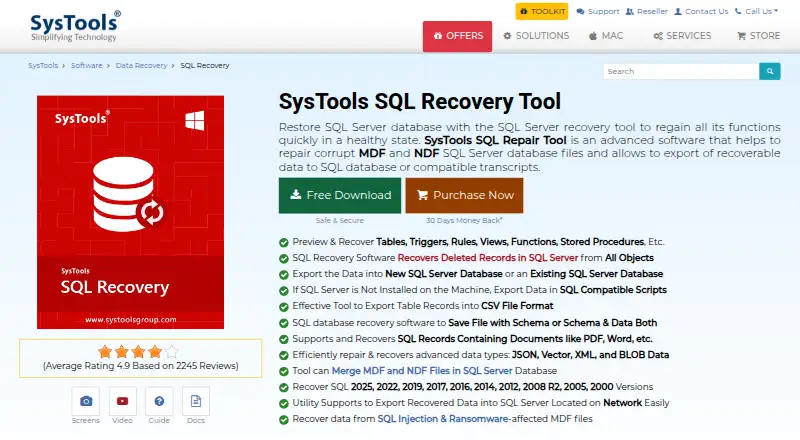
What SysTools SQL Recovery is
SysTools SQL Recovery repairs corrupt SQL Server MDF and NDF files and exports recoverable data. It can preview and recover tables, views, triggers, rules, functions, stored procedures, deleted records, keys, indexes, data types, and BLOB data. Quick Scan is for ordinary corruption, while Advanced Scan addresses severe corruption and searches for deleted records or objects. Recovered content can go to a new or existing SQL Server database, compatible SQL scripts, or CSV files, including a SQL Server on a network. The product lists SQL Server versions from 2000 through 2025. SQL Server or SQL Server Management Studio does not need to be installed on the computer doing the scan. It scans one primary database file at a time, can handle multiple secondary files, and the page states no file-size limit. A demo previews recovered components and permits export of 25 records per table and five other database objects. Paid licenses are available for personal, business, and enterprise use; listed purchases include one year of updates and 24×7 technical support.
Good
- Quick and Advanced Scan modes
- Exports to databases, SQL scripts, or CSV
- Supports SQL Server 2000 through 2025
- Demo allows limited export before purchase
Watch out
- Scans one primary database file at a time
- Demo exports are limited
Who it suits
This Windows tool is aimed at IT professionals who need to repair SQL Server database files and choose an export format. Personal, business, and enterprise licenses cover different deployment sizes.
Verdict
SysTools SQL Recovery offers several scan modes and destinations for recoverable data, with a demo for previewing results. Review the demo export limits and select a license based on the number of computers and intended use.
Plans and prices
From SysTools SQL Recovery's own pricing page, checked 8 Oct 2026.
| Plan | Price | What it gives you |
|---|---|---|
| Personal License | $249, paid once | 1 computer · non-commercial use · 1 year of free updates · $249 |
| Business License | $499, paid once | Up to 100 computers · 1 year of free updates · $499 |
| Enterprise License | $999, paid once | Up to 500 computers · 1 year of free updates · $999 |
The facts
Each one read from SysTools SQL Recovery's own pages, with the date it was checked.
What it does
- Database environment
- The vendor says SQL Server or SQL Server Management Studio need not be installed on the machine to scan and repair database files.checked 8 Oct 2026
- Demo limits
- The demo previews recovered components and can export 25 records per table and five other database objects.checked 8 Oct 2026
- Export options
- Recovered data can be exported to a new or existing SQL Server database, compatible SQL scripts, or CSV files.checked 8 Oct 2026
- File handling limit
- The software scans one primary database file at a time, can scan multiple secondary files, and the page says there is no file-size limit.checked 8 Oct 2026
- Intended users
- The vendor describes its audience as IT professionals and offers personal, business, and enterprise licenses for different deployment sizes.checked 8 Oct 2026
- Network SQL Server
- The product can export recovered data to a SQL Server located on a network.checked 8 Oct 2026
- Purpose
- The software repairs corrupt SQL Server MDF and NDF database files and exports recoverable data to SQL databases or compatible scripts.checked 8 Oct 2026
- Recovery features
- It can preview and recover tables, triggers, rules, views, functions, stored procedures, and deleted records.checked 8 Oct 2026
- Scan modes
- It offers Quick Scan for normal corruption and Advanced Scan for severe corruption and deleted records or objects.checked 8 Oct 2026
- Security
- SysTools says its privacy statement encrypts personal data in its licensing systems in transit and at rest; it does not specify product database-file handling there.checked 8 Oct 2026
- SQL Server versions
- The product lists support for SQL Server 2025, 2022, 2019, 2017, 2016, 2014, 2012, 2008 R2, 2008, 2005, and 2000.checked 8 Oct 2026
- Support and updates
- The purchase page lists 24×7 technical support and one year of free product updates.checked 8 Oct 2026
The company
- Founded
- 2007checked 28 Sep 2026
- Headquarters
- Delhi, Indiachecked 28 Sep 2026
- Maker certifications
- SysTools says its ISO 9001:2015 and ISO 27001:2013 certifications reflect its quality and compliance commitments.checked 8 Oct 2026
Where it runs
- Windows requirements
- The product supports Windows 7, 8, 10, and 11 and Windows Server 2008 through 2025; it requires .NET Framework 4.5 or above.checked 8 Oct 2026
Alternatives to SysTools SQL Recovery
- 1

IntactFile
Free planWebAPILinuxmacOS8.7From €59 a year - 2
Remo Repair Word
Free planWindows7.5Free plan - 3
Restore.Media
AndroidiOSWebmacOS7.5$4.99 one-time - 4

Recovery Toolbox File Undelete Free
Free planWindows7.4Free plan - 5

Stellar Repair for Video
WebmacOSWindows7.3$49.99 one-time - 6
EaseUS Fixo
WebmacOSWindows7.2From $40.95 a year