SuperPuTTY
SuperPuTTY is a free Windows application for managing PuTTY SSH terminals in tabs and multiple sessions.
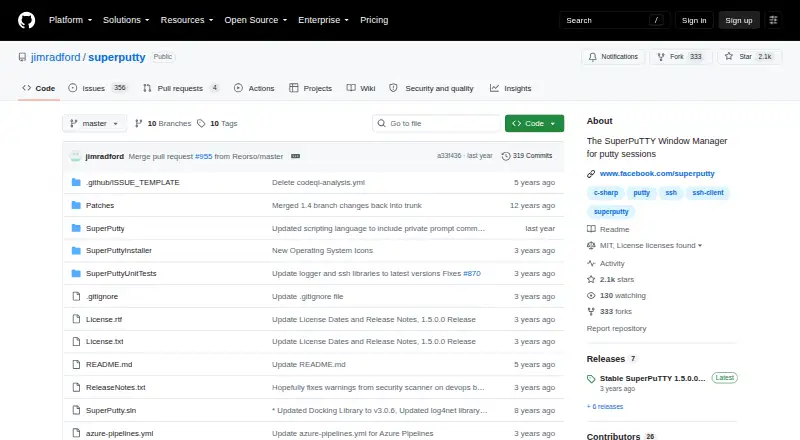
What SuperPuTTY is
SuperPuTTY is a free Windows application for managing PuTTY SSH terminals in tabs and multiple sessions. It supports SSH, RLogin, Telnet, RAW, and RDP connections, plus file transfers through pscp and SCP/SFTP. Local sessions can use MinTTY, PowerShell, RDP, or other terminal applications. Users can import and export session configurations and save layouts that preserve open sessions and tab positions. The application can be launched and controlled from the command line, including by other applications. Documentation covers configuring PuTTY private keys for passwordless login and recommends storing them securely; KiTTY is listed as an optional PuTTY alternative. The MIT license permits commercial and non-commercial use. Downloads include an installer and portable ZIP. Requirements are Windows, .NET Framework 4.51 or newer, and the PuTTY SSH Client. Linux use through Mono or Wine is unsupported because Windows-specific hooks are required.
Good
- Tabbed multi-session interface
- Supports SSH, RDP, Telnet, and RAW
- SCP/SFTP and pscp transfers
- Importable and exportable session settings
- MIT licensed and free
Watch out
- Windows-specific application
- Requires PuTTY SSH Client
- Linux through Mono or Wine is unsupported
- Automation scripting is only planned
Who it suits
It suits Windows users who manage several PuTTY-based remote sessions and want tabs, saved layouts, and transfer tools. It is not intended for supported Linux use through Mono or Wine.
Verdict
SuperPuTTY adds tabbed session management and layout saving around PuTTY connections. Its Windows requirements and unsupported Linux path are important constraints.
Plans and prices
From SuperPuTTY's own pricing page, checked 11 Oct 2026.
| Plan | Price | What it gives you |
|---|---|---|
| SuperPuTTY | Free | MIT licensed · Windows application |
The facts
Each one read from SuperPuTTY's own pages, with the date it was checked.
What it does
- Command line
- SuperPuTTY can be started and controlled from the command line, including by other applications.checked 11 Oct 2026
- Distribution
- The project offers an installer and a portable ZIP download.checked 11 Oct 2026
- File transfer
- It supports file transfers with pscp and SCP/SFTP protocols.checked 11 Oct 2026
- License
- The project is licensed under MIT, which the documentation describes as permitting commercial and non-commercial use.checked 11 Oct 2026
- Other terminals
- Local terminal sessions can use MinTTY, PowerShell, RDP, and other terminal applications.checked 11 Oct 2026
- Purpose
- SuperPuTTY is a Windows application that manages PuTTY SSH terminals in a tabbed, multi-session interface.checked 11 Oct 2026
- PuTTY alternatives
- The documentation lists KiTTY as an optional alternative to PuTTY.checked 11 Oct 2026
- Remote sessions
- It supports SSH, RLogin, Telnet, RAW, and RDP sessions.checked 11 Oct 2026
- Requirements
- The documentation lists Windows, .NET Framework 4.51 or newer, and the PuTTY SSH Client as requirements.checked 11 Oct 2026
- Scripting limitation
- The documentation says a scripting language for automating tasks was scheduled for a future release, while its script reference and examples were marked as forthcoming.checked 11 Oct 2026
- Security
- The documentation describes configuring PuTTY private keys for passwordless login and recommends storing the private key securely.checked 11 Oct 2026
- Session management
- Users can import and export session configurations and save layouts with open sessions and tab locations.checked 11 Oct 2026
- Support
- The project directs users to its GitHub issue tracker for bug reports and feature requests.checked 11 Oct 2026
Where it runs
- Linux support
- Running under Linux with Mono or Wine is listed as unsupported because the application requires Windows-specific hooks.checked 11 Oct 2026