SpectraView Meter
SpectraView Meter is a free real-time metering plug-in for digital audio workstations.
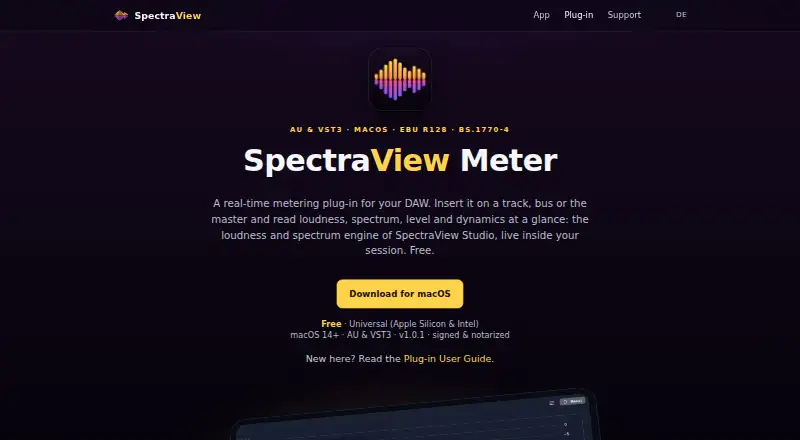
What SpectraView Meter is
SpectraView Meter is a free real-time metering plug-in for digital audio workstations. It analyzes audio without changing the sound and combines stereo level and dynamic-range meters with an EBU R128 loudness analyzer, real-time frequency analyzer, and live waveform display. Loudness readings follow EBU R128 and ITU-R BS.1770-4 and include integrated loudness, loudness range, and true peak. The spectrum view supports 1/1 through 1/24-octave bands or a linear display, plus INST and RMS modes, tilt, smoothing, and peak hold. The plug-in is available as Audio Unit and VST3. Listed hosts include Logic Pro, Studio One, Universal Audio LUNA, Ableton Live, Cubase, Reaper, and Bitwig. It requires macOS 14 or later and runs as a Universal binary on Apple Silicon and Intel Macs. AAX, used by Pro Tools, is not included. The maker says the installer is signed and notarized. Its privacy policy says no external data transmission, cloud processing, analytics, tracking identifiers, or advertising.
Good
- Combines level, loudness, spectrum, and waveform views
- Supports EBU R128 and true-peak readings
- Audio Unit and VST3 formats
- Runs on Apple Silicon and Intel Macs
- No cloud processing or tracking identifiers
Watch out
- Requires macOS 14 or later
- AAX format is not included
- No offline file analysis
Who it suits
SpectraView Meter suits music producers, mixing and mastering engineers, podcasters, and broadcasters using supported macOS DAWs. It is designed for real-time metering rather than offline file analysis.
Verdict
SpectraView Meter offers broad real-time measurement views in a free AU and VST3 plug-in. Pro Tools users and anyone needing offline analysis will need another option.
Plans and prices
From SpectraView Meter's own pricing page, checked 15 Oct 2026.
| Plan | Price | What it gives you |
|---|---|---|
| Free | Free | macOS 14+ · AU & VST3 · Apple Silicon or Intel · Free download |
The facts
Each one read from SpectraView Meter's own pages, with the date it was checked.
What it does
- API and SDK
- The reviewed maker pages document AU and VST3 plug-in hosting but do not publish a public API, SDK or developer integration interface.checked 15 Oct 2026
- Data handling
- Audio analysis occurs on the device and the maker says it never has access to users' audio files, recordings or usage patterns.checked 15 Oct 2026
- DAW hosts
- The guide lists Logic Pro, Studio One, Universal Audio LUNA, Ableton Live, Cubase, Reaper, and Bitwig as supported hosts.checked 8 Oct 2026
- DAW integrations
- The guide lists Logic Pro, Studio One, Universal Audio LUNA, Ableton Live, Cubase, Reaper and Bitwig as compatible hosts.checked 15 Oct 2026
- Documentation depth
- The official guide documents installation, host insertion, every meter view, settings, resizing, reset behavior and supported hosts.checked 15 Oct 2026
- Frequency analyzer
- The real-time FFT analyzer supports 1/1 through 1/24 octave bands or linear resolution, with INST/RMS modes, tilt, smoothing and peak hold.checked 15 Oct 2026
- Installation
- Installation uses a signed and notarized SpectraView Meter 1.0.1 package that places AU and VST3 components in system plug-in folders.checked 15 Oct 2026
- Installer security
- The maker says the installer is signed and notarized.checked 8 Oct 2026
- Intended users
- The maker describes SpectraView as made for music producers, mixing and mastering engineers, podcasters, and broadcasters.checked 8 Oct 2026
- Level and dynamics
- The plug-in provides stereo level bars, peak hold, clip flashing and a crest-factor colour-coded dynamic-range bar.checked 15 Oct 2026
- Licence
- The user guide says installers require agreeing to a licence, but no licence name or open-source licence is published on the reviewed pages.checked 15 Oct 2026
- Limit: workflow
- The plug-in performs live session metering only; file loading, transport and recording are assigned to the separate Studio app.checked 15 Oct 2026
- Loudness readouts
- The loudness panel shows Momentary, Short-term, Long-term and RMS curves plus Integrated, Short-term, Loudness Range and maximum True-Peak values.checked 15 Oct 2026
- Loudness standards
- Its loudness engine implements EBU R128 and ITU-R BS.1770-4 measurements.checked 15 Oct 2026
- Loudness targets
- Preset reference lines are provided for −14, −16 and −23 LUFS, with a custom target option.checked 15 Oct 2026
Where it runs
- App Store analyzers
- The iPad app listing describes waveform, real-time FFT frequency analysis, spectrogram and EBU R128 loudness analysis.checked 15 Oct 2026
- App Store compatibility
- The listing states iPadOS 26.5 or later and macOS 26.5 or later on an Apple M1 chip or newer.checked 15 Oct 2026
- App Store developer
- The Apple listing names Steffen Muly as the developer of SpectraView Studio.checked 15 Oct 2026
- App Store formats
- The listing says the companion app supports WAV, M4A/AAC, MP3, AIFF, FLAC and CAF files.checked 15 Oct 2026
- App Store pricing
- The Apple listing marks SpectraView Studio as free and states that it has no account or subscription requirement.checked 15 Oct 2026
- App Store privacy
- Apple's listing reports that the developer collects no data from SpectraView Studio and that files are not uploaded.checked 15 Oct 2026
- App Store size and category
- SpectraView Studio is listed at 2.2 MB in the Music category with a 4+ age rating.checked 15 Oct 2026
- Limit: platform
- SpectraView Meter is macOS-only and the guide says Pro Tools AAX format is not included.checked 15 Oct 2026
The company
- Headquarters
- Greven, Germanychecked 28 Sep 2026
Alternatives to SpectraView Meter
- 1
MediaInfo
Free planOpen sourceAndroidiOSWebAPI8.4From $2.99 a year - 2

Open Audio Analyzer
Free planOpen sourceAndroidiOSWebAPI7.8Free plan - 3
MiniMeters
Free planAPILinuxmacOSWindows7.3$20 one-time - 4
ACRCloud
AndroidiOSWebAPI7.1 - 5
Smaart
AndroidiOSAPImacOS6.8From $159 a year - 6

Decibel
AndroidiOSmacOSWindows6.7$89.40 one-time