SparkSchool AI
SparkSchool AI is a web and Chrome extension workspace for teachers to plan lessons, create classroom resources, build assessments, differentiate practice an…
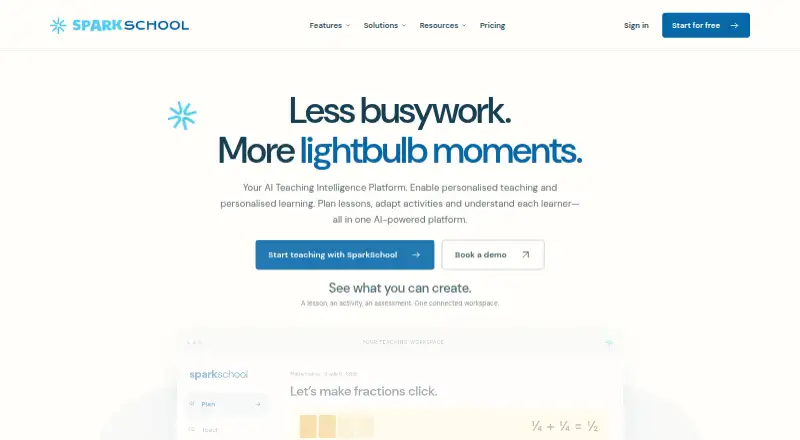
What SparkSchool AI is
SparkSchool AI is a web and Chrome extension workspace for teachers to plan lessons, create classroom resources, build assessments, differentiate practice and plan remediation. It offers more than 90 AI tools, including quizzes, worksheets, presentations, assessment and classroom insights. Supported curricula include CBSE and ICSE, US Common Core and state standards, the British national curriculum, IB programmes and the Australian Curriculum. SparkSchool describes generated content as drafts for educators to review for accuracy, suitability and curriculum fit before classroom use.
The Free plan is free and includes all 90+ content tools, seven curriculum frameworks, PDF and Google Docs export, and up to five saved materials; content generation has no generation limit. The Chrome extension works alongside Google Docs, Slides and Forms to create, review and insert resources, and includes a grading side panel. Export formats can include Google Docs, Slides, Word, PowerPoint and PDF, depending on the tool and plan. The service is designed for adult educators, school leaders and parents or home educators, rather than direct-to-child use.
Good
- Offers more than 90 AI tools.
- Supports seven named curriculum frameworks.
- Free plan allows generation without a generation limit.
- Chrome extension works with Google Docs, Slides and Forms.
Watch out
- Free plan saves up to five materials.
- Export formats depend on the tool and plan.
- Generated drafts need educator review before classroom use.
Who it suits
SparkSchool AI suits adult educators, school leaders and parents or home educators who need curriculum-oriented planning and classroom materials. Users should be prepared to review generated drafts before classroom use.
Verdict
SparkSchool AI combines planning, resource creation, assessment and differentiation tools in a web workspace with a connected Chrome extension. The Free plan offers broad tool access, while its saved-material limit and draft-review requirement are important to consider.
Plans and prices
From SparkSchool AI's own pricing page, checked 7 Oct 2026.
| Plan | Price | What it gives you |
|---|---|---|
| Free | Free | All 90+ AI content tools · 7 curriculum frameworks · PDF and Google Docs export · 5 saved materials · $0/mo · Always free — no card needed |
| Pro | $5 a month | Unlimited materials library · Teaching Intelligence analytics · Priority AI generation · Pro supports two subjects · $5/mo · Billed $60/year · save $24 |
| Unlimited | $7 a month | Everything in Pro · Unlimited generations in every individual tool · Any number of subjects · $7/mo · Billed $84/year · save $36 |
| Complete | $11 a month | Everything in Unlimited · Spark Buddy, Curriculum Designer and Spark Notebook workflows · Visual Grader and handwriting OCR · AI generated presentation images · $11/mo · Billed $132/year · save $48 |
The facts
Each one read from SparkSchool AI's own pages, with the date it was checked.
What it does
- AI tools
- The platform offers more than 90 AI tools, including lesson planning, quizzes, worksheets, presentations, assessment and classroom insights.checked 7 Oct 2026
- AI training
- SparkSchool says it does not use prompts or generated content to train its own models or third-party foundation models.checked 7 Oct 2026
- Audience
- SparkSchool is designed for adult educators, school leaders and parents or home educators, rather than direct-to-child use.checked 7 Oct 2026
- Curricula
- It supports CBSE and ICSE, US Common Core and state standards, the British national curriculum, IB programmes and the Australian Curriculum.checked 7 Oct 2026
- Exports
- SparkSchool says it exports to Google Docs, Slides, Word, PowerPoint and PDF, with available formats depending on the tool and plan.checked 7 Oct 2026
- Google Classroom
- The maker says Google Classroom workflows can be discussed during a demo and advises confirming the specific account and school setup.checked 7 Oct 2026
- Google Workspace
- The Chrome extension works alongside Google Docs, Slides and Forms to create, review and insert teaching resources, and includes a grading side panel for student work.checked 7 Oct 2026
- Materials
- The Free plan includes up to five saved materials, while users can generate content without that generation limit.checked 7 Oct 2026
- Privacy posture
- The maker describes its COPPA-aligned practices as an alignment statement rather than a certification and says its privacy programme is designed around Indian DPDP safeguards.checked 7 Oct 2026
- Purpose
- SparkSchool AI helps teachers plan lessons, create classroom resources, build assessments, differentiate practice and plan remediation in one workspace.checked 7 Oct 2026
- School deployments
- School deployments offer tailored onboarding, SSO integration, an admin dashboard and dedicated customer success, with customised pricing.checked 7 Oct 2026
- Security
- The Trust Centre says user-platform information is protected in transit with HTTPS and production information is restricted to authorised systems and personnel with an operational need.checked 7 Oct 2026
- Support
- The pricing page lists email support for Pro and gives [email protected] for questions and support.checked 7 Oct 2026
- Teacher review
- AI outputs are drafts that educators review for accuracy, suitability and curriculum fit before classroom use.checked 7 Oct 2026
The company
- Headquarters
- Gujarat, Indiachecked 28 Sep 2026
Alternatives to SparkSchool AI
- 1

Common Planner
Free planAndroidiOSWebAPI8.0From $5.59 a month - 2

Make My Lesson
Free planAndroidiOSWebmacOS8.0From $90 a year - 3

GradeAid
Free planWeb7.3From $8.99 a month - 4

RockettAI
Free planWeb7.3From £49.99 a year - 5
TeacherMatic
Free planWeb6.7From £69 a year - 6

TeachTools
Free planWeb6.7From $2 a month