SpaceMatch
SpaceMatch is display colour-management software for film and television workflows.
What SpaceMatch is
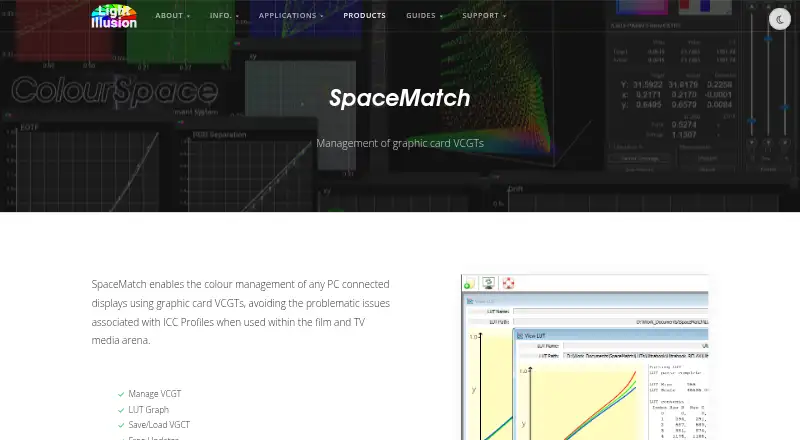
SpaceMatch is display colour-management software for film and television workflows. It uses graphics-card VCGTs to help avoid ICC profile issues and to match gamma and colour temperature across facility displays, production laptops, and on-set laptops. The software manages VCGTs, shows a LUT graph, and saves or loads VCGTs. It can read an active ICC profile and convert it to a suitable 1D LUT, or load 1D LUTs created with ColourSpace. Graphics-card calibration uses 1D LUTs for gamma and colour temperature and cannot control display gamut. Accurate 3D LUT calibration therefore requires suitable display, LUT-box, or graphics-software support. SpaceMatch supports Windows; Mac use is through Windows emulation. It is paid, starts at £115, and has no free plan. Command-line mode can load a selected LUT at startup through Task Scheduler.
Good
- Matches gamma and colour temperature
- Manages and saves VCGTs
- Reads ICC profiles into 1D LUTs
- Supports multi-monitor calibration
- ColourSpace LUT integration
Watch out
- Cannot control display gamut
- 3D LUTs require compatible hardware or software
- Mac use requires Windows emulation
- No free plan
Who it suits
It suits colour-managed VFX, film, broadcast, and home-cinema workflows needing LUT or multi-monitor calibration. Windows users have native support; Mac users need Windows emulation.
Verdict
SpaceMatch focuses on VCGT and LUT management for display matching and calibration. Its 1D-LUT limitation and Windows-emulation route for Mac should shape setup decisions.
Plans and prices
From SpaceMatch's own pricing page, checked 8 Oct 2026.
| Plan | Price | What it gives you |
|---|---|---|
| SpaceMatch DCM | Priced on request | Ex. VAT · yearly maintenance fee · Windows OS · Mac via Windows emulation · multiple-license discounts and package deals available by quote |
The facts
Each one read from SpaceMatch's own pages, with the date it was checked.
What it does
- 3D calibration
- The page says accurate display calibration with 3D LUTs requires a display with built-in 3D LUT capability, a LUT box, or graphics software with 3D LUT capability.checked 8 Oct 2026
- Automatic loading
- The manual says command-line mode can be used with Task Scheduler or startup operation to load a selected LUT when the PC powers up.checked 8 Oct 2026
- Calibration limit
- Graphics-card VCGT calibration uses 1D LUTs and adjusts gamma and colour temperature, but cannot control display gamut.checked 8 Oct 2026
- Display matching
- It is used to match gamma and colour temperature across VFX facility displays and production or on-set laptops.checked 8 Oct 2026
- ICC conversion
- SpaceMatch can read active ICC profiles and convert them to suitable 1D LUTs, or load 1D LUTs generated with ColourSpace.checked 8 Oct 2026
- Integration
- SpaceMatch can apply LUTs generated with ColourSpace, and the product page describes using it to enable clean HDMI output for external display profiling and calibration with ColourSpace.checked 8 Oct 2026
- License model
- Light Illusion says its software is generally licensed to a single workstation, locks predominantly to the host hardware and operating system, and requires internet access for license-server checks.checked 8 Oct 2026
- LUT management
- Its listed capabilities include managing VCGTs, viewing a LUT graph, and saving and loading VCGTs.checked 8 Oct 2026
- Purpose
- SpaceMatch manages colour on PC-connected displays through graphics-card VCGTs to avoid ICC profile issues in film and TV workflows.checked 8 Oct 2026
- Support
- Light Illusion says products purchased directly include a multi-level support contract with remote training, dedicated discussion forums, and direct email and phone communication.checked 8 Oct 2026
The company
- Headquarters
- The Granary, Throcking, Buntingford, Hertfordshire, SG9 9RU, UKchecked 28 Sep 2026
- Maker
- Light Illusion describes itself as a provider of colour-management tools and services for film, TV, broadcast, and home cinema.checked 8 Oct 2026
Where it runs
- Windows caveat
- Reliability with Windows Advanced Color, Auto Color Management, or HDR has not been verified; the page advises disabling HDR and Automatically manage color for apps on the target display before relying on SpaceMatch DCM.checked 8 Oct 2026
Alternatives to SpaceMatch
- 1
ArgyllCMS
Free planOpen sourceAPILinuxmacOSSelf-hosted7.4Free plan - 2
EIZO ColorNavigator 7
Free planAPILinuxmacOSWindows6.8Free plan - 3
PatternSpace
Free planmacOS6.4$39.99 one-time - 4
QUBYX PerfectLum
LinuxmacOSWindows6.4$480 one-time - 5
ColourSpace
Free planmacOSWindows6.3Free plan - 6

DisplayCAL
Free planLinuxmacOSWindows6.2Free plan