DisplayCAL
DisplayCAL is a display calibration and profiling solution built on ArgyllCMS.
What DisplayCAL is
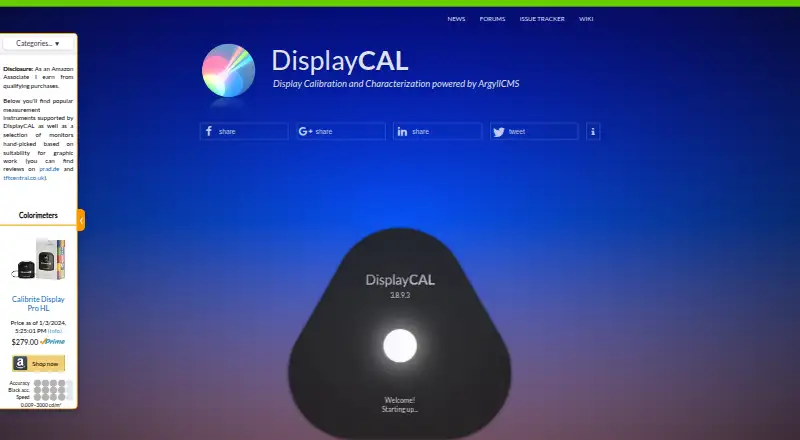
DisplayCAL is a display calibration and profiling solution built on ArgyllCMS. With a supported measurement instrument, it measures displays and creates calibrations and ICC profiles, including for multi-display setups. You can verify profiles and display devices, measure display uniformity, and create video 3D LUTs with optional CIECAM02 gamut mapping. Colorimeter corrections can come from vendor software or measurements made with a spectrometer. Its test chart editor creates patch charts and accepts data from CGATS, tab-delimited CSV, and spreadsheet applications. Documented pattern-generator connections include madVR and DaVinci Resolve 10.1 or later; Chromecast support is optional. DisplayCAL requires ArgyllCMS 1.0 or newer and a supported instrument. It runs on Linux, macOS, and Windows, and is free software under GNU GPL version 3 or later, supplied without warranty. Download files have SHA-256 checksums for verification.
Good
- Creates calibrations and ICC profiles from measurements.
- Supports multi-display setups and profile verification.
- Creates video 3D LUTs with optional gamut mapping.
- Includes a test chart editor with common data inputs.
- Available for Linux, macOS, and Windows.
Watch out
- Requires ArgyllCMS 1.0 or newer.
- Requires a supported measurement instrument.
- Supplied without warranty.
Who it suits
DisplayCAL suits people who need to calibrate or profile displays and have a supported measurement instrument. Its multi-display support and video 3D LUT tools may also suit more involved color workflows.
Verdict
DisplayCAL offers measurement-based calibration, profile verification, uniformity checks, and LUT creation across three desktop platforms. It is only suitable if you have the required instrument and ArgyllCMS dependency.
Plans and prices
From DisplayCAL's own pricing page, checked 30 Sep 2026.
| Plan | Price | What it gives you |
|---|---|---|
| DisplayCAL | Free | Free software under GNU GPL version 3 or later · financial contributions are optional |
The facts
Each one read from DisplayCAL's own pages, with the date it was checked.
What it does
- Calibration
- It measures displays with supported instruments and creates calibrations and ICC profiles.checked 30 Sep 2026
- Colorimeter corrections
- It supports colorimeter corrections that can be imported from vendor software or created from measurements when a spectrometer is available.checked 30 Sep 2026
- Integrations
- The site documents madVR and DaVinci Resolve (10.1+) as pattern generators and Chromecast support as an optional dependency.checked 30 Sep 2026
- Integrity
- The download page provides SHA-256 checksums to verify downloaded files.checked 30 Sep 2026
- License
- DisplayCAL is free software under GNU GPL version 3 or later and is supplied without warranty.checked 30 Sep 2026
- Maintainer
- DisplayCAL is developed and maintained by Florian Höch, and ArgyllCMS is maintained by Graeme W. Gill.checked 30 Sep 2026
- Multi-display
- It supports multi-display setups.checked 30 Sep 2026
- Purpose
- DisplayCAL is a display calibration and profiling solution built on ArgyllCMS.checked 30 Sep 2026
- Requirements
- Using DisplayCAL requires ArgyllCMS 1.0 or newer and a supported measurement instrument.checked 30 Sep 2026
- Support
- The site links to forums, a wiki, documentation, help, and an issue tracker; it also invites voluntary contributions toward development and technical assistance.checked 30 Sep 2026
- Test chart editor
- Its test chart editor creates patch charts and accepts copy-and-paste from CGATS, tab-delimited CSV, and spreadsheet applications.checked 30 Sep 2026
- Uniformity
- It can check display uniformity through measurements.checked 30 Sep 2026
- Verification
- It can verify and report on ICC profiles and display devices.checked 30 Sep 2026
- Video LUTs
- It can create video 3D LUTs and offers optional CIECAM02 gamut mapping.checked 30 Sep 2026
Where it runs
- Platforms
- The site provides downloads for Linux, Mac OS X, and Windows.checked 30 Sep 2026
The full review of DisplayCAL
Overview
DisplayCAL is a free display calibration and profiling application built on ArgyllCMS. It suits people who already have a supported measurement instrument and want more than a basic ICC profile, including verification and video LUT work. Its breadth is compelling, but the instrument and ArgyllCMS are prerequisites, not optional extras.
It combines display measurements with calibration, profile creation and reporting, uniformity checks, and support for multi-display setups. It is free software under GNU GPL version 3 or later, supplied without warranty; voluntary contributions support development and technical assistance.
For category comparisons, browse Display Calibration Software and Color Management Software.
Key features
- Calibration and ICC profiles: With a supported instrument, DisplayCAL measures displays and creates calibrations and exportable ICC profiles. This is the core reason to choose it, but it has no standalone value for someone without compatible measurement hardware.
- Multi-display calibration: It supports multi-display setups and multi-monitor calibration, making it relevant to workstations where one screen is not enough.
- Verification and uniformity: It can verify and report on profiles and display devices, and measure display uniformity. These checks help users assess a display beyond the initial calibration.
- Video LUTs: It creates video 3D LUTs and offers optional CIECAM02 gamut mapping. The documented integrations include madVR and DaVinci Resolve 10.1 or newer as pattern generators; Chromecast support is an optional dependency.
- Corrections and test charts: Colorimeter corrections can be imported from vendor software or created from measurements when a spectrometer is available. The test chart editor builds patch charts and accepts pasted data from CGATS, tab-delimited CSV, and spreadsheet applications.
- Download integrity: SHA-256 checksums are provided so users can verify downloaded files.
Pricing
DisplayCAL costs nothing. The free plan is the software itself under GNU GPL version 3 or later, with optional financial contributions; it includes ICC profile export, LUT calibration, multi-monitor calibration, and HDR calibration. There is no paid tier or trial to weigh against it. The trade-off is practical rather than financial: users must supply a supported instrument and ArgyllCMS 1.0 or newer, and the software comes without warranty.
Platforms
DisplayCAL supports Linux, macOS, and Windows. Its cross-platform availability is useful for mixed desktop environments, though each installation still depends on ArgyllCMS and compatible measurement hardware.
Who it's for
Choose DisplayCAL if you need measured calibration, profile verification, uniformity checks, or video LUT creation and already have the required instrument. It is also a strong fit for multi-display workflows and users who want to build custom patch charts or apply colorimeter corrections. Look elsewhere if you need calibration without measurement hardware or do not want the ArgyllCMS dependency. DisplayCAL is developed and maintained by Florian Höch; ArgyllCMS is maintained by Graeme W. Gill. The project links to forums, a wiki, documentation, help, and an issue tracker.
Pros and cons
- Pro: Calibration, ICC profile export, verification, uniformity measurement, and 3D LUT creation are available without a software charge, giving instrument owners a broad color-management toolkit.
- Pro: Multi-display support, flexible chart input, and optional CIECAM02 gamut mapping serve workflows that go beyond a single screen and a standard profile.
- Con: A supported measurement instrument is required, so it is not a software-only route to calibration.
- Con: ArgyllCMS 1.0 or newer is also required, adding a dependency that may deter users seeking a self-contained application.
- Con: It is supplied without warranty, which matters to users who prefer a product backed by a warranty commitment.
Alternatives
- ArgyllCMS is the free, cross-platform command-line alternative for users comfortable working directly with tools rather than DisplayCAL's application; commercial and non-GPL use requires a separate license.
- EIZO ColorNavigator 7 is a free download to consider if you use a compatible EIZO ColorEdge monitor.
- QUBYX OS Tools is a free, cross-platform open-source option whose code users can audit, inspect, and adapt.
- PatternSpace is a macOS freemium alternative: its free plan includes 100+ patterns, 14 SDR reference presets, and up to 25 Remote patches per session; Pro costs $39.99, paid once.
- X-Rite i1Profiler is a paid option for users comparing commercial calibration software.
- Calman is a paid option for users seeking a bundle that can include Calman Home software and a C6 HDR5000 colorimeter and/or G1 pattern generator; the Home bundle starts at $449, paid once.
- NEC SpectraView II is a paid alternative with a downloadable software plan at $89, paid once, or a Professional Display Calibration Bundle at $344, paid once.
- ColourSpace is a paid option for users comparing commercial calibration software on Windows or macOS.
Verdict
DisplayCAL is the right choice for instrument owners who want a free, cross-platform toolkit spanning calibration, profile checks, uniformity measurements, and video LUTs. Its main reason to choose is that range without a software fee; its main reason to look elsewhere is the required hardware and ArgyllCMS dependency.
Getting started
- Visit https://displaycal.net/.
- Install ArgyllCMS 1.0 or newer and connect a supported measurement instrument.
- Choose the download for Linux, macOS, or Windows.
- Verify the downloaded file using its SHA-256 checksum.
- Use the measurement instrument to measure displays and create calibrations or ICC profiles.
Questions
How much does DisplayCAL cost?
The free plan is free. DisplayCAL is free software under GNU GPL version 3 or later, and financial contributions are optional.
Which platforms does it support?
DisplayCAL supports Linux, macOS, and Windows.
What does DisplayCAL need to run?
It requires ArgyllCMS 1.0 or newer and a supported measurement instrument.
Can it create ICC profiles and video LUTs?
Yes. It creates ICC profiles and video 3D LUTs, with optional CIECAM02 gamut mapping.
What tools can provide patterns?
The site documents madVR and DaVinci Resolve 10.1 or later as pattern generators. Chromecast support is an optional dependency.
Who maintains DisplayCAL?
Florian Höch develops and maintains DisplayCAL. Graeme W. Gill maintains ArgyllCMS.
Alternatives to DisplayCAL
- 1
ArgyllCMS
Free planOpen sourceAPILinuxmacOSSelf-hosted7.4Free plan - 2
EIZO ColorNavigator 7
Free planAPILinuxmacOSWindows6.8Free plan - 3
PatternSpace
Free planmacOS6.4$39.99 one-time - 4
QUBYX PerfectLum
LinuxmacOSWindows6.4$480 one-time - 5
ColourSpace
Free planmacOSWindows6.3Free plan - 6
QUBYX PerfectChroma
macOSWindows6.2$199 one-time