Solo 2
Solo 2 is an open-source FIDO2 security key designed to help protect online accounts from phishing, account takeover, and unauthorized access.
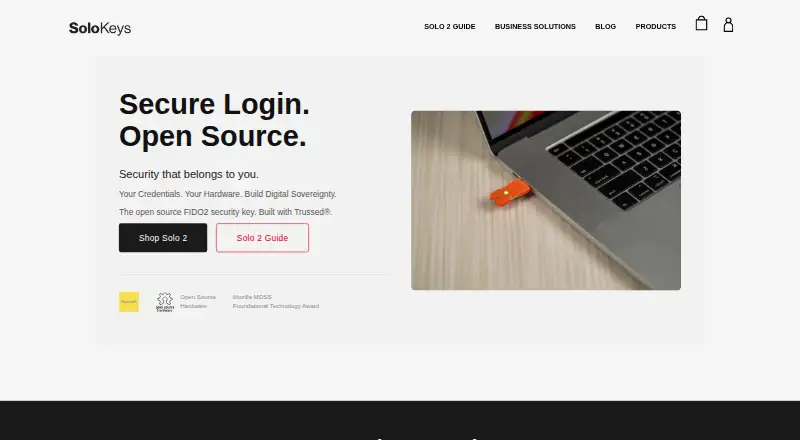
What Solo 2 is
Solo 2 is an open-source FIDO2 security key designed to help protect online accounts from phishing, account takeover, and unauthorized access. It supports FIDO2, WebAuthn, and U2F, and basic use does not require software installation or drivers. A capacitive sensor with three contact points confirms authentication when touched. It works with security-key-enabled services such as Google, Microsoft, Facebook, Salesforce, GitHub, Dropbox, and Twitter/X, and the maker lists Chrome, Edge, Safari, Brave, and Firefox as supported browsers.
The physical key stores credentials and passkeys rather than backing them up to cloud services, and can hold approximately 100 passkeys. Solo 2 is open source across its software, hardware, and documentation under the licenses specified by the maker. Standard devices have locked firmware and SoloKeys attestation certificates; the Hacker model does not include attestation. If the PIN is forgotten, resetting the key erases stored passkeys, so the guide recommends registering a backup key.
Good
- Supports FIDO2, WebAuthn, and U2F.
- Basic use requires no installation or drivers.
- Stores approximately 100 passkeys on the key.
- Works with major listed browsers and services.
- Open-source software, hardware, and documentation.
Watch out
- No free plan or free trial.
- Forgetting the PIN and resetting erases passkeys.
- Standard Solo 2 models do not include NFC.
- Hacker model does not include attestation.
Who it suits
Solo 2 is presented for everyday users, security professionals, and enterprise teams who want a physical key for account authentication. Its Hacker model is aimed at developers, security researchers, and makers.
Verdict
Solo 2 offers touch-confirmed authentication and local passkey storage across a range of listed services and browsers. Consider a backup key because resetting after a forgotten PIN erases the stored passkeys.
Plans and prices
From Solo 2's own pricing page, checked 5 Oct 2026.
| Plan | Price | What it gives you |
|---|---|---|
| Solo 2C Security Key | $34, paid once | USB-C · no NFC · One-time purchase |
| Solo 2 USB-A Hacker | $35, paid once | USB-A · unlocked for custom firmware · no NFC · One-time purchase |
| Solo 2 USB-A Security Key | $35, paid once | USB-A · no NFC · One-time purchase |
| Solo 2A+ NFC Security Key | $46, paid once | USB-A · NFC · One-time purchase |
| Solo 2C+ NFC Security Key | $46, paid once | USB-C · NFC · One-time purchase |
The facts
Each one read from Solo 2's own pages, with the date it was checked.
What it does
- Attestation
- Standard Solo 2 devices ship with locked firmware and SoloKeys attestation certificates; the Hacker model does not include attestation.checked 5 Oct 2026
- Authentication
- It supports FIDO2, WebAuthn, and U2F; basic use requires no software installation or drivers.checked 5 Oct 2026
- Integrations
- It works with security-key-enabled services including Google, Microsoft, Facebook, Salesforce, GitHub, Dropbox, and Twitter/X.checked 5 Oct 2026
- Intended users
- Solo 2 is presented for everyday users, security professionals, and enterprise teams; Solo 2 Hacker is aimed at developers, security researchers, and makers.checked 5 Oct 2026
- Key management
- The solo2-cli tool can manage passkeys, firmware updates, PINs, PIV, and OpenPGP settings; the Solo 2 GUI is listed as coming soon.checked 5 Oct 2026
- Limits
- If a user forgets the PIN, resetting the key erases stored passkeys; the guide recommends registering a backup key.checked 5 Oct 2026
- Open source
- The maker says Solo 2 is fully open source: software is dual licensed under Apache 2.0 and MIT, hardware under CERN-OHL-S, and documentation under CC-BY-SA 4.0.checked 5 Oct 2026
- Operating systems
- The maker lists Windows, macOS, Linux, Android, ChromeOS, and xBSD; Solo 2+ supports NFC authentication on compatible Android and iOS devices.checked 5 Oct 2026
- Passkey storage
- Solo 2 stores credentials and passkeys on the physical key, does not back them up to cloud services, and can store approximately 100 passkeys.checked 5 Oct 2026
- Product
- Solo 2 is an open source FIDO2 security key designed to protect online accounts from phishing, account takeover, and unauthorized access.checked 5 Oct 2026
- Support
- For help with a purchased device, SoloKeys directs customers to its support email or contact form.checked 5 Oct 2026
- Touch confirmation
- A capacitive sensor with three contact points confirms authentication when touched.checked 5 Oct 2026
Where it runs
- Browser support
- The maker lists Chrome, Edge, Safari, Brave, and Firefox as supported browsers.checked 5 Oct 2026
The company
- Headquarters
- Newark, Delaware, United Stateschecked 28 Sep 2026
The full review of Solo 2
Solo 2 is an open-source FIDO2 security key for people who want phishing-resistant sign-in and locally stored passkeys. It suits everyday account protection as well as security work, with several USB and NFC configurations. Its strongest case is straightforward, touch-confirmed authentication; its key drawback is that a forgotten PIN can mean losing every passkey on the device.
Overview
Solo 2 supports FIDO2, WebAuthn, and U2F, letting it serve as a physical authentication factor for services that accept security keys. Basic use needs no software installation or drivers, so it can add protection without putting another app between users and their accounts.
A capacitive sensor with three contact points confirms sign-in when touched. The key works with services including Google, Microsoft, Facebook, Salesforce, GitHub, Dropbox, and Twitter/X. It can store about 100 credentials and passkeys on the device itself, without cloud backup. That favors users who want local control, but makes a backup key important: resetting after a forgotten PIN erases the stored passkeys.
Key features
- Touch confirmation: Physical contact is required to confirm authentication, adding an intentional step to sign-in.
- Local passkey storage: Credentials stay on the key rather than being copied to cloud services. Capacity of about 100 passkeys is ample for many personal accounts, but users must plan for recovery if the key is lost or reset.
- Open-source design: SoloKeys says the software is dual-licensed under Apache 2.0 and MIT, the hardware under CERN-OHL-S, and the documentation under CC-BY-SA 4.0. That is a meaningful fit for users who value inspectable designs and open licensing.
- Key management: The solo2-cli tool manages passkeys, firmware updates, PINs, PIV, and OpenPGP settings. Users comfortable with command-line tools have direct controls; the Solo 2 GUI is coming soon.
- Attestation: Standard Solo 2 devices ship with locked firmware and SoloKeys attestation certificates. The Hacker model omits attestation, a distinction relevant to buyers who need that assurance.
Pricing
Solo 2 is a one-time hardware purchase, with no free plan or trial. The least expensive option is the Solo 2C Security Key at $34, paid once-time purchase: USB-C, without NFC. It is the straightforward pick for users whose devices have USB-C and who do not need phone tap authentication.
- Solo 2 USB-A Security Key: $35, paid once-time purchase; USB-A, no NFC. Choose it for a USB-A port, accepting that it cannot authenticate by NFC.
- Solo 2 USB-A Hacker: $35, paid once-time purchase; USB-A, unlocked for custom firmware, no NFC. It targets developers, researchers, and makers who want firmware flexibility, not buyers seeking the standard attested model.
- Solo 2C+ NFC Security Key: $46, paid once-time purchase; USB-C with NFC.
- Solo 2A+ NFC Security Key: $46, paid once-time purchase; USB-A with NFC.
The NFC models cost more but add phone-friendly authentication; Solo 2+ supports NFC on compatible Android and iOS devices. Match the connector to the devices you use, and choose NFC if you expect to authenticate by tapping rather than plugging in. There is no subscription or recurring renewal described for these purchases.
Platforms
Solo 2 is listed for Android, iOS, Linux, macOS, web, and Windows. Its maker lists Chrome, Edge, Safari, Brave, and Firefox as supported browsers, and operating-system support also includes ChromeOS and xBSD. Solo 2+ NFC works with compatible Android and iOS devices; standard models without NFC do not offer that tap-based option.
Who it's for
Solo 2 suits individuals who want a physical key for supported online accounts, especially those who prefer open-source software and hardware and local passkey storage. Enterprise teams and security professionals are also among its intended users. The Hacker model is better aligned with developers, security researchers, and makers who specifically want unlocked custom firmware. Anyone who needs cloud-backed passkey recovery, or is unwilling to keep a backup key, should look elsewhere.
Pros and cons
- Pro: FIDO2, WebAuthn, and U2F support covers several established security-key standards, and basic setup does not require drivers or an installed app.
- Pro: Passkeys remain on the physical key, with capacity for about 100 credentials and no cloud copy.
- Pro: USB-A, USB-C, and NFC versions let buyers choose for their ports and compatible phones.
- Con: A forgotten PIN followed by a reset erases stored passkeys, so recovery depends on preparation such as registering a backup key.
- Con: The standard USB models lack NFC; buyers who need phone tap authentication must pay for a Solo 2+ version.
- Con: Managing advanced settings uses a command-line tool; the GUI is not yet available.
Alternatives
Security Keys is the broader category guide for comparing physical authentication keys.
- Yubico Authenticator is a free, open-source option for readers who already have a YubiKey and want to store credentials and generate codes with it; Solo 2 is a paid key with local passkey storage.
- YubiKey 5 Series is a paid alternative with USB-A and USB-C NFC models; consider it if that family better fits your connector needs.
- Deepnet SafeKey is another paid security-key option.
- FEITIAN ePass FIDO-NFC Security Key offers USB-A or USB-C, NFC, FIDO U2F/FIDO2, and HOTP/TOTP for $35, paid once-time purchase; pick it if those standards and code-generation support at that price match your needs.
- SafeNet MobilePASS+ is another paid authentication option.
- Token2 T2F2-NFC-Slim is a paid alternative with volume pricing beginning at two units.
- Nitrokey 3 is a paid, open-source hardware and software alternative, with the Nitrokey 3A Mini at €54, paid once-time purchase.
- Token2 PIN+ Release3.3 is a paid alternative with FIDO2.1/WebAuthn, U2F, PIV, OpenPGP, TOTP/HOTP, and capacity for up to 300 resident keys; consider it if those additional protocols and higher key capacity matter more than Solo 2's lower entry price.
Verdict
Solo 2 is a strong fit for users who want standards-based, touch-confirmed authentication, open-source design, and passkeys kept on a physical key. Its low-cost USB options make entry relatively direct, while NFC versions suit compatible phones. Choose another approach if you need cloud recovery or cannot keep a backup: a PIN reset erases stored passkeys, and that recovery trade-off is central to owning Solo 2.
Getting started
- Open the SoloKeys website
- Choose a Solo 2 model and one-time purchase option
- Use the key with a supported browser and security-key-enabled service
- Touch the capacitive sensor to confirm authentication
- Use solo2-cli for passkeys, firmware, PIN, PIV, or OpenPGP management
- Register a backup key as recommended by the guide
Limits worth knowing
Resetting after a forgotten PIN erases stored passkeys. Solo 2 stores approximately 100 passkeys and does not back them up to cloud services.
Questions
How much does Solo 2 cost?
The $34.00 USB-C Security Key has no NFC.
Is Solo 2 open source?
Yes. Software is dual licensed under Apache 2.0 and MIT, hardware under CERN-OHL-S, and documentation under CC-BY-SA 4.0.
Which authentication standards does it support?
Solo 2 supports FIDO2, WebAuthn, and U2F. Basic use requires no software installation or drivers.
Does Solo 2 support NFC?
Solo 2+ models support NFC authentication on compatible Android and iOS devices. The listed standard USB-C and USB-A models have no NFC.
What happens if I forget the PIN?
Resetting the key erases its stored passkeys, so the guide recommends registering a backup key.
Which systems and browsers work with it?
Listed systems include Windows, macOS, Linux, Android, ChromeOS, and xBSD. Listed browsers are Chrome, Edge, Safari, Brave, and Firefox.
Alternatives to Solo 2
- 1
Token2 T2F2-NFC-Slim
AndroidiOSWebLinux7.2$24.66 one-time - 2
Nitrokey 3
AndroidiOSLinuxmacOS6.7€54 one-time - 3

YubiKey 5 Series
AndroidiOSWebLinux6.7$58 one-time - 4
FEITIAN ePass FIDO-NFC Security Key
AndroidiOSWebLinux6.6$35 one-time - 5

Deepnet SafeKey
AndroidiOSWebmacOS6.5 - 6
Token2 PIN+ Release3.3
AndroidiOSLinuxmacOS6.5$24.70 one-time