Solar System Scope
Solar System Scope models the Solar System, night sky, and outer space, showing celestial object positions and related information.
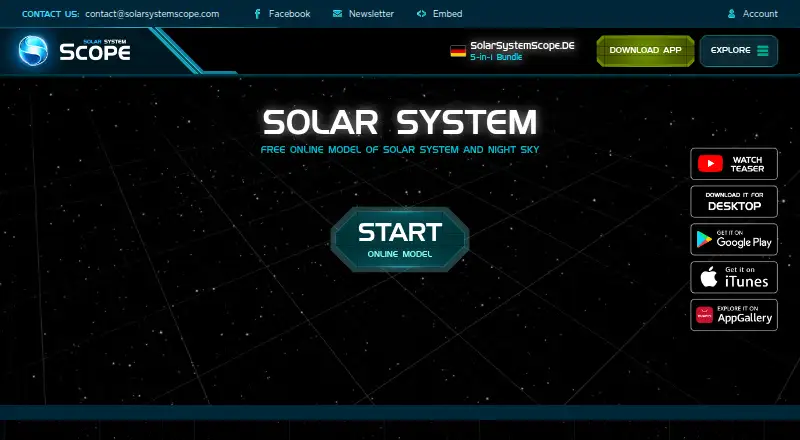
What Solar System Scope is
Solar System Scope models the Solar System, night sky, and outer space, showing celestial object positions and related information. Its 3D encyclopedia covers planets, dwarf planets, major moons, and other objects with realistic visualizations. The night-sky view can display stars and constellations for a location on Earth and simulate skies from past or future dates. On mobile, users can point a device at the sky to identify constellations and celestial objects. The maker says its calculations draw on NASA-published orbital parameters; planet and moon maps use NASA elevation and imagery data, with colors adjusted using spacecraft and Hubble imagery. The Android encyclopedia is available in 19 languages. Solar System Scope runs on Android, iOS, macOS, web, and Windows. The online version and mobile apps are free, with optional in-app purchases on mobile; the Windows and Mac desktop app costs $9.80, paid once and includes offline mode. The maker also provides website embedding code and planetary textures for 3D rendering or image viewing.
Good
- Models the Solar System and night sky in real time.
- Simulates skies from past or future dates.
- Mobile version can identify objects pointed at in the sky.
- Free online version and mobile apps.
- Desktop app supports offline mode.
Watch out
- Desktop app costs $9.80, paid once.
- Privacy policy says personal, usage, and location data may be collected.
- Desktop app lists Windows 7, Windows 8.1, Windows 10, or Mac OS X as requirements.
Who it suits
It suits people exploring celestial objects, observing how the sky changes by location or time, or learning about planets and moons. Website owners and 3D artists may also find its embedding code and textures useful.
Verdict
Solar System Scope combines sky viewing, a 3D astronomy encyclopedia, and mobile sky identification across several platforms. The free versions provide a starting point; offline use is listed with the paid desktop app.
Plans and prices
From Solar System Scope's own pricing page, checked 30 Sep 2026.
| Plan | Price | What it gives you |
|---|---|---|
| Free online version | Free | Runs in a desktop browser with WebGL; listed browser versions include Chrome 57, Firefox 52 and Safari 10.1 |
| Mobile version | Free | iOS and Android · optional in-app purchases · sky pointing |
| Online model | Free | browser-based · desktop WebGL required |
| Desktop App | $9.80, paid once | Windows and Mac · fullscreen · offline mode · 300 MB free disk space minimum |
| Desktop version | $9.80, paid once | Windows and Mac · offline mode · fullscreen · higher graphics · one-time purchase |
The facts
Each one read from Solar System Scope's own pages, with the date it was checked.
What it does
- 3D encyclopedia
- Its encyclopedia covers planets, dwarf planets and major moons with accompanying 3D visualizations.checked 15 Oct 2026
- Analytics and advertising
- The privacy policy names Google Analytics, Firebase and Unity Analytics, and lists Google and Unity advertising services.checked 30 Sep 2026
- Desktop offline use
- The purchased desktop app works offline after one-time activation and supports fullscreen operation.checked 15 Oct 2026
- Desktop purchase processing
- Checkout is handled through FastSpring and accepts credit cards or PayPal.checked 15 Oct 2026
- Desktop requirement
- The desktop app page lists Windows 7, Windows 8.1, Windows 10 or Mac OS X and 2 GB RAM as minimum requirements.checked 30 Sep 2026
- Desktop system requirements
- Minimum desktop requirements include Windows 7/8.1/10 or Mac OS X, 2 GB RAM, supported 256 MB graphics and 300 MB free disk space.checked 15 Oct 2026
- Developer
- The product is invented and developed by INOVE, and its About page describes the team as mostly from an EU software company.checked 30 Sep 2026
- Embedding integration
- A website can embed the model with a supplied iframe URL and customizable dimensions and CSS.checked 15 Oct 2026
- Embed minimum size
- The embedding page states that correct operation requires at least 500 by 400 pixels.checked 15 Oct 2026
- Languages
- The Android encyclopedia is offered in 19 languages.checked 15 Oct 2026
- Limit: date navigation
- An iPad reviewer said the app lacks direct date entry and makes precise historical or future positioning difficult to reach.checked 15 Oct 2026
- Limit: incomplete moons
- An App Store reviewer complained that Jupiter and Saturn show only a subset of their confirmed moons and lack fuller encyclopedia detail.checked 15 Oct 2026
- Limit: orientation and crashes
- App Store reviews report upside-down iPad orientation, crashes and occasional shutdowns on some devices.checked 15 Oct 2026
- Limit: paid upgrades
- Some reviewers complain that higher-quality maps or upgrades require in-app payment and ask for lower prices.checked 15 Oct 2026
- NASA data
- Planetary orbital parameters and map data are based on NASA publications, elevation data and imagery.checked 15 Oct 2026
- Night sky
- The night sky view supports viewing stars and constellations from a location on Earth and simulating past or future skies.checked 30 Sep 2026
- Night-sky observatory
- The mobile app shows stars and constellations from a selected Earth location and can simulate past or future skies.checked 15 Oct 2026
Where it runs
- Browser requirements
- The online model lists Chrome 57, Firefox 52 or Safari 10.1 and requires desktop WebGL.checked 15 Oct 2026
The company
- Company headquarters and size
- LinkedIn lists INOVE in Bratislava with 2–10 employees.checked 15 Oct 2026
- Company identity
- The product site identifies INOVE as the inventor and developer of Solar System Scope.checked 15 Oct 2026
- Company legal activity
- FinStat classifies INOVE under software publishing and retail of computers, peripherals and software.checked 15 Oct 2026
- Founded
- 2011checked 28 Sep 2026
- Headquarters
- Bratislava, Slovakiachecked 28 Sep 2026
- Legal company founding
- Slovak company records list INOVE, s. r. o. as established on 6 May 2006.checked 15 Oct 2026
The full review of Solar System Scope
Solar System Scope is an astronomy app that pairs a modeled Solar System with a simulated night sky and a 3D reference library. It is best for learners and curious sky-watchers who want a visual introduction across browser, mobile and desktop. The main trade-off is clear: broad free access, but offline viewing requires the paid desktop app.
Overview
Solar System Scope combines real-time models of the Solar System and outer space with positions and facts about celestial objects. Its mix of simulation, reference material and sky identification makes it a flexible starting point for exploring astronomy. It is less suited to readers seeking a narrowly focused observing tool or equipment-oriented workflow.
INOVE developed the product; its About page describes the team as mostly from an EU software company. The privacy policy says the service may collect personal, usage and location data, names Google Analytics, Firebase and Unity Analytics, and lists Google and Unity advertising services. It says payment card details go directly to third-party processors and are not stored or collected by INOVE, while cautioning that absolute data security cannot be guaranteed.
Key features
Explore planets and moons
The 3D encyclopedia covers planets, dwarf planets, major moons and other objects with realistic visualizations. Planet and moon maps draw on NASA elevation and imagery data, with colors tuned using spacecraft and Hubble imagery. Together, these features give learners a visual way to connect bodies and their surfaces, rather than relying on names and facts alone.
Simulate the night sky
Users can view stars and constellations from a location on Earth and simulate skies from the past or future. On mobile, pointing the device at the sky identifies constellations and celestial objects, a practical bridge between the encyclopedia and what a user can see overhead. The maker says calculations use orbital parameters published by NASA and can simulate positions at any time.
Use the model beyond the app
Solar System Scope provides iframe code for embedding its model on a website, with a minimum resolution of 500 by 400 pixels. It also offers planetary and space textures for 3D rendering or image viewing. These are useful extras for site publishers and visual creators, though they are distinct from the core sky-viewing experience. The Android encyclopedia is available in 19 languages.
Pricing
The free online version costs nothing and runs in a desktop browser with WebGL. Listed browser versions include Chrome 57, Firefox 52 and Safari 10.1. It is the sensible way to explore the model without paying, but it requires a compatible browser and does not provide the paid desktop app’s offline mode.
The Mobile Version costs nothing on Android and iOS, with optional in-app purchases. It suits users who want sky identification on a phone without an upfront charge; the free plan’s core scope is not detailed enough to compare individual purchase limits.
The Desktop App costs $9.80, paid once for Windows and Mac. It adds fullscreen and offline mode, making it the right fit for users who want to explore without an internet connection or prefer a larger-screen desktop experience. It requires at least 300 MB of free disk space.
Platforms
Solar System Scope is available on Android, iOS, macOS, web and Windows. The browser edition requires WebGL, while the desktop app page gives Windows 7, Windows 8.1, Windows 10 or Mac OS X and 2 GB RAM as minimum requirements. Offline access and an AR sky view are supported; the mobile sky-identification feature is the clearest reason to choose a phone or tablet version.
Who it's for
This is a strong fit for students, educators and curious beginners who want to move between a 3D astronomy encyclopedia and a view of the sky from Earth. Casual observers may also value the mobile pointing feature for identifying objects overhead. Those who need only a browser-based model can start free, while offline desktop users should budget for the one-time purchase.
Pros and cons
- Pro: Combines planetary exploration, a celestial encyclopedia and night-sky simulation, so learners can connect reference material with a view from Earth.
- Pro: Mobile sky identification and past-or-future sky simulation make it useful both for looking up objects and exploring how the sky changes.
- Pro: The $9.80 one-time desktop purchase includes offline mode, avoiding a recurring subscription for that use case.
- Con: Offline use is tied to the paid desktop app; the free online version depends on a WebGL-capable browser.
- Con: The privacy policy allows collection of personal, usage and location data and names analytics and advertising services, which may concern privacy-conscious mobile users.
Alternatives
Browse more choices in Astronomy Apps. Choose NASA Eyes if you want a free browser-based option and do not need offline access; it requires an internet connection and also runs on Linux. Cosmic Watch is worth considering for a mobile-first choice on Android, iOS or macOS, with free sky, Earth and Solar System views, a sky guide, layers, star names, world clock and notifications.
Night Sky is another freemium option for Android, iOS and macOS. Star Chart may suit readers looking for a free option across Android, iOS, macOS and Windows; its free plan includes every feature and upgrade without subscriptions or paywalls, with optional star sponsorship. Seestar App and UNISTELLAR App are free alternatives; UNISTELLAR is available on Android and iOS.
Luminos Pro is an iOS and macOS freemium alternative with a free trial and monthly, annual and multi-month plans. SkySafari is a paid option for Android, iOS, macOS and web with a free trial; its Basic plan costs $2.99, paid once and includes 120,357 stars, 222 deep sky objects and AstroBin image import.
Verdict
Choose Solar System Scope if you want one visual tool for learning about planets and moons, simulating the night sky and identifying objects from a mobile device. Its free browser and mobile editions make it easy to start, and the desktop app is a modest one-time purchase for offline access. Look elsewhere if your priority is a different observing focus or if the policy’s collection of location and usage data is a deal-breaker.
Alternatives to Solar System Scope
- 1
NASA Eyes
Free planOpen sourceAndroidiOSWebLinux7.8Free plan - 2
SkyORB
Free planAndroidiOSmacOSWindows7.7$4.99 one-time - 3
ISS Detector
Free planAndroidiOSWebmacOS7.3$17.99 one-time - 4

Cosmic Watch
Free planAndroidiOSmacOS7.2From $4.99 a year - 5
Gaia Sky
Free planOpen sourceAPILinuxmacOSSelf-hosted7.2Free plan - 6
Heavens-Above
Free planAndroidiOSWeb7.2$4.99 one-time