NASA Eyes
NASA Eyes is a free set of interactive 3D applications for exploring NASA data and imagery in a web browser.
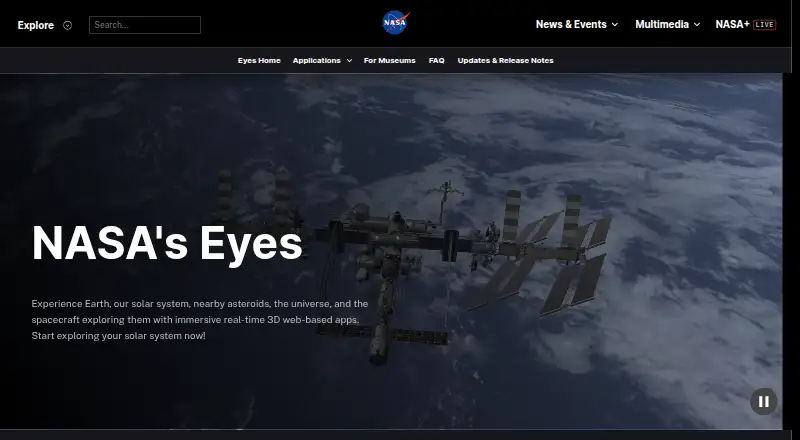
What NASA Eyes is
NASA Eyes is a free set of interactive 3D applications for exploring NASA data and imagery in a web browser. Eyes on the Solar System lets you move among planets, moons, asteroids, comets, and spacecraft in a simulated view covering 1950 to 2050. Eyes on Asteroids tracks more than 30,000 asteroids near Earth's orbit and shows the next five closest approaches. Earth views include mission data on carbon dioxide, ozone, sea level, weather, precipitation, and soil moisture. Eyes on Exoplanets offers exploration of more than 5,500 confirmed systems, with filters for planet type, detection method, and observatory. DSN Now refreshes Deep Space Network communications data every five seconds, while Mars Relay Network maps communications among Mars orbiters, landers, and rovers. NASA says the browser apps work on internet-connected devices with a modern browser, including phones, tablets, computers, and Linux systems. Museum and education guidance includes embedding examples and kiosk options. Older downloadable editions still run but are no longer supported.
Good
- Free to use in a browser
- Covers planets, asteroids, Earth data, and exoplanets
- Includes current and past mission communications views
- Works across phones, tablets, desktops, and Linux systems
Watch out
- Requires an internet connection
- Former downloadable editions are no longer supported
- No offline access
Who it suits
It suits people who want to explore NASA mission, Earth, and space data in a browser, as well as educators and museums looking for exhibit or program materials.
Verdict
NASA Eyes brings several NASA data visualizations together, from asteroid approaches and exoplanets to spacecraft communications. It is a browser-based option for exploration and educational displays, but it needs internet access.
Plans and prices
From NASA Eyes's own pricing page, checked 15 Oct 2026.
| Plan | Price | What it gives you |
|---|---|---|
| Free | Free | Browser-based access · Internet connection required |
| NASA's Eyes | Free | Free to use · runs in a web browser · internet connection required |
The facts
Each one read from NASA Eyes's own pages, with the date it was checked.
Where it runs
- Apple listing details
- The App Store lists Spacecraft AR as free, designed for iPhone and iPad, 168.1 MB in size and developed by Jet Propulsion Laboratory.checked 15 Oct 2026
- Browser access
- The apps run in a regular web browser, and NASA says devices with a browser and internet connection can use them.checked 30 Sep 2026
- Browser guidance
- NASA's classroom lesson identifies Chrome and Firefox as the preferred browsers for Eyes.checked 15 Oct 2026
- Device support
- NASA says the browser applications work on modern-browser devices including phones, tablets, desktops, laptops and Linux systems.checked 15 Oct 2026
- Kiosk options
- NASA's kiosk link offers options such as timeouts, locked interface features, and removal of external links; the page also mentions a downloadable EXE.checked 30 Sep 2026
What it does
- Asteroids
- Eyes on Asteroids tracks over 30,000 asteroids near Earth's orbit and shows the next five closest approaches.checked 30 Sep 2026
- Asteroid tracking
- Eyes on Asteroids tracks more than 30,000 near-Earth asteroids and shows the next five closest approaches.checked 15 Oct 2026
- August 2026 update
- The August release added full Mars terrain and free-fly navigation on desktop and laptop computers, plus Roman Space Telescope and SOLAR-1 content.checked 15 Oct 2026
- Deep Space Network
- DSN Now refreshes ground-station communication information every five seconds and shows live spacecraft links.checked 15 Oct 2026
- Earth data
- Eyes on the Earth displays NASA Earth science missions and data including carbon dioxide, ozone, sea level, weather imagery, precipitation, and soil moisture.checked 30 Sep 2026
- Earth observation
- Eyes on the Earth visualizes satellite measurements such as carbon dioxide, ozone, sea level, precipitation and soil moisture, with historical playback extending about twenty years.checked 15 Oct 2026
- Embedding
- NASA's educator material documents iframe embedding with customizable dimensions and URL parameters for spacecraft, timing and playback rate.checked 15 Oct 2026
- Historical award
- Wikipedia records Webby Awards for Experience Curiosity in 2016 and Eyes on the Earth in 2009.checked 15 Oct 2026
- Independent data note
- The JPL education material states that Eyes data are compiled from real scientific observations.checked 15 Oct 2026
- Independent technical praise
- GHacks describes the software as a free program and mobile application covering Earth, the Solar System, the universe and spacecraft.checked 15 Oct 2026
- June 2026 update
- The June release gave all 4,716 listed stars in Eyes on Exoplanets their own description panels and added Mars Relay Network improvements.checked 15 Oct 2026
- Landing simulation
- The suite includes an interactive Mars 2020 entry, descent and landing experience for Perseverance.checked 15 Oct 2026
- Legacy downloads
- Older downloadable Eyes editions may continue to run but are no longer supported by NASA or the Eyes team.checked 15 Oct 2026
The company
- Company headquarters
- LinkedIn lists NASA Jet Propulsion Laboratory headquarters in Pasadena, California.checked 15 Oct 2026
- Company relationship
- LinkedIn identifies NASA's Jet Propulsion Laboratory as a federally funded research center managed for NASA by Caltech.checked 15 Oct 2026
- Company size
- LinkedIn lists NASA Jet Propulsion Laboratory's company size as 5,001–10,000 employees.checked 15 Oct 2026
- Founded
- 1958checked 28 Sep 2026
- Headquarters
- Washington, DC, United Stateschecked 28 Sep 2026
Money
- Exoplanets
- Eyes on Exoplanets contains more than 5,500 confirmed exoplanet systems and supports filtering by planet type, detection method and observatory.checked 15 Oct 2026
The full review of NASA Eyes
NASA Eyes suits curious learners, astronomy enthusiasts and educators who want to explore NASA mission data in an interactive visual format. Its breadth is the draw: one free browser-based suite covers planetary exploration, Earth science, exoplanets and spacecraft communications.
Overview
Rather than a single astronomy display, NASA Eyes brings together several interactive 3D applications built around NASA data and imagery. The range—from a simulated solar system to current communications activity—makes it a useful place to explore different aspects of space science without paying for access. The trade-off is that its browser applications need an internet connection, so it is not suited to offline viewing.
Key features
Explore nearby space
Eyes on the Solar System lets users move among planets, moons, asteroids, comets and spacecraft in a simulation spanning 1950 to 2050. That long time window gives learners a way to put objects and missions in context, rather than seeing only a static snapshot. Eyes on Asteroids narrows the focus to more than 30,000 asteroids near Earth's orbit and identifies the next five closest approaches, making it the more direct choice for visitors interested in near-Earth objects.
Earth science and exoplanets
Eyes on the Earth brings together NASA Earth science missions and views of carbon dioxide, ozone, sea level, weather imagery, precipitation and soil moisture. It is a broader science resource than a conventional sky guide, with material relevant to people exploring conditions and processes on Earth. Eyes on Exoplanets offers interactive 3D views of more than 5,500 confirmed exoplanet systems, with filters for planet type, detection method and observatory. Those filters help visitors explore a large collection by specific scientific criteria.
Spacecraft communications
DSN Now refreshes every five seconds with Deep Space Network ground-station data about spacecraft communications. The Mars Relay Network shows current, past and future communications among Mars orbiters, landers and rovers. Together, these views make NASA Eyes relevant not only to astronomy exploration but also to people curious about how missions communicate across space.
Education and displays
NASA provides guidance for museum exhibits, educational programming, kiosk setups and website embeds. Iframe examples cover views such as Earth satellites, the International Space Station, asteroid watch and DSN Now. Kiosk options include timeouts, interface locks and removing external links, and NASA's kiosk page also mentions a downloadable EXE. This makes the suite more adaptable for public displays than a browser-only audience might expect. Older downloadable Eyes versions still run, but NASA and the Eyes team no longer support them.
Pricing
NASA Eyes is free to use: its sole plan costs nothing. The browser applications require internet access, and offline access is not supported. There is no paid tier or free-trial decision to weigh, so the main limitation is practical rather than financial: users need a working connection and a modern browser.
Platforms
The browser-based apps are intended to work on devices with a modern web browser and internet connection, including phones, tablets, desktops, laptops and Linux systems. The listed platforms are Android, iOS, Linux, macOS, web and Windows. Cross-platform browser access is a strong fit for classrooms or shared displays using varied devices, though the connection requirement rules it out for offline settings.
Who it's for
NASA Eyes is best for learners, educators, museum visitors and space enthusiasts who want to explore NASA data through interactive visualizations. Its mix of solar-system, Earth, exoplanet and mission-communications views gives it more range than a tool focused only on identifying objects in the night sky. It is a weaker fit for anyone seeking offline access, telescope control or an augmented-reality sky view; none is offered.
Pros and cons
- Pro: Multiple applications cover solar-system objects, near-Earth asteroids, Earth science, exoplanets and mission communications, so one free suite supports varied learning interests.
- Pro: Educational and museum guidance includes embeds and kiosk configuration options, useful for teachers and exhibit operators.
- Pro: DSN Now refreshes every five seconds, giving communications-focused visitors a frequently updated view.
- Con: Internet access is required and offline use is unavailable, limiting use in disconnected settings.
- Con: It does not provide AR sky viewing or telescope control, so stargazers looking for those functions need another tool.
- Con: Legacy downloadable versions are no longer supported, making the current browser applications the safer route for ongoing use.
Alternatives
For a wider set of astronomy options, browse Astronomy Apps.
- Solar System Scope is worth considering if you want a freemium solar-system option with Android, iOS, macOS, web and Windows support; its free online version runs in a desktop browser with WebGL.
- Cosmic Watch may suit readers looking for sky, Earth and solar-system views alongside a sky guide, layers, star names, a world clock and notifications; it is freemium and supports Android, iOS and macOS.
- Night Sky is another freemium option for Android, iOS and macOS users.
- Luminos Pro is an iOS and macOS alternative with freemium pricing and a free trial.
- UNISTELLAR App is a free alternative for Android and iOS.
- Seestar App is a free option for Android, iOS, macOS and Windows.
- Star Chart is a freemium option for Windows, macOS, iOS and Android.
- Star Chart is a free option for Windows, macOS, iOS and Android.
Verdict
Choose NASA Eyes if you want a free, cross-platform way to explore NASA data across planets, Earth science, exoplanets and spacecraft communications, or to build an educational display. Its breadth and museum-friendly options are the main reasons to pick it; look elsewhere if offline access, telescope control or an AR sky view is essential.
Getting started
- Visit the NASA Eyes website.
- Open an Eyes application in a modern web browser.
- Connect to the internet to use the browser-based views.
- For museum or education use, follow NASA's kiosk or embedding guidance.
Limits worth knowing
The free NASA Eyes applications run in a browser and require an internet connection. Offline access is unavailable; older downloadable editions continue to run but are no longer supported.
Questions
Is NASA Eyes free?
Yes. NASA describes the suite as free to use.
Which platforms does NASA Eyes support?
The listed platforms are Android, iOS, Linux, macOS, web, and Windows. NASA says a modern browser and internet connection are needed for the browser-based applications.
Can I use NASA Eyes offline?
No. The browser applications require an internet connection, and offline access is unavailable.
What can I explore with NASA Eyes?
The suite includes Solar System, asteroid, Earth science, exoplanet, Deep Space Network, and Mars communications views.
Can museums or educators use it?
NASA provides guidance for museum exhibits, educational programming, kiosk setups, and website embeds.
Are downloadable versions supported?
Former downloadable versions continue to run, but NASA and the Eyes team no longer support them.
Alternatives to NASA Eyes
- 1
Solar System Scope
Free planAndroidiOSWebmacOS8.0$9.80 one-time - 2
SkyORB
Free planAndroidiOSmacOSWindows7.7$4.99 one-time - 3
ISS Detector
Free planAndroidiOSWebmacOS7.3$17.99 one-time - 4

Cosmic Watch
Free planAndroidiOSmacOS7.2From $4.99 a year - 5
Gaia Sky
Free planOpen sourceAPILinuxmacOSSelf-hosted7.2Free plan - 6
Heavens-Above
Free planAndroidiOSWeb7.2$4.99 one-time