Snoq
Snoq is a native Windows notes app for password-protected, encrypted notes stored locally.
What Snoq is
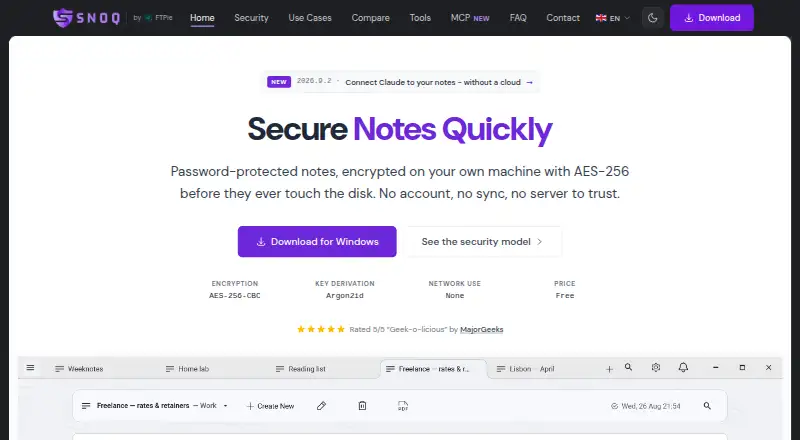
Snoq is a native Windows notes app for password-protected, encrypted notes stored locally. It works offline and says it has no cloud sync, telemetry, crash reporting, or account system. Note content uses AES-256-CBC and HMAC-SHA256 encryption, with keys derived from the user’s password through Argon2id. The editor supports headings, lists, syntax-highlighted code blocks, links, quotes, and inline images. Full-text search covers note bodies, while categories, starred notes, and multiple tabs provide organization. Individual notes can be exported as PDFs, and the vault can be saved as an encrypted archive. An optional on-device MCP server connects to several AI tools; access starts disabled, with separate controls for note changes and vault unlocking. Snoq is free, with no premium tiers, paywalls, or feature limits. It supports Windows 10 and 11 and requires 200 MB of free disk space. Browser-based ChatGPT and Claude cannot connect.
Good
- Stores encrypted notes locally
- Works offline without an account
- Supports rich text and code blocks
- Exports notes as PDFs
- Free with no feature limits
Watch out
- No password recovery mechanism
- Does not auto-lock after inactivity
- Browser-based ChatGPT and Claude cannot connect
- Requires 200 MB of disk space
Who it suits
Snoq suits Windows users who want local, encrypted notes without accounts or cloud sync. It also suits users needing rich text, vault exports, and optional on-device AI connections.
Verdict
Snoq provides a free, local-first Windows notebook with encryption, search, exports, and optional AI integration. The missing password recovery and absent automatic inactivity lock are important considerations before storing notes.
Plans and prices
From Snoq's own pricing page, checked 10 Oct 2026.
| Plan | Price | What it gives you |
|---|---|---|
| Snoq | Free | No premium tiers · no paywalls · no feature limits |
The facts
Each one read from Snoq's own pages, with the date it was checked.
What it does
- AI integrations
- Its optional on-device MCP server can connect to Claude Desktop, Claude Code, Cursor, VS Code, Windsurf, Gemini CLI, Codex CLI, and Antigravity; browser-based ChatGPT and Claude cannot connect.checked 10 Oct 2026
- Encryption
- It encrypts note content with AES-256-CBC and HMAC-SHA256, deriving keys from the user's password with Argon2id.checked 10 Oct 2026
- Export and backup
- Users can export individual notes as PDFs and export the vault as an encrypted archive.checked 10 Oct 2026
- Integrations
- Claude,Claude Code,Claude Desktopchecked 21 Sep 2026
- Locking limitation
- Snoq does not yet automatically lock after inactivity; users can lock it with a hotkey, title-bar button, or tray control.checked 10 Oct 2026
- MCP permissions
- AI access is off by default, and separate controls govern note changes and vault unlocking.checked 10 Oct 2026
- Offline access
- Yeschecked 21 Sep 2026
- Offline and privacy
- Snoq works offline and says it has no cloud sync, telemetry, crash reporting, or account system.checked 10 Oct 2026
- Password recovery
- There is no password recovery mechanism, so notes cannot be decrypted if the password is lost.checked 10 Oct 2026
- Product
- Snoq is a native Windows notes app for password-protected, encrypted notes stored locally.checked 10 Oct 2026
- Rich text
- The editor supports headings, lists, code blocks with syntax highlighting, links, quotes, and inline images.checked 10 Oct 2026
- Search and organization
- Snoq provides full-text search across note bodies, categories, starred notes, and a multi-tab interface.checked 10 Oct 2026
- Support
- Snoq is built by one developer, who accepts messages through the site form or email and says replies are not instant.checked 10 Oct 2026
- System requirements
- Snoq supports Windows 10 and Windows 11 and requires 200 MB of free disk space.checked 10 Oct 2026
Money
- Free plan
- Yeschecked 21 Sep 2026
The company
- Maker
- The maker identifies himself as Vladyslav Fedoniuk, trading as FTPie, and lists a correspondence address in Rzeszów, Poland.checked 10 Oct 2026
Where it runs
- Supported platforms
- Windowschecked 21 Sep 2026
Alternatives to Snoq
- 1

Cryptee
Free planOpen sourceAndroidiOSWebLinux8.6From €3 a month - 2

PrivacyNotes
Free planOpen sourceAndroidiOSWebAPI8.4Free plan - 3
Turtl
Free planOpen sourceAndroidAPIExtensionLinux8.4From $3 a month - 4
Notesnook
Free planAndroidiOSWebLinux8.0From $1.99 a month - 5

Dash
Free planAndroidiOSWebmacOS7.7Free plan - 6

Joplin
AndroidiOSWebExtension7.6From €2.99 a month