SmartGaGa
SmartGaGa is a free Android emulator for Windows PCs, intended for playing mobile games and running Android apps.
What SmartGaGa is
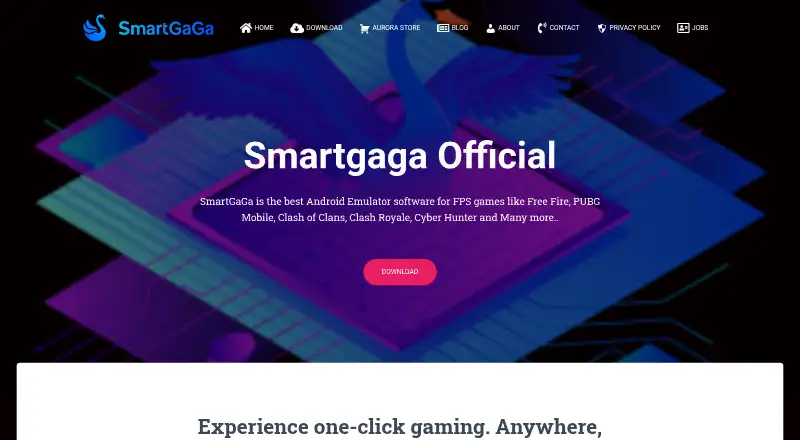
SmartGaGa is a free Android emulator for Windows PCs, intended for playing mobile games and running Android apps. It includes Google Play for downloading and installing apps and games, along with multi-instance use, keyboard mapping, and gamepad support. The site names Free Fire, PUBG Mobile, Clash of Clans, Clash Royale, and Cyber Hunter among the games it supports. SmartGaGa can also mirror an Android phone to a PC. Its Titan Engine is described as non-virtualized technology, so CPU virtualization does not need to be enabled. The site says the engine reduces machine load and memory consumption and can run on a computer with 2 GB of RAM. Turbo GPU is described as improving GPU performance and helping maintain gameplay frame rates; Smart Mode is intended to make mobile games feel more like PC games. The download page lists versions based on Android 4.4.2 KitKat and Android 7.1.2 Nougat. Recommended requirements include Windows 7 or higher, an Intel or AMD processor, Nvidia or Radeon graphics with at least 64 MB, 2 GB RAM, and 2 GB of free storage. The company says it started in 2015.
Good
- Free Android emulator for Windows.
- Includes Google Play for apps and games.
- Supports keyboard mapping, gamepads, and multi-instance use.
- CPU virtualization does not need to be enabled.
- Can mirror an Android phone to a PC.
Watch out
- Windows 7 or higher is recommended.
- Requires 2 GB of free storage.
- Listed emulator versions are based on Android 4.4.2 and 7.1.2.
Who it suits
SmartGaGa suits Windows users who want to run Android apps or play mobile games on a PC. Its keyboard mapping, gamepad support, and multi-instance capability may appeal to players.
Verdict
SmartGaGa provides a free Windows route to running Android apps and games, with Google Play, input mapping, and phone mirroring. Check the listed system requirements and Android versions against your needs.
Plans and prices
From SmartGaGa's own pricing page, checked 5 Oct 2026.
| Plan | Price | What it gives you |
|---|---|---|
| SmartGaGa | Free | Free Android emulator |
The facts
Each one read from SmartGaGa's own pages, with the date it was checked.
Where it runs
- Android versions
- The download page lists emulator versions for Android 4.4.2 KitKat and Android 7.1.2 Nougat.checked 5 Oct 2026
- Desktop platforms
- Windowschecked 19 Sep 2026
- Keyboard mapping
- Yeschecked 19 Sep 2026
What it does
- Audience and reach
- The about page says SmartGaGa aims to serve people playing Android games and running apps on PC and reports more than 100 million downloads across over 200 countries and 20 languages.checked 5 Oct 2026
- Gamepad support
- Yeschecked 19 Sep 2026
- Games
- The site names Free Fire, PUBG Mobile, Clash of Clans, Clash Royale, and Cyber Hunter as games it supports.checked 5 Oct 2026
- Google Play
- The emulator includes Google Play for downloading and installing Android apps and mobile games.checked 5 Oct 2026
- Google Play support
- Yeschecked 19 Sep 2026
- Multi-instance
- Yeschecked 19 Sep 2026
- Performance
- The site says the Titan Engine reduces machine load and memory consumption and can run on a computer with 2 GB RAM.checked 5 Oct 2026
- Phone mirroring
- The site says SmartGaGa can mirror an Android phone to a PC.checked 5 Oct 2026
- Privacy
- The privacy policy says comments may include the visitor’s IP address and browser user agent for spam detection.checked 5 Oct 2026
- Product
- SmartGaGa is an Android emulator for playing Android games and running apps on a PC.checked 5 Oct 2026
- Smart Mode
- Smart Mode is described as making mobile games feel more like PC games.checked 5 Oct 2026
- Support contact
- The contact page provides an email link for contacting SmartGaGa.checked 5 Oct 2026
- System requirements
- The page recommends Windows 7 or higher, an Intel or AMD processor, Nvidia or Radeon graphics with 64 MB or more, 2 GB RAM, and 2 GB free storage.checked 5 Oct 2026
- Titan Engine
- The Titan Engine is described as non-virtualized emulator technology that does not require CPU virtualization to be enabled.checked 5 Oct 2026
- Turbo GPU
- Turbo GPU technology is described as improving GPU performance and helping maintain gameplay frame rates.checked 5 Oct 2026
The company
- Company history
- The contact page says SmartGaGa started in 2015 and launched SmartGaGa Play in 2017.checked 5 Oct 2026
- Founded
- 2015checked 28 Sep 2026
Money
- Free plan
- Yeschecked 19 Sep 2026
- Freeware
- The download page describes SmartGaGa as free software.checked 5 Oct 2026
Alternatives to SmartGaGa
- 1

Genymotion Desktop
Free planLinuxmacOSWindows8.2From $49 a year - 2
Android Emulator
Free planAndroidLinuxmacOSWindows7.9Free plan - 3

BlueStacks App Player
Free planmacOSWindows7.9From $7.99 a month - 4

Appetize
Free planAndroidiOSWebAPI7.9From $59 a month - 5

QEMU
Free planOpen sourceAPILinuxmacOSSelf-hosted7.8Free plan - 6
VMOS Cloud
AndroidiOSWebAPI7.5