smartctl_exporter
smartctl_exporter exports smartctl statistics to Prometheus for SMART monitoring.
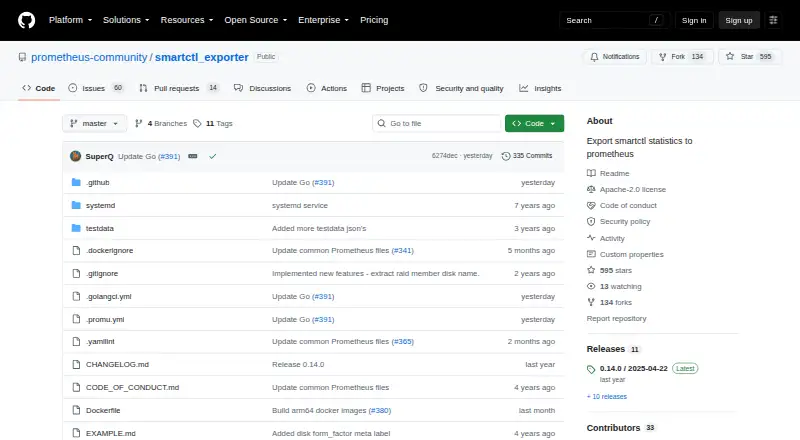
What smartctl_exporter is
smartctl_exporter exports smartctl statistics to Prometheus for SMART monitoring. It reads JSON output from smartctl and requires smartmontools version 7.0 or later. When no devices are specified, it scans the system for available devices and can rescan as devices appear or disappear. The default metrics path is /metrics and the default listening port is 9633. TLS and basic authentication are supported through a web configuration file, and Linux deployments can use systemd socket activation instead of port listeners. The README includes a Docker Compose example using the project image in privileged mode as root. Device access may require smartctl to run as root, including for SATA access. The repository identifies the license as Apache-2.0 and directs security reports to the Prometheus security policy. Version 0.15.0, dated 2026-09-01, lists additional temperature values, endurance and verify-error metrics, and support for NVMe devices behind bridges. The project describes its platform as Linux and self-hosted.
Good
- Exports smartctl statistics to Prometheus
- Scans for devices and can rescan for changes
- Supports TLS and basic authentication
- Linux supports systemd socket activation
Watch out
- Requires smartmontools version 7.0 or later
- Device access may require root
- Docker Compose example runs privileged as root
Who it suits
This exporter suits Linux and self-hosted setups that use Prometheus and need smartctl statistics. Users should be prepared to meet the smartmontools requirement and provide root access where device access needs it.
Verdict
smartctl_exporter is a focused, free tool for exporting SMART-related smartctl metrics to Prometheus. Its Linux deployment and device access requirements are important to account for before setup.
Plans and prices
From smartctl_exporter's own pricing page, checked 7 Oct 2026.
| Plan | Price | What it gives you |
|---|---|---|
| Free | Free | Open-source exporter; requires smartmontools ≥ 7.0 |
The facts
Each one read from smartctl_exporter's own pages, with the date it was checked.
What it does
- Access requirement
- The README says smartctl needs to run as root for device access such as SATA access.checked 7 Oct 2026
- Data source
- The exporter uses JSON output from smartctl and requires smartmontools version 7.0 or later.checked 7 Oct 2026
- Deployment
- The README provides a Docker Compose example using the prometheuscommunity/smartctl-exporter image, privileged mode, and root user.checked 7 Oct 2026
- Latest release
- The releases page lists version 0.15.0, dated 2026-09-01, with release assets and source archives.checked 7 Oct 2026
- License
- The repository identifies its license as Apache-2.0.checked 7 Oct 2026
- Metrics endpoint
- The default metrics path is /metrics and the default listen address uses port 9633.checked 7 Oct 2026
- Prometheus integration
- The project describes its purpose as exporting smartctl statistics to Prometheus.checked 7 Oct 2026
- Purpose
- smartctl_exporter exports smartctl statistics to Prometheus.checked 7 Oct 2026
- Recent features
- Version 0.15.0 lists additional temperature values, endurance and verify-error metrics, and handling for NVMe devices behind bridges.checked 7 Oct 2026
- Security
- The exporter supports TLS and basic authentication through a web configuration file.checked 7 Oct 2026
- Security reporting
- The project directs security issue reports to the Prometheus security policy.checked 7 Oct 2026
- Support
- The README invites users to file a feature request with the desired metric and exported smartctl JSON data.checked 7 Oct 2026
Where it runs
- Device discovery
- It scans the system for available devices by default when no devices are specified, and can rescan for devices that appear or disappear.checked 7 Oct 2026
- Linux feature
- On Linux, it can use systemd socket activation instead of port listeners.checked 7 Oct 2026
Alternatives to smartctl_exporter
- 1
SMART Sniffer
Free planOpen sourceWebAPILinuxmacOS7.5Free plan - 2
Active@ Hard Disk Monitor
Free planWindows7.3$49.95 one-time - 3
DA Drive Analyzer
Free planWebmacOSSelf-hostedWindows7.0From $5 a year - 4
Hard Disk Sentinel
Free planLinuxWindows6.9$22 one-time - 5

HDDlife
Windows6.8$19 one-time - 6
smartmontools
Free planLinuxmacOSWindows6.8Free plan