SMART Utility
SMART Utility is a macOS application that reads and displays SMART information from hard drives and SSDs, and can run a drive’s built-in self-test.
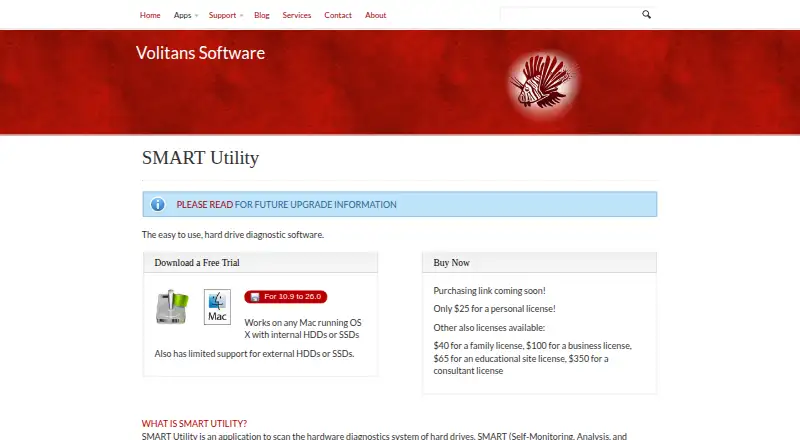
What SMART Utility is
SMART Utility is a macOS application that reads and displays SMART information from hard drives and SSDs, and can run a drive’s built-in self-test. It shows model, capacity, power-on hours, temperature, bad-sector counts, error counts, and error types. An internal algorithm examines attributes for possible failure before the overall SMART status changes, although the maker says false positives can occur. The app supports background scanning, menu-bar drive information, Growl notifications when Growl is installed, and email notifications when configured. Users can log drive information, save reports for later viewing, and print reports. SMART Utility can scan OS X software RAID drives and drives in many RAID enclosures and cards. External-drive support is limited: some drives need the optional SAT SMART driver, while some enclosures do not expose required commands. The application parses output from the open-source smartmontools package. It is paid, has no free plan, and offers a free trial. Personal licensing costs $25, paid once.
Good
- Reads HDD and SSD SMART attributes
- Runs built-in drive self-tests
- Background scanning and notifications
- Saves and prints drive reports
- Scans many RAID configurations
Watch out
- No free plan
- External-drive support is limited
- False positives can occur
- Some drives need an optional driver
Who it suits
SMART Utility suits Mac users who need drive health details, self-tests, background monitoring, or saved reports. It is also relevant for systems using software RAID or supported RAID enclosures.
Verdict
SMART Utility gathers detailed SMART data and adds monitoring, alerts, tests, and reporting for macOS drives. External hardware compatibility varies, and the failure algorithm may occasionally flag a false positive.
Plans and prices
From SMART Utility's own pricing page, checked 11 Oct 2026.
| Plan | Price | What it gives you |
|---|---|---|
| Personal license | $25, paid once | Personal license |
| Family license | $40, paid once | Family license |
| Educational site license | $65, paid once | Educational site license |
| Business license | $100, paid once | Business license |
| Consultant license | $350, paid once | Consultant license |
The facts
Each one read from SMART Utility's own pages, with the date it was checked.
The company
- Company
- Volitans Software was founded by Matthew J. Butch on February 22, 2007, and operates from Pennsylvania.checked 11 Oct 2026
What it does
- Compatibility
- The product page lists support for OS X 10.9 through 10.15, while its current download link is labeled for versions 10.9 to 26.0.checked 11 Oct 2026
- Drive details
- It displays drive model, capacity, power-on hours, temperature, bad-sector counts, error counts, and error types.checked 11 Oct 2026
- Drive support
- The app supports HDDs and SSDs, and has limited support for external drives.checked 11 Oct 2026
- Early warning
- Its internal algorithm analyzes drive attributes to detect potential failure before the drive’s overall SMART status indicates failure.checked 11 Oct 2026
- External drive limit
- Some external drives require the optional SAT SMART driver, and some enclosures do not expose the commands needed to read SMART data.checked 11 Oct 2026
- False positives
- The maker says its failing-drive algorithm is usually accurate but can sometimes produce false positives.checked 11 Oct 2026
- Monitoring
- It supports background scanning and can show drive information in the menu bar.checked 11 Oct 2026
- Notifications
- It supports Growl notifications when installed and email notifications when configured.checked 11 Oct 2026
- Purpose
- SMART Utility reads and displays hard drive SMART attributes and can run a drive’s built-in self-test.checked 11 Oct 2026
- RAID support
- It supports scanning OS X software RAID drives and drives in many RAID enclosures and cards.checked 11 Oct 2026
- Reports
- Users can log drive information, save reports for later viewing, and print reports.checked 11 Oct 2026
- Support
- The maker offers support by email or Twitter and provides a SMART Utility FAQ.checked 11 Oct 2026
- Underlying technology
- SMART Utility parses output from the open-source smartmontools package, which performs the SMART attribute scanning.checked 11 Oct 2026
Alternatives to SMART Utility
- 1
SMART Sniffer
Free planOpen sourceWebAPILinuxmacOS7.5Free plan - 2
Active@ Hard Disk Monitor
Free planWindows7.3$49.95 one-time - 3
DA Drive Analyzer
Free planWebmacOSSelf-hostedWindows7.0From $5 a year - 4
Hard Disk Sentinel
Free planLinuxWindows6.9$22 one-time - 5

HDDlife
Windows6.8$19 one-time - 6
smartmontools
Free planLinuxmacOSWindows6.8Free plan