Smarkup
Smarkup is a free, open-source desktop Markdown editor for working with prompts.
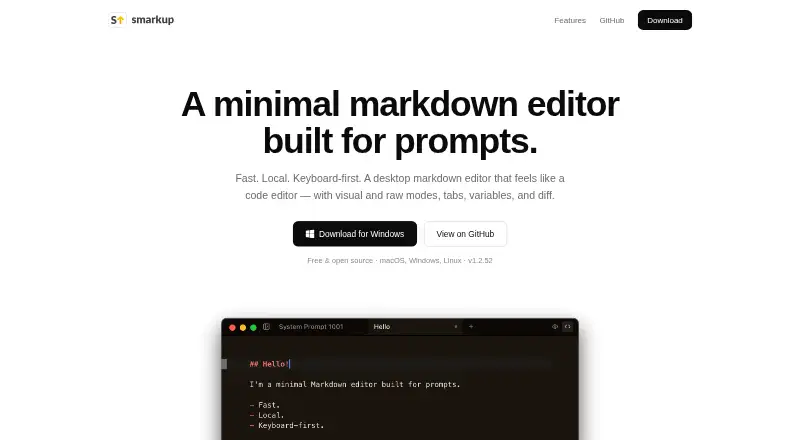
What Smarkup is
Smarkup is a free, open-source desktop Markdown editor for working with prompts. It runs on macOS, Windows, and Linux while keeping files on the user’s disk rather than syncing them to the cloud. Editing can use a Tiptap-powered visual WYSIWYG mode or a raw Markdown view powered by CodeMirror. Draggable tabs keep several documents open, and Quick Open helps locate files. A keyboard command palette uses fuzzy search for actions such as opening files, changing editor modes, comparing documents, and enabling auto-save. Users can define highlighted {{variables}} for reuse, with those variables listed in a sidebar. A diff view compares two document versions side by side. Light and dark themes can follow the system appearance. A file watcher reloads externally changed files, and the desktop app is described as auto-updating. Downloads include macOS Universal, Windows installer, and Linux AppImage and .deb packages.
Good
- Free and open source
- Visual and raw Markdown editing
- Draggable tabs and Quick Open
- Reusable highlighted variables
- Side-by-side document comparison
Watch out
- No cloud sync
- Desktop platforms only
- No free trial because the app is free
Who it suits
Smarkup suits people who write Markdown prompts locally and want visual and raw editing modes. It is also suitable for users seeking a free, open-source desktop tool across major desktop platforms.
Verdict
Smarkup offers local Markdown editing with prompt-focused variables, tabs, and comparison tools. Its lack of cloud sync favors users who want files kept on their own computers.
Plans and prices
From Smarkup's own pricing page, checked 9 Oct 2026.
| Plan | Price | What it gives you |
|---|---|---|
| Free | Free | Free and open source · desktop app |
The facts
Each one read from Smarkup's own pages, with the date it was checked.
What it does
- Cloud sync
- Nochecked 20 Sep 2026
- Command palette
- The command palette supports fuzzy search for actions such as opening files, switching editor modes, and comparing files.checked 9 Oct 2026
- Diff view
- Smarkup can compare two document versions side by side.checked 9 Oct 2026
- Editing modes
- It offers a WYSIWYG visual editor powered by Tiptap and a raw CodeMirror view.checked 9 Oct 2026
- Local file support
- Yeschecked 20 Sep 2026
- Local storage
- Files stay on the user's disk, with no cloud storage, and a built-in file watcher reloads external changes.checked 9 Oct 2026
- Open source
- The maker describes Smarkup as free and open source, and links to its source repository on GitHub.checked 9 Oct 2026
- Product
- Smarkup is a minimal desktop markdown editor built for prompts.checked 9 Oct 2026
- Support
- The site links to the project's GitHub repository and issue tracker.checked 8 Oct 2026
- Supported downloads
- Downloads are offered for macOS Universal (Intel and Apple Silicon), Windows installer, and Linux AppImage and .deb.checked 9 Oct 2026
- Tabs and quick open
- Users can work with multiple draggable document tabs and quickly find files.checked 9 Oct 2026
- Themes
- The editor supports light and dark modes and can follow the system setting.checked 9 Oct 2026
- Updates
- The site describes Smarkup as auto-updating, and the repository README says the app checks for releases and offers a download link when an update is available.checked 9 Oct 2026
- Variables
- Users can define and reuse highlighted variables across documents, with variables listed in the sidebar.checked 9 Oct 2026
Money
- Cost and license
- The site describes Smarkup as free and open source.checked 8 Oct 2026
- Free plan
- Yeschecked 20 Sep 2026
The company
- Maker
- The site credits Adam as the maker; his personal site identifies him as Adam Sabla.checked 9 Oct 2026
Where it runs
- Platforms
- Downloads are listed for macOS Universal (Intel and Apple Silicon), Windows (.exe installer), and Linux (AppImage and .deb).checked 8 Oct 2026
- Supported platforms
- macOS,Windows,Linuxchecked 20 Sep 2026