Skyhook
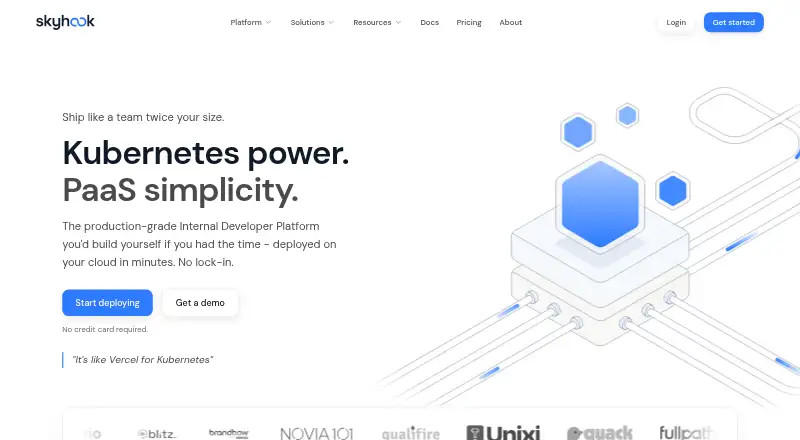
Skyhook is a Kubernetes platform for turning application deployment into self-service workflows while your team keeps its own repository and cloud account.
What Skyhook is
Skyhook is a Kubernetes platform for turning application deployment into self-service workflows while your team keeps its own repository and cloud account. It generates GitHub Actions workflows, Kubernetes manifests, and GitOps connections for services running on Kubernetes. Developers can deploy through the command-line interface, API, or web interface, with preview environments, canary releases, and auto-scaling available. Skyhook works with AWS, GCP, Azure, OCI, on-premises environments, and bring-your-own Kubernetes clusters. Its documented integrations include GitHub authentication, ArgoCD GitOps automation, cert-manager, and nginx-ingress. Observability capabilities cover logs, metrics, traces, and FinOps. The Skyhook Agent answers questions about services and clusters, helps investigate deployment problems, and suggests configurations and practices. A cluster connector reads Kubernetes resources and service logs without accessing secrets; it only changes resources when deleting ephemeral namespaces. Enterprise adds role-based access control and single sign-on. The Free plan supports three Git-connected users, three services, and one cluster with self-onboarding.
Good
- Generates GitHub Actions workflows and Kubernetes manifests
- Supports multiple public clouds and on-premises environments
- Offers preview environments, canary deployments, and auto-scaling
- Includes logs, metrics, traces, and FinOps capabilities
- Free plan supports three users, three services, and one cluster
Watch out
- Free plan is limited to one cluster
- Free plan allows only three Git-connected users
- Enterprise-only role-based access control and single sign-on
Who it suits
Skyhook suits development teams that want self-service Kubernetes deployments through a CLI, API, or web UI. It also fits DevOps teams needing control, visibility, cloud flexibility, and Kubernetes extensibility.
Verdict
Pick Skyhook if developers need self-service Kubernetes deployment while DevOps retains platform control. Its workflow generation, GitOps connections, and multi-cloud support are central strengths. Look elsewhere if the free limits are too small or if you require enterprise controls without an Enterprise plan.
Plans and prices
From Skyhook's own pricing page, checked 4 Oct 2026.
| Plan | Price | What it gives you |
|---|---|---|
| Free | Free | Up to 3 Git-Connected Users · Up to 3 Services · 1 Cluster · Self-onboarding |
| Premium | $1 a month | Up to 10 Git-Connected Users · Up to 15 Services · Up to 5 Clusters · Professional Onboarding · 24/5 Support (Email & Chat) · Billed monthly |
| Enterprise | Priced on request | Unlimited Users · Unlimited Services & Clusters · On-Premise Architecture Support · RBAC · SSO · 24/7 Support |
The facts
Each one read from Skyhook's own pages, with the date it was checked.
What it does
- AI assistant
- The Skyhook Agent answers questions about services and clusters, helps troubleshoot deployment issues, and suggests configurations and best practices.checked 4 Oct 2026
- Clouds and clusters
- Skyhook supports AWS, GCP, Azure, OCI, on-premises environments, and bring-your-own Kubernetes clusters.checked 4 Oct 2026
- Cluster connector
- The cluster connector reads Kubernetes resources and service logs, does not access secrets, and does not modify resources except deleting ephemeral namespaces.checked 4 Oct 2026
- Deployment
- Skyhook generates GitHub Actions workflows, Kubernetes manifests, and GitOps wiring for services deployed to Kubernetes.checked 4 Oct 2026
- Integrations
- Skyhook documents GitHub authentication and GitOps automation using ArgoCD, and offers Kubernetes addons including cert-manager and nginx-ingress.checked 4 Oct 2026
- Observability
- Skyhook documentation lists logs, metrics, traces, and FinOps as observability capabilities.checked 4 Oct 2026
- Product
- Skyhook describes itself as a Kubernetes platform that generates workflows, manifests, and GitOps plumbing while customers keep their repository and cloud account.checked 4 Oct 2026
- Security controls
- The Enterprise plan lists role-based access control and single sign-on.checked 4 Oct 2026
- Self-service
- Developers can deploy from the CLI, API, or web UI, with preview environments, canary deployments, and auto-scaling.checked 4 Oct 2026
- Support
- Premium includes 24/5 email and chat support, while Enterprise includes 24/7 support.checked 4 Oct 2026
- Target users
- Skyhook says it gives developers self-service deployment while providing DevOps teams control, visibility, and Kubernetes extensibility.checked 4 Oct 2026
Where it runs
- CLI platforms
- The Skyhook CLI has installation instructions for Windows, macOS, and Linux, and its web UI supports all features.checked 4 Oct 2026
Money
- Free plan limits
- The Free plan is limited to 3 Git-connected users, 3 services, and 1 cluster, with self-onboarding.checked 4 Oct 2026
The full review of Skyhook
Skyhook is a Kubernetes platform that builds deployment workflows and GitOps configuration while your team keeps its repository and cloud account. It suits development and DevOps teams that want a self-service release path with central oversight. The strongest case is a Kubernetes-centered internal platform; tightly capped Free usage and limited Premium scale make it less compelling for larger organizations without Enterprise.
Overview
Skyhook generates GitHub Actions workflows, Kubernetes manifests, and GitOps wiring for services running on Kubernetes. Developers can deploy through the CLI, API, or web UI, while DevOps retains control over the underlying clusters and delivery process. That division is useful when developers need a paved road but platform engineers do not want to surrender infrastructure ownership.
The platform works with AWS, GCP, Azure, OCI, on-premises environments, and bring-your-own Kubernetes clusters. GitHub authentication and ArgoCD automation are documented integrations, and Kubernetes add-ons include cert-manager and nginx-ingress. Its cluster connector reads Kubernetes resources and service logs without accessing secrets; the only stated resource change is deletion of ephemeral namespaces. That narrower permission boundary is a practical advantage for teams reviewing operational access.
Key features
Deployment workflows
Skyhook can create the workflow, manifest, and GitOps plumbing needed to move a service into Kubernetes. Preview environments help teams validate changes before release, while canary deployments support more controlled rollouts. Auto-scaling is included in the self-service deployment experience, giving teams operational controls without requiring every developer to assemble them manually.
Multi-cloud and cluster support
Support for four major public clouds, on-premises infrastructure, and customer-owned clusters makes Skyhook suitable for mixed estates. It is not tied to a single provider, although its value depends on an organization already standardizing on Kubernetes.
Visibility and assistance
Documentation lists logs, metrics, traces, and FinOps among its observability capabilities. The Skyhook Agent answers questions about services and clusters, helps troubleshoot deployment issues, and suggests configurations and practices. Those functions can shorten routine diagnosis, but teams should still define how much automated guidance they want in production operations.
Pricing
| Plan | Price | What it includes |
|---|---|---|
| Free | free | Up to 3 Git-connected users, 3 services, 1 cluster, and self-onboarding |
| Premium | $1 a month, billed monthly | Up to 10 Git-connected users, 15 services, 5 clusters, professional onboarding, and 24/5 email and chat support |
| Enterprise | Custom pricing | Unlimited users, services, and clusters; on-premises architecture support; RBAC; SSO; and 24/7 support |
Free is appropriate for a small proof of concept, but three users, three services, and one cluster are restrictive for an active platform team. Premium expands those quotas and adds onboarding and weekday support, yet its monthly billing and 10-user ceiling mean growing organizations may reach Enterprise quickly. Enterprise is the relevant tier when unlimited capacity, formal access controls, single sign-on, or on-premises architecture support are requirements.
Platforms
Skyhook is offered through an API and web interface, with CLI installation for Windows, macOS, and Linux. The web UI supports all features, so teams can choose between automation-friendly interfaces and browser-based operations. Its deployment model supports both hosted and customer-controlled environments.
Who it's for
Skyhook is aimed at development teams seeking self-service Kubernetes deployments and DevOps teams that need visibility, governance, and extensibility. It fits organizations operating multiple clouds or a mix of on-premises and managed clusters, especially where GitHub and ArgoCD already form part of the delivery process. It is a poor match for teams that do not use Kubernetes or want a provider to own the infrastructure instead of preserving their repository and cloud account.
Pros and cons
Pros
- Generated delivery setup: Workflows, manifests, and GitOps wiring reduce the platform work required for each service.
- Broad cluster reach: Public-cloud, on-premises, and bring-your-own clusters support heterogeneous infrastructure.
- Useful rollout controls: Preview environments, canaries, and auto-scaling cover more than basic deployment.
- Conservative connector access: The connector avoids secrets and limits resource changes to ephemeral-namespace deletion.
- Operational assistance: Observability coverage and the Skyhook Agent support troubleshooting and cost awareness.
Cons
- Small Free allowance: Three users, three services, and one cluster only suit limited pilots.
- Premium remains capped: Ten users, 15 services, and five clusters may not cover a larger platform.
- Key controls are Enterprise-only: RBAC, SSO, unlimited capacity, and on-premises architecture support require custom pricing.
- Kubernetes dependency: Teams seeking a general application-hosting service will find the platform too specialized.
Alternatives
Northflank is a better choice when you want a freemium platform with always-on compute plus free allowances for two services, one database, and two cron jobs.
Backstage suits teams wanting a free, open-source framework for an internal developer portal across API, web, desktop, or self-hosted environments.
Gantry is the alternative for an Apache 2.0, self-hosted open-source option.
OpenChoreo fits teams seeking a free, self-hosted open-source Kubernetes platform.
configure8 is worth considering for a catalog-focused service with unlimited catalog users and items within its data cap.
Cycloid offers a free SaaS tier for up to five users with blueprints, forms, orchestration, RBAC, SSO, and MFA.
Port is a fit for a developer portal with a free tier of up to 15 seats, 10,000 entities, and 400 runs.
Ravion is another freemium option for individual users.
For broader comparisons, see Internal Developer Portals, DevOps Platforms, and Preview Environment Software.
Verdict
Choose Skyhook if your team needs self-service Kubernetes deployment without giving up control of repositories, cloud accounts, or cluster boundaries. Its generated workflows, multi-cloud reach, rollout features, and GitOps integration form a coherent platform for developer enablement. Look elsewhere if the Free and Premium quotas are too narrow, if you need RBAC or SSO without an Enterprise commitment, or if Kubernetes is not already central to your delivery model.
Getting started
- Open the Skyhook website
- Choose the CLI, API, or web UI deployment route
- Install the CLI on Windows, macOS, or Linux if using the command line
- Connect your GitHub authentication and repository
- Select a supported cloud or Kubernetes cluster
- Start with the Free plan or choose Premium
Limits worth knowing
The Free plan allows up to 3 Git-connected users, 3 services, and 1 cluster, with self-onboarding. Premium allows up to 10 users, 15 services, and 5 clusters; Enterprise lists unlimited users, services, and clusters.
Questions
Is Skyhook free?
Yes. The Free plan costs nothing and includes up to 3 Git-connected users, 3 services, and 1 cluster.
What does Premium cost?
Premium costs $1 a month, billed monthly.
Which platforms are supported?
Skyhook lists API, Linux, macOS, web, and Windows support. The CLI has installation instructions for Windows, macOS, and Linux.
Which clouds and clusters work with Skyhook?
It supports AWS, GCP, Azure, OCI, on-premises environments, and bring-your-own Kubernetes clusters.
Does Skyhook integrate with GitHub and ArgoCD?
Yes. Documentation covers GitHub authentication and GitOps automation using ArgoCD.
What does Enterprise add?
Enterprise lists unlimited users, services, and clusters, on-premises architecture support, role-based access control, single sign-on, and 24/7 support.
Alternatives to Skyhook
- 1
Northflank
Free planWebAPILinuxmacOS8.0From $2.70 a month - 2
Wayfinder
Free planWebAPISelf-hosted7.5From £399 a month - 3
Qovery
WebAPILinuxmacOS7.1From $299 a month - 4

Cycloid
Free planWebAPILinuxSelf-hosted6.9From $45 a month - 5

Port
Free planWebAPIExtension6.9From $30 a month - 6

Backstage
Free planWebAPILinuxmacOS6.8Free plan