Sketch To Image
Sketch To Image is a paid web app that turns hand-drawn or digital sketches into images using AI.
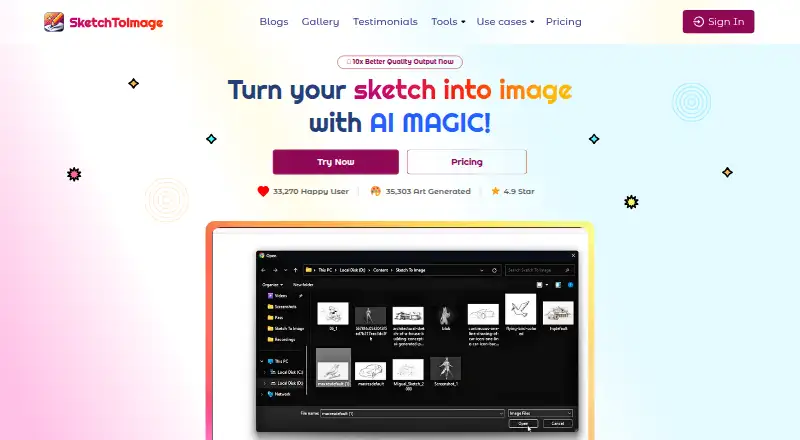
What Sketch To Image is
Sketch To Image is a paid web app that turns hand-drawn or digital sketches into images using AI. Users can draw on its canvas or upload a sketch, then add a prompt and choose from styles such as hyper realistic, anime, retro comic, Studio Ghibli, pixel art, and cyberpunk. The site lists kids’ art, architectural and interior design, and 3D model or design texturing among possible uses. Generated images can be enlarged up to 8x and downloaded in high resolution. The product can also create videos from images, adding effects such as cinematic pan and zoom, 3D depth, animated elements, or particles. Its upscaler can reduce noise and artifacts and improve faces. Sketch To Image says generated artwork is copyright free and may be used commercially. Monthly credits expire if unused, and models require different amounts of credits per operation, so generation counts depend on the model used. The FAQ says data is stored on Google Cloud servers in the United States and payments are handled by Stripe without storing card information.
Good
- Accepts drawn or uploaded sketches.
- Offers multiple image styles.
- Upscales images up to 8x.
- Can create videos from images.
- Generated art may be used commercially.
Watch out
- Paid product; no price is listed.
- Unused monthly credits expire at month-end.
- Refunds require no credits used within 14 days.
- Models consume different credit amounts.
Who it suits
It may suit people who want to turn sketches or wireframes into styled images, or create videos from images. The listed uses include children’s art, architecture, interior design, and 3D texturing.
Verdict
Sketch To Image combines sketch-to-image generation with upscaling and image-to-video tools. Check its credit rules and refund conditions before purchasing.
The facts
Each one read from Sketch To Image's own pages, with the date it was checked.
What it does
- Artwork rights
- The FAQ says generated artwork is copyright free and may be used commercially.checked 4 Oct 2026
- Copyright
- The FAQ says generated artwork is copyright free and may be used commercially.checked 9 Oct 2026
- Credit expiration
- Unused monthly credits expire at the end of the month.checked 4 Oct 2026
- Credit limits
- Credits expire at the end of the month if unused, and different AI models use different amounts of credits per operation.checked 9 Oct 2026
- Data storage
- The FAQ says data is stored securely on Google Cloud servers in the United States.checked 4 Oct 2026
- Image enhancement
- The upscaler page says it can remove noise and artifacts and improve faces in images.checked 9 Oct 2026
- Image to video
- The product can turn images into videos with effects such as cinematic pan and zoom, 3D depth, animated elements, and particles.checked 9 Oct 2026
- Image upscaling
- Generated images can be upscaled up to 8x and downloaded in high resolution.checked 9 Oct 2026
- Input
- Users can draw on the app canvas or upload a hand-painted or digitally made sketch.checked 4 Oct 2026
- Input types
- The app supports hand-painted and digitally made sketches, either painted on its canvas or uploaded.checked 9 Oct 2026
- Payment
- The FAQ says payments use Stripe and the product does not store credit card information.checked 4 Oct 2026
- Payments
- The FAQ says payments are handled by Stripe and the service does not store credit card information.checked 9 Oct 2026
- Pricing limitation
- The pricing page says AI models use different numbers of credits per use, so the maximum generation count depends on using credits for a single model type.checked 4 Oct 2026
- Refunds
- The FAQ says purchases may be refunded within 14 days only if no credits have been used to generate art.checked 9 Oct 2026
- Sketch conversion
- The product turns sketches into images by letting users draw or upload a sketch, add a prompt, and choose a style.checked 9 Oct 2026
- Storage
- The FAQ says data is stored on Google Cloud servers in the United States.checked 9 Oct 2026
- Styles
- The site shows styles including hyper realistic, anime, retro comic, Studio Ghibli, pixel art, and cyberpunk, plus eight more.checked 9 Oct 2026
- Subscription cancellation
- The FAQ says a canceled subscription ends at the end of the month and remaining credits can be used until then.checked 4 Oct 2026
- Support
- The site provides a contact form for users who need help.checked 9 Oct 2026
- Use cases
- The site presents use cases for kids’ art, architectural sketches, interior design sketches, and texturing 3D models or designs.checked 9 Oct 2026
- Video generation
- The product can generate videos from images.checked 4 Oct 2026
- What it does
- Sketch To Image turns sketches into images using AI.checked 4 Oct 2026
The company
- Company location
- Riverborn describes itself as based in Bangladesh and identifies SketchToImage as one of its products.checked 4 Oct 2026
- Maker
- The homepage copyright line names Riverborn as the maker.checked 9 Oct 2026
Alternatives to Sketch To Image
- 1

Fashion Diffusion
AndroidiOSWebAPI7.7From $119.99 a year - 2

Vizcom
Free planWebmacOSWindows7.7From $49 a month - 3
Neolocus AI
Free planAndroidWeb7.5From $39 a month - 4
Gendo
Free planWeb7.4From £79 a month - 5

Raspberry AI Prints & Patterns
Free planWebAPI7.4From $49 a month - 6
FLORA Fashion Studio
Free planWebAPI7.3From $18 a month