Signaturky
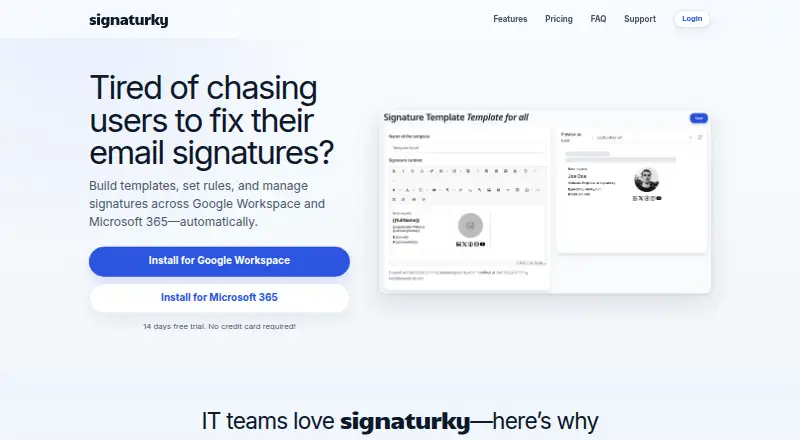
The facts below are what the maker publishes about Signaturky, checked and dated. Our editors have not written about it yet.
The facts
Each one read from Signaturky's own pages, with the date it was checked.
What it does
- Automated enforcement
- Signature rules can be applied continuously or daily to departments, groups, and individual users.checked 3 Oct 2026
- Automated rules
- Signatures can be enforced daily with rules for departments, groups, organizational units, or individual users.checked 3 Oct 2026
- Branding
- Templates can be customized with logos, colors, fonts, and structure using the Signature Creator.checked 3 Oct 2026
- Data location
- The company says customer data is stored within the European Union.checked 3 Oct 2026
- Delegated management
- Delegated admins can manage signatures across the domain but cannot access Settings or Billing.checked 3 Oct 2026
- Delegation
- Signature management can be delegated to non-admin users.checked 3 Oct 2026
- Gmail capability
- Accessing and updating users’ signatures, including aliases, is a Gmail-only feature.checked 3 Oct 2026
- Google permissions
- The documented Google OAuth scopes include read access to Workspace users, domains, organizational units, groups, and user schemas, plus write access to Gmail settings for setting signatures.checked 3 Oct 2026
- Image permissions
- Signaturky says its app does not require Google Drive permissions and cannot access private Drive files.checked 3 Oct 2026
- Installation limit
- Signaturky must be installed domain-wide and cannot be installed for a single user.checked 3 Oct 2026
- Integrations
- The product supports Google Workspace and Microsoft 365.checked 3 Oct 2026
- Microsoft 365 support
- Microsoft 365 support covers Outlook Web App, desktop Outlook, and Outlook mobile apps.checked 3 Oct 2026
- Pricing
- Pricing is described as flat-rate with monthly and yearly billing and user bands of 1–150, 151–500, and 501+; the displayed prices are incomplete.checked 3 Oct 2026
- Pricing tiers
- The pricing section lists user bands of 1–150, 151–500, and 501+ users, but the prices are not rendered in the opened page.checked 3 Oct 2026
- Purpose
- Signaturky builds templates, sets rules, and manages email signatures across Google Workspace and Microsoft 365 automatically.checked 3 Oct 2026
- Setup limit
- The app must be installed domain-wide and cannot be installed for a single user.checked 3 Oct 2026
- Signature access
- It can access and update users’ signatures, including aliases; this feature is Gmail-only.checked 3 Oct 2026
- Support
- Email support is included, and the site provides [email protected] for questions.checked 3 Oct 2026
- Templates
- Users can create unlimited templates, start from professional designs, or use their own layouts.checked 3 Oct 2026
The company
- Maker
- The Microsoft Marketplace listing identifies Codeer as the publisher of signaturky.checked 3 Oct 2026
Money
- Trial
- The site offers a 14-day free trial without requiring a credit card.checked 3 Oct 2026
Alternatives to Signaturky
- 1

Blinq Email Signatures
Free planAndroidiOSWebAPI8.2Free plan - 2

HiHello Email Signature Manager
Free planAndroidiOSWebmacOS8.2From $5 a month - 3

Signite
Free planAndroidiOSWebAPI8.1Free plan - 4

MySignature
Free planAndroidiOSWebExtension8.0From $2.40 a month - 5

Scribe
Free planAndroidiOSWebAPI8.0From $68 a month - 6

Signitic
Free planAndroidiOSWebExtension7.4Free plan