Sibelius
Sibelius is professional music notation software for writing, editing, and sharing scores.
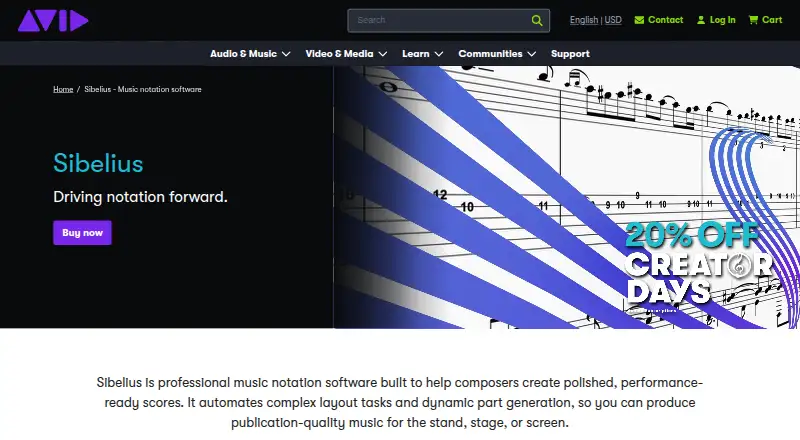
What Sibelius is
Sibelius is professional music notation software for writing, editing, and sharing scores. Notes can be entered with MIDI, a keyboard, or Apple Pencil, and the software imports MusicXML and MIDI while preserving performance data. It supports tablature and VST3 and AU virtual instruments; AI chord suggestions can generate or complete chord symbols. Changes to dynamic parts stay synchronized with the score. Scores can be published to a private dashboard for browser viewing and playback, and classroom tools let teachers share files and guide student focus from a workstation. The product is available on desktop, mobile, and web, with support for Mac, PC, iPad, iPhone, and Chromebook. Sibelius First is described as free notation software for people new to music notation. Artist supports up to 24 staves per score and cloud sharing for 20 scores; Ultimate offers unlimited staves and cloud sharing, complete engraving features, video sync, and timecode support. The Ultimate Perpetual Bundle costs 899.00 USD as a one-time purchase and includes PhotoScore Ultimate and AudioScore Ultimate. Annual plans are listed at $79 a year for Artist and $159 a year for Ultimate; displayed prices exclude applicable taxes.
Good
- Supports MusicXML and MIDI import.
- Notes can be entered with Apple Pencil.
- Dynamic parts synchronize edits with scores.
- Ultimate includes unlimited staves and cloud sharing.
- Classroom tools let teachers share files.
Watch out
- Artist allows up to 24 staves per score.
- Artist cloud sharing is limited to 20 scores.
- Displayed prices exclude applicable taxes.
- Annual plans renew at standard pricing after the stated offer.
Who it suits
Sibelius suits composers, arrangers, and educators who need to create or edit scores. Its classroom tools and student resources may also suit teaching settings.
Verdict
Sibelius offers notation tools across desktop, mobile, and web, with plans ranging from a free entry option to unlimited-score capabilities. Choose by the staff, sharing, and engraving limits you need.
Plans and prices
From Sibelius's own pricing page, checked 28 Sep 2026.
| Plan | Price | What it gives you |
|---|---|---|
| Sibelius First | Free | Download available; price not stated · Free notation software for users new to music notation |
| Artist | — | Desktop and mobile access · Up to 24 staves per score · Cloud sharing for 20 scores · Limited symbols, lines, and text styles |
| Ultimate | — | Unlimited staves per score · Unlimited cloud sharing · Complete engraving features · Video sync and timecode support · Educational worksheet creator |
| Ultimate Perpetual Bundle | $899, paid once | Perpetual license · Unlimited staves per score · Unlimited cloud sharing · Complete engraving features · Video sync and timecode support · PhotoScore Ultimate and AudioScore Ultimate included · one-time lifetime purchase |
| Sibelius Artist | $79 a year | 20% off new purchases; renews at standard pricing · billed annually at $79 |
| Sibelius Ultimate | $159 a year | 20% off new purchases; renews at standard pricing · billed annually at $159 |
The facts
Each one read from Sibelius's own pages, with the date it was checked.
What it does
- AI chord suggestions
- Automatically generates and completes chord symbolschecked 28 Sep 2026
- Artist cloud limit
- Cloud sharing for 20 scoreschecked 28 Sep 2026
- Artist staff limit
- Up to 24 staves per scorechecked 28 Sep 2026
- Classroom management
- Share files and guide student focus from a workstationchecked 28 Sep 2026
- Cloud publishing
- Private dashboard for browser-based viewing and playbackchecked 28 Sep 2026
- Collaboration features
- Yeschecked 19 Sep 2026
- Deployment
- bothchecked 19 Sep 2026
- Discount period
- Offer available August 18, 2026 through September 30, 2026checked 28 Sep 2026
- Dynamic parts
- Synchronizes edits between scores and partschecked 28 Sep 2026
- Licensing options
- Network or Team licensing for studentschecked 28 Sep 2026
- MIDI support
- Yeschecked 19 Sep 2026
- Music import
- Imports MusicXML and MIDI while preserving performance datachecked 28 Sep 2026
- MusicXML support
- Yeschecked 19 Sep 2026
- Note entry methods
- MIDI, keyboard, and Apple Pencilchecked 28 Sep 2026
- Parts extraction
- Yeschecked 19 Sep 2026
- Perpetual extras
- Includes PhotoScore Ultimate and AudioScore Ultimatechecked 28 Sep 2026
- Plugin support
- Supports VST3 and AU virtual instrumentschecked 28 Sep 2026
- Pricing taxes
- Displayed prices exclude VAT and applicable taxeschecked 28 Sep 2026
- Product type
- Professional music notation softwarechecked 28 Sep 2026
- Tablature support
- Yeschecked 19 Sep 2026
- Teaching resources
- More than 1,700 built-in projects, exercises, and resourceschecked 28 Sep 2026
Where it runs
- Device support
- Mac, PC, iPad, iPhone, and Chromebookchecked 28 Sep 2026
- Supported platforms
- Desktop, mobile, and webchecked 28 Sep 2026
Money
- Free plan
- Yeschecked 19 Sep 2026
The full review of Sibelius
Overview
Sibelius is professional music notation software for composers, arrangers, and educators working across desktop, mobile, and web. Its broad score-entry and teaching toolkit makes it a strong fit for serious notation work; the best plan depends on how many staves and cloud-shared scores you need.
Key features
Score entry and exchange
Enter notes with MIDI, a keyboard, or Apple Pencil, then import MusicXML or MIDI while retaining performance data. Tablature support and AI suggestions that generate and complete chord symbols extend its usefulness beyond conventional score entry. This combination suits musicians moving between notation and performance-oriented files, though the entry plan limits how far users can go.
Parts, playback, and publishing
Dynamic parts synchronize edits between a score and its parts, reducing the risk of divergent materials during revisions. Support for VST3 and AU virtual instruments serves users who want instrument plugins in their workflow. Cloud publishing offers a private dashboard for browser-based viewing and playback, while collaboration features support shared work. These capabilities make Sibelius more than a score editor, but cloud-sharing quotas on Artist matter for users with larger libraries.
Teaching tools
Classroom management lets educators share files and guide student focus from a workstation. More than 1,700 built-in projects, exercises, and resources give teachers substantial material to draw on, and network or Team licensing is available for students. That makes Sibelius especially compelling in structured teaching settings rather than only for individual composition.
Pricing
Sibelius uses a freemium model. Sibelius First is a free notation option for people new to notation, but it is a starting point rather than the choice for users who need the paid plans’ stated score and engraving capabilities.
- Artist: $79 a year, billed annually at $79, with a 20% discount for new purchases and renewal at standard pricing. It includes desktop and mobile access, up to 24 staves per score, and cloud sharing for 20 scores. Limited symbols, lines, and text styles make it a sensible step up for smaller scores, but a constraint for elaborate engraving or larger shared catalogs.
- Ultimate: $159 a year, billed annually at $159, with a 20% discount for new purchases and renewal at standard pricing. Unlimited staves and cloud sharing, complete engraving features, video sync and timecode support, and an educational worksheet creator justify the higher recurring cost for users who need room to grow or advanced production and teaching tools.
- Ultimate Perpetual Bundle: $899, paid once for a perpetual license. It includes the Ultimate capabilities, plus PhotoScore Ultimate and AudioScore Ultimate. Its one-time lifetime purchase suits buyers who prefer not to renew annually, though the upfront cost is substantial.
Artist and Ultimate prices exclude VAT and applicable taxes. A separate discount offer runs August 18, 2026 through September 30, 2026. First and the subscription plans without a stated price have custom pricing.
Platforms
Sibelius spans desktop, mobile, and web, with device support for Mac, PC, iPad, iPhone, and Chromebook. That range is useful for moving between workstation-based work and mobile note entry, while browser publishing gives collaborators and viewers a way to access scores online.
Who it's for
Choose Sibelius if you need professional notation with synchronized parts, broad file import, or classroom resources and management. Artist is best for moderate scores and a 20-score sharing ceiling; Ultimate fits larger scores, extensive cloud sharing, complete engraving, or educational worksheets. Newcomers can begin with Sibelius First, while casual users who do not need Sibelius’s teaching or advanced score tools may find its paid tiers more than they need.
Pros and cons
- Pros: Entry through MIDI, keyboard, and Apple Pencil supports different working styles; MusicXML and MIDI import preserves performance data; synchronized parts and browser publishing connect score work with sharing.
- Pros: Classroom management, student licensing options, and more than 1,700 teaching resources make the package unusually well suited to education.
- Cons: Artist caps scores at 24 staves and cloud sharing at 20 scores, with limited symbols, lines, and text styles; users needing unrestricted work face the higher-priced Ultimate tier.
- Cons: Annual subscriptions renew at standard pricing after the new-purchase discount, and the perpetual bundle requires a large upfront payment.
Alternatives
Flat is worth considering for cross-platform coverage that includes Android and Windows; its free Basic plan includes core notation features, real-time collaboration, MIDI device transcription, and a 15-score limit.
Fender Notion may suit someone seeking a free plan with unlimited staves and full editing capabilities across web, desktop, and mobile platforms.
Dorico is another option for readers focused on iOS notation.
MuseScore Studio is the stronger fit for readers who want free, open-source desktop notation software without limitations or an account or subscription.
Noteflight is a web-only alternative with a free trial and a $7.95 a month Premium plan offering unlimited scores and premium notation and formatting.
LilyPond suits readers looking for free software on Linux, macOS, or Windows.
Crescendo Music Notation Software is another freemium option for Windows, macOS, iOS, and Android users.
Denemo is a free alternative for Windows, macOS, and Linux.
For a broader comparison, browse music notation software.
Verdict
Sibelius is the right choice for composers and educators who need professional notation across devices, with strong part synchronization and substantial teaching support. Its main drawback is the cost of reaching unrestricted staves, cloud sharing, and complete engraving; look elsewhere if a free, unlimited, or simpler desktop tool better matches your needs.
Alternatives to Sibelius
- 1

Flat
Free planAndroidiOSWebmacOS8.7From $49.99 a year - 2
Fender Notion
Free planAndroidiOSWebLinux8.6$14.99 one-time - 3

DomiSol
Free planAndroidiOSWebAPI8.1From $880 a month - 4

Noteflight
Free planWeb7.8From $49 a year - 5
ScoreCloud
Free planiOSWebWindowsmacOS7.7From $5.99 a month - 6
iWriteMusic
Free planAndroidiOSmacOS7.6$12.99 one-time