LilyPond
LilyPond is free music-engraving software for producing sheet music on GNU/Linux, macOS, and Windows.
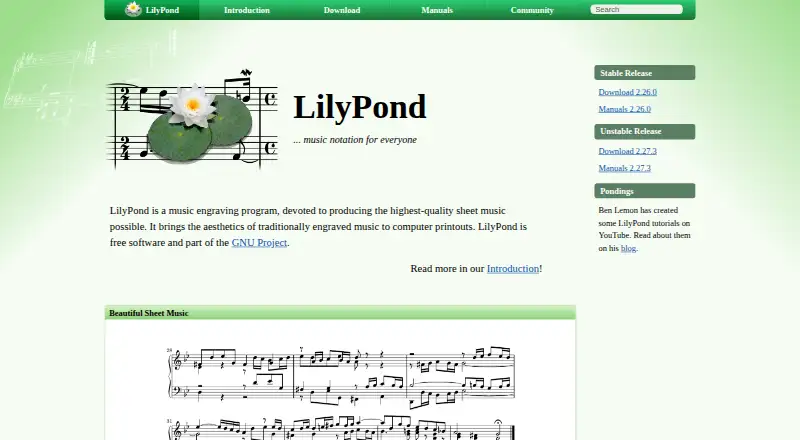
What LilyPond is
LilyPond is free music-engraving software for producing sheet music on GNU/Linux, macOS, and Windows. It takes human-readable text containing score information and automatically manages spacing, line and page breaks, and clashes among lyrics, notes, and chords. It also adjusts slurs and beams. Its notation range includes classical, early, and modern music, tablature, vocal music, lead sheets, educational materials, and orchestral projects. Users can change layout settings, write text-based style sheets, and add functions with the built-in Scheme language. Files can be edited or generated by programs and scripts, and the command-line tool can be used from other applications. The official site describes integrating music into LaTeX or HTML and using an extension with OpenOffice.org and LibreOffice. Third-party editing tools listed by the site include Frescobaldi, Denemo, and Spontini-Editor; these are developed outside LilyPond's core. The text-based workflow can also be used with speech-recognition software and screen readers. The project is published under the GNU General Public License. Listed Windows binaries do not support Windows 7 or 8, and macOS binaries require macOS 10.15 or higher.
Good
- Automatically handles spacing and page breaks
- Supports tablature, vocal music, and orchestral projects
- Files can be generated by programs and scripts
- Text workflow can work with screen readers
Watch out
- Listed Windows binaries do not support Windows 7 or 8
- Listed macOS binaries require macOS 10.15 or higher
- User-listed editing tools are developed outside LilyPond's core
Who it suits
LilyPond suits musicians and arrangers who want to create scores from text, as well as people using scripts or assistive technologies to work with notation.
Verdict
LilyPond offers a text-based approach to music engraving, with automatic layout and broad notation support. Its workflow may suit users comfortable editing score text or generating it programmatically.
Plans and prices
From LilyPond's own pricing page, checked 4 Oct 2026.
| Plan | Price | What it gives you |
|---|---|---|
| LilyPond | Free | Free software; GNU/Linux, Windows, macOS |
The facts
Each one read from LilyPond's own pages, with the date it was checked.
What it does
- Accessibility
- The text-based workflow can be used with speech-recognition software and screen readers to write LilyPond files.checked 4 Oct 2026
- Automatic layout
- It automatically determines spacing, breaks lines and pages, resolves clashes between lyrics, notes, and chords, and slopes slurs and beams.checked 4 Oct 2026
- Customization
- Users can change layout settings, create text-based style sheets, and add functions using the built-in Scheme language.checked 4 Oct 2026
- Deployment
- desktopchecked 19 Sep 2026
- Input format
- LilyPond processes text input containing score information in a human-readable form.checked 4 Oct 2026
- Integrations
- The official features page describes integrating music into LaTeX or HTML and adding it to OpenOffice.org and LibreOffice with the OOoLilyPond extension.checked 4 Oct 2026
- License
- LilyPond is published under the GNU General Public License, and the official Freedom page also identifies the GNU Free Documentation License.checked 4 Oct 2026
- MIDI support
- Yeschecked 19 Sep 2026
- MusicXML support
- Yeschecked 19 Sep 2026
- Notation range
- It supports engraving classical, complex, early, and modern music, tablature, vocal music, lead sheets, educational materials, and orchestral projects.checked 4 Oct 2026
- Parts extraction
- Yeschecked 19 Sep 2026
- Programmatic use
- LilyPond input files can be edited or generated by programs and scripts, and the command-line tool can be used from other applications.checked 4 Oct 2026
- Purpose
- LilyPond is a music engraving program for producing sheet music.checked 4 Oct 2026
- Release channels
- The official site distinguishes stable releases from unstable development releases and recommends stable downloads for users unsure about installation.checked 4 Oct 2026
- Support
- The lilypond-user mailing list is the main place for users to discuss the program and help one another; some support is also available on IRC.checked 4 Oct 2026
- Tablature support
- Yeschecked 19 Sep 2026
- Third-party editors
- The official site lists user-developed editing tools including Frescobaldi, Denemo, and Spontini-Editor, and notes these are developed outside LilyPond’s core.checked 4 Oct 2026
Money
- Free plan
- Yeschecked 19 Sep 2026
Where it runs
- Platform limits
- The listed Windows binaries do not support Windows 7 or Windows 8, and the listed macOS binaries require macOS 10.15 or higher.checked 4 Oct 2026
- Supported desktop platforms
- The official site lists GNU/Linux, macOS, and Windows as supported platforms.checked 4 Oct 2026
The full review of LilyPond
Overview
LilyPond is a desktop engraving system for turning score text into finished sheet music. It is particularly well suited to composers, arrangers, educators, and technically minded musicians who want repeatable control over notation and page design. The trade-off is fundamental: users who prefer entering notes through a conventional graphical editor will face a steeper adjustment.
As free software, LilyPond is an unusually capable option for serious engraving without a subscription. Its strongest case is precise, automated output that can also be generated or maintained in scripts; its weakest is the amount of text and configuration work required before that precision becomes comfortable.
Key features
The program handles classical, complex, early, and modern repertoire, as well as vocal music, lead sheets, educational material, orchestral projects, and tablature. MusicXML and MIDI support help it exchange notation and playback data, while parts extraction makes it practical for preparing individual instrumental parts rather than only a conductor's score.
LilyPond's layout engine calculates spacing, line and page breaks, and the placement of lyrics, notes, and chords. It also shapes slurs and beams automatically. In practice, that removes much of the repetitive page-setting work and can produce consistent results across a large project. Automatic decisions are not a substitute for judgment, however, so users who need an unusual house style will still spend time refining settings.
Layout settings, text-based style sheets, and functions written in the built-in Scheme language provide deep customization. This is a meaningful advantage for publishers, educators, and composers with recurring templates; it is a barrier for anyone who wants to make visual changes without learning a notation language and programming concepts.
Because the input is plain text, files can be edited or generated by scripts, and the command-line tool can be called by other applications. That makes LilyPond a strong fit for reproducible projects, batch generation, and document pipelines. Music can be integrated into LaTeX or HTML, and the OOoLilyPond extension supports OpenOffice.org and LibreOffice. The official site also points to external editors such as Frescobaldi, Denemo, and Spontini-Editor; these can improve the authoring experience, but they are separate projects rather than part of LilyPond's core.
A text workflow can work with speech-recognition software and screen readers, giving it an accessibility route that is difficult to replicate in some visually driven notation tools. Community help centers on the lilypond-user mailing list, with additional discussion on IRC. Users should choose stable releases unless they specifically need an unstable development build.
Pricing
| Plan | Price | Best for |
|---|---|---|
| LilyPond | free | Anyone needing free software on GNU/Linux, Windows, or macOS |
The free plan is the complete GNU GPL-licensed program, not a time-limited trial or a reduced tier. There are no paid seats, quotas, renewal terms, or account requirements stated for this plan. The GNU Free Documentation License also covers the project's official documentation. That makes LilyPond a particularly practical choice for students, independent composers, and organizations that need to distribute or modify their tools without recurring software costs.
Platforms
LilyPond is a desktop application for GNU/Linux, macOS, and Windows. The listed Windows binaries do not support Windows 7 or Windows 8, and the macOS binaries require macOS 10.15 or later. Those requirements matter when deploying it on older studio or school computers; the platform list is broad, but legacy systems may need an upgrade before installation.
Who it's for
Choose LilyPond if you value polished printed notation, repeatable layout rules, text-file versioning, or programmatic score generation. It is a strong match for composers and arrangers producing complex or multi-part works, educators building reusable examples, and developers embedding music in documents or automated workflows. Screen-reader and speech-recognition users may also find the text representation more workable than a purely graphical interface.
Look elsewhere if your priority is rapid, mouse-driven note entry, immediate visual manipulation, or a single integrated editor with no scripting. LilyPond's capabilities reward learning its notation language and layout model rather than hiding them.
Pros and cons
Pros
- Free and open source: The complete program costs 0.00 USD, with GPL licensing that supports sharing and modification.
- Automatic engraving: Spacing, page flow, collisions, slurs, and beams are handled consistently, reducing manual page-setting.
- Broad notation scope: Classical through modern work, vocals, tablature, lead sheets, educational scores, and orchestral projects are all within its intended range.
- Automation-friendly: Text files, scripting, command-line use, and LaTeX or HTML integration suit repeatable publishing pipelines.
Cons
- Text-first learning curve: Users expecting point-and-click composition must learn LilyPond's input syntax and, for advanced styling, Scheme.
- Desktop and version constraints: It has no listed mobile deployment, while older Windows and macOS versions are excluded.
- Separate editor ecosystem: Popular graphical front ends are third-party projects, so their support and workflow are distinct from LilyPond itself.
Alternatives
For a broad comparison, see Music notation software.
- Flat is the better choice for web, Android, or iOS access and real-time collaboration; its free Basic plan limits users to 15 scores.
- Fender Notion suits users wanting cross-platform notation and tablature with a full free editing tier.
- Dorico is an alternative for users seeking a freemium notation product with an iOS offering.
- MuseScore Studio is a natural pick for free, open-source desktop notation on Linux, macOS, and Windows without LilyPond's text-centered workflow.
- Sibelius is an alternative notation product with free and paid tiers across iOS, macOS, and the web.
- Noteflight fits users who want a web-based service with a paid Premium plan at $7.95 a month.
- Denemo is another free GPL notation program for Linux, macOS, and Windows.
- TuxGuitar is the focused choice for a free guitar tablature editor, including Android support.
Verdict
LilyPond is an excellent choice for technically comfortable musicians who want professional, highly controllable engraving at no cost, especially when scores must be regenerated, scripted, or embedded in documents. Choose another application if graphical entry and instant visual editing matter more than text-based precision and automation.
Alternatives to LilyPond
- 1

Flat
Free planAndroidiOSWebmacOS8.7From $49.99 a year - 2
Fender Notion
Free planAndroidiOSWebLinux8.6$14.99 one-time - 3

DomiSol
Free planAndroidiOSWebAPI8.1From $880 a month - 4
Sibelius
iOSWebmacOS7.8 - 5

Noteflight
Free planWeb7.8From $49 a year - 6
ScoreCloud
Free planiOSWebWindowsmacOS7.7From $5.99 a month