MuseScore Studio
MuseScore Studio is free, open-source desktop software for composing, playing back and printing sheet music.
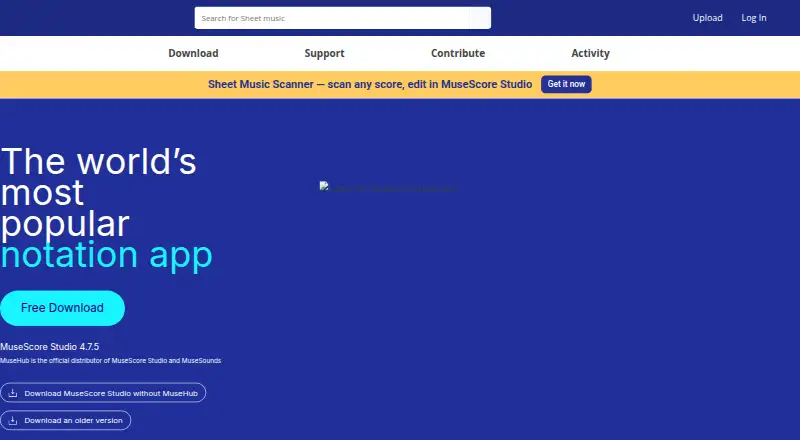
What MuseScore Studio is
MuseScore Studio is free, open-source desktop software for composing, playing back and printing sheet music. It runs on Linux, macOS and Windows, with no account or subscription required for the listed free download. Scores can have unlimited length and staves per system, with up to four independent voices per staff. The software imports and exports MIDI and MusicXML, can import Capella and other formats, and exports scores as PDF, PNG and other graphics, WAV and other audio formats, and LilyPond. Playback features include a mixer, SoundFonts, MuseSounds, swing playback and VST/VSTi support. MuseSounds are installed through Muse Hub on Windows and macOS, then assigned through playback profiles or the mixer. Users can publish scores to MuseScore.com and share playback audio through Audio.com. MuseScore Studio also includes a Braille keyboard. Desktop support is provided on MuseScore.org by an open-source project supported by volunteers and Muse Group employees. Its audience includes schools, conservatories, choirs and orchestras.
Good
- Free and open source across Linux, macOS and Windows.
- Supports unlimited score length and staves per system.
- Imports and exports MIDI and MusicXML.
- Exports PDF, graphics, audio and LilyPond.
- Includes playback features and a Braille keyboard.
Watch out
- Desktop software, not a web-based notation tool.
- MuseSounds installation through Muse Hub is limited to Windows and macOS.
- Support is provided through an open-source project.
Who it suits
MuseScore Studio suits composers and music educators who need desktop notation, playback and score export tools. Its listed users include schools, conservatories, choirs and orchestras.
Verdict
MuseScore Studio covers notation, playback and multiple score and audio export formats in a free desktop package. Its broad format support and score capacity make it relevant to users creating or sharing sheet music.
Plans and prices
From MuseScore Studio's own pricing page, checked 30 Sep 2026.
| Plan | Price | What it gives you |
|---|---|---|
| MuseScore Studio Free | Free | Completely free · no limitations · no account or subscription required · Free download |
The facts
Each one read from MuseScore Studio's own pages, with the date it was checked.
What it does
- Accessibility
- Muse Group says MuseScore Studio includes a Braille keyboard and that its products follow WCAG accessibility guidelines.checked 30 Sep 2026
- Audience
- MuseScore Studio is used by schools, conservatories, choirs, and orchestras.checked 30 Sep 2026
- Deployment
- desktopchecked 19 Sep 2026
- Export
- It exports scores to PDF, PNG and other graphics formats, WAV and other audio formats, and LilyPond.checked 30 Sep 2026
- File formats
- It imports and exports MIDI and MusicXML and can import Capella and several other formats.checked 30 Sep 2026
- MIDI support
- Yeschecked 19 Sep 2026
- MuseSounds integration
- MuseSounds are installed through Muse Hub on Windows and macOS and can be assigned to instruments through playback profiles or the mixer.checked 30 Sep 2026
- MusicXML support
- Yeschecked 19 Sep 2026
- Notation capacity
- It supports unlimited score length, unlimited staves per system, and up to four independent voices per staff.checked 30 Sep 2026
- Online integrations
- MuseScore Studio can publish scores to MuseScore.com and share playback audio through Audio.com.checked 30 Sep 2026
- Open source
- MuseScore Studio is free and open-source software.checked 30 Sep 2026
- Parts extraction
- Yeschecked 19 Sep 2026
- Playback
- The software includes audio playback, a mixer, SoundFonts, MuseSounds, swing playback, MIDI support, and VST/VSTi support.checked 30 Sep 2026
- Privacy and compliance
- The desktop privacy notice says the MuseScore Studio team complies with GDPR and CCPA, anonymises update-check IP addresses, and does not store personal information.checked 30 Sep 2026
- Purpose
- MuseScore Studio is composition and music-notation software for creating, playing back, and printing sheet music.checked 30 Sep 2026
- Support
- Desktop software support is provided on MuseScore.org by an open-source project supported by non-paid volunteers and Muse Group employees.checked 30 Sep 2026
- Tablature support
- Yeschecked 19 Sep 2026
Money
- Free plan
- Yeschecked 19 Sep 2026
The company
- Headquarters
- Limassol, Cypruschecked 23 Oct 2026
The full review of MuseScore Studio
MuseScore Studio is open-source desktop software for composing, playing back, and printing sheet music. It best suits musicians, educators, and ensembles that want extensive notation and file-export options without paying for a license. Its desktop-only workflow and volunteer-supported project support make it a less natural fit for browser-based collaboration or users who expect conventional customer service.
Overview
Large arrangements can grow without a score-length or staff-count ceiling, and each staff can carry up to four independent voices. That capacity makes MuseScore Studio useful for orchestral, choral, and other layered work rather than only short lead sheets. It runs on Linux, macOS, and Windows, but there is no mobile or web version of the desktop application.
Score publishing to MuseScore.com and playback-audio sharing through Audio.com provide routes to share work online. These integrations complement the desktop workflow; they do not turn it into a browser-based editing environment.
Key features
Notation and file exchange
MIDI and MusicXML import and export, tablature support, and parts extraction cover common tasks from exchanging arrangements to preparing separate player parts. MuseScore Studio can also import Capella and several other formats. Exports include PDF, PNG and other graphics formats, WAV and other audio formats, and LilyPond, giving a score practical paths into print, audio, and further notation workflows.
Playback
Playback includes a mixer, SoundFonts, swing playback, and MIDI and VST/VSTi support. MuseSounds can be assigned to instruments through playback profiles or the mixer, but installation goes through Muse Hub on Windows and macOS. That makes the sound library workflow more involved than simply opening a score, and Linux users do not have that stated Muse Hub installation route.
Accessibility, privacy, and support
Muse Group says the software includes a Braille keyboard and that its products follow WCAG accessibility guidelines. The desktop privacy notice says update-check IP addresses are anonymised and personal information is not stored, alongside stated GDPR and CCPA compliance. Support is provided on MuseScore.org by an open-source project supported by volunteers and Muse Group employees, so users should not expect the conventional support model of a commercial product.
Pricing
MuseScore Studio Free: free. The free download is described as completely free, with no limitations, account, or subscription required. Since the software is open source and its plan carries no stated usage cap, it is a strong option for individuals, schools, and ensembles that need full desktop notation without an ongoing software charge.
Platforms
MuseScore Studio is desktop software for Linux, macOS, and Windows. Choose it if score creation and playback on a computer meet your needs; look elsewhere if you need a mobile app or a web-based editor.
Who it's for
Schools, conservatories, choirs, orchestras, and individual composers can benefit from the high score capacity, parts extraction, and broad export choices. It is particularly well suited to users who need to prepare substantial scores and share them in print, audio, or notation formats. It is less suitable for someone whose first requirement is browser-first editing or dedicated paid-software support.
Pros and cons
- Pros: No-cost use with no stated score or staff limits makes it viable for large projects without a subscription.
- Pros: MIDI and MusicXML exchange, parts extraction, tablature, and several export routes support varied composing and delivery workflows.
- Pros: Playback combines mixer controls with SoundFonts, swing, MIDI, and VST/VSTi support.
- Cons: The application is desktop-only, ruling it out for users who want to edit directly in a browser or on mobile.
- Cons: MuseSounds installation depends on Muse Hub on Windows and macOS, adding a separate step for users seeking those sounds.
- Cons: Project support is volunteer- and employee-supported rather than a conventional dedicated commercial support service.
Alternatives
For a broader comparison, see Music notation software.
- Flat is a better fit for readers who want a web and mobile option or real-time collaboration; its free Basic plan is limited to 15 scores.
- Fender Notion is worth comparing for cross-platform notation and tablature, including a free plan with unlimited staves and full editing capabilities.
- Dorico is an alternative for readers focused on its iOS offering; its Elements 6 price is not displayed in USD.
- Sibelius is another notation option to compare, with Sibelius First described as free notation software for new users.
- LilyPond is a free alternative for readers considering another Linux, macOS, or Windows notation tool.
- Noteflight is the web-based alternative; its Premium plan costs $7.95 a month.
- Denemo is another free option for Linux, macOS, and Windows.
- TuxGuitar is a free alternative with a stated focus on guitar tablature.
Verdict
MuseScore Studio is a strong choice for composers, teachers, and ensembles who want extensive desktop notation, playback, and export tools at no cost. Its capacity and format support are compelling reasons to choose it; look elsewhere if browser or mobile editing and conventional dedicated support matter more.
Alternatives to MuseScore Studio
- 1

Flat
Free planAndroidiOSWebmacOS8.7From $49.99 a year - 2
Fender Notion
Free planAndroidiOSWebLinux8.6$14.99 one-time - 3

DomiSol
Free planAndroidiOSWebAPI8.1From $880 a month - 4
Sibelius
iOSWebmacOS7.8 - 5

Noteflight
Free planWeb7.8From $49 a year - 6
ScoreCloud
Free planiOSWebWindowsmacOS7.7From $5.99 a month