
Screenplay Assistant
Screenplay Assistant turns plain prose or dictated scenes into screenplay-formatted pages in a browser.
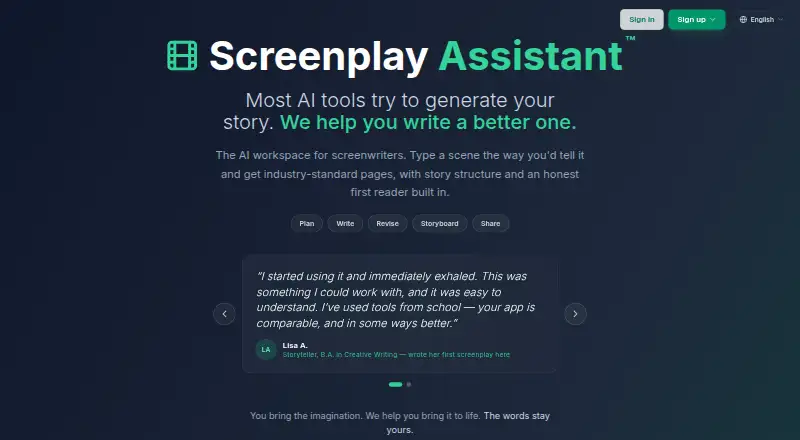
What Screenplay Assistant is
Screenplay Assistant turns plain prose or dictated scenes into screenplay-formatted pages in a browser. It can organize material into scene headings, action, character cues, dialogue, parentheticals, and transitions. Its three writing modes vary how much they change text: Format Only keeps the writer’s words, Creative Polish line-edits them, and Script Doctor adds action and imagery without adding events, characters, or conversations.
Story tools include Story Map for planning, Story Lab as a craft guide, Muse as a first reader, and Atticus as an in-app help assistant. Users can import plain text, PDF, Word, or Final Draft files and export to PDF, Final Draft, Word, or plain text. Other tools include character portraits, design sheets, storyboards, graphic novel pages, scene video, Table Read, and production reports. Writing is not capped on any plan, though project and media allowances vary. The app runs on Android, iOS, macOS, web, and Windows. The free Spark plan includes one project; Writer costs $5 a month billed yearly ($60 a year).
Good
- Formats prose or dictated scenes as screenplay pages
- Three writing modes with different levels of intervention
- Imports and exports Final Draft files
- Writing is not capped on any plan
- Available on Android, iOS, macOS, web, and Windows
Watch out
- Spark is limited to one project
- Image, storyboard, answer, Table Read, and video allowances vary by plan
- Writer's $5 monthly rate requires yearly billing
Who it suits
It suits writers at any level who want screenplay formatting alongside story planning and production tools. The different writing modes let users choose between preserving text, editing lines, or adding descriptive material.
Verdict
Screenplay Assistant combines screenplay formatting with planning, revision, and production features. Its free plan includes one project, while project and media allowances vary across plans.
Plans and prices
From Screenplay Assistant's own pricing page, checked 30 Sep 2026.
| Plan | Price | What it gives you |
|---|---|---|
| Spark | Free | 1 project · AI formatting on every scene · 15 character images/month · 3 storyboards/month · 100 Atticus answers/month · 1 Table Read · free forever |
| Writer | $7 a month | 3 projects · 30 character images/month · 15 storyboards/month · 1,000 Atticus answers/month · 10 Table Reads/month · 1 scene video/month · $7 a month, or $5 a month billed yearly ($60 a year) |
| Table Read credit pack | $8, paid once | Credits never expire and are available on every plan · 10 for $8; 25 for $18; 60 for $39 |
| Scene video credit pack | $19, paid once | One credit renders one scene; credits never expire and are available on every plan · 3 for $19; 10 for $62; 25 for $155 |
| Storyteller | $35 a month | 25 projects · unlimited storyboards, character images, Atticus and Muse · 40 Table Reads/month · 8 scene videos/month · $35 a month, or $29 a month billed yearly ($348 a year) |
| Studio | $99 a month | unlimited projects · 150 Table Reads/month · 25 scene videos/month · named priority support · $99 a month, or $79 a month billed yearly ($948 a year) |
The facts
Each one read from Screenplay Assistant's own pages, with the date it was checked.
What it does
- AI data statement
- The maker says models from Anthropic and OpenAI and third-party image and video models are used, and that providers do not train on submitted API content under their published API data-usage policies.checked 30 Sep 2026
- Copyright
- The maker states that writers keep full copyright in their creative work and that PLAYCODE3 LLC makes no claim to it.checked 30 Sep 2026
- Import and export
- Users can import plain text, PDF, Word or Final Draft files and export to PDF, Final Draft, Word or plain text.checked 30 Sep 2026
- Integrations and sign-in
- The app supports Final Draft (.fdx) import and export and sign-in with Google, Apple, Microsoft or a one-time emailed code.checked 30 Sep 2026
- Intended users
- The maker describes the app as suitable for writers at any level, from first-timers and students to hobbyists and produced professionals.checked 30 Sep 2026
- Screenplay formatting
- The browser app turns plain prose or dictated scenes into screenplay pages with scene headings, action, character cues, dialogue, parentheticals and transitions.checked 30 Sep 2026
- Story tools
- The app includes Story Map for planning, Story Lab as a craft guide, Muse as a first reader, and Atticus as an in-app help assistant.checked 30 Sep 2026
- Support
- The Studio plan includes named priority support.checked 30 Sep 2026
- Visual production tools
- Features include character portraits, design sheets, storyboards, graphic novel pages, scene video, Table Read and production reports.checked 30 Sep 2026
- Writing assistance
- Format Only preserves the writer’s words, Creative Polish line-edits them, and Script Doctor adds action and imagery without adding events, characters or conversations.checked 30 Sep 2026
- Writing limits
- Writing is never capped on any plan, including Spark, although project, image, storyboard, answer, Table Read and video allowances vary by plan.checked 30 Sep 2026
The company
- Headquarters
- Long Island, New Yorkchecked 23 Sep 2026
- Maker and location
- Screenplay Assistant is made by PLAYCODE3 LLC, described as a small independent family-run studio on Long Island, New York, founded by Christopher Stevenson and Lily Stevenson.checked 30 Sep 2026
The full review of Screenplay Assistant
Overview
Screenplay Assistant is a screenplay-writing app that combines script formatting with planning, revision and production tools. It is best suited to writers who want those capabilities in one workspace, rather than only a page editor. The free plan makes it possible to start without a subscription, but project and media limits shape how far it can take a larger workflow.
Key features
The browser app converts plain prose or dictated scenes into screenplay pages, arranging scene headings, action, character cues, dialogue, parentheticals and transitions. Its three writing modes give writers a useful choice of how much help to accept: Format Only preserves their words, Creative Polish line-edits them, and Script Doctor adds action and imagery without adding events, characters or conversations. That makes the tools relevant both to writers who want clean formatting and those seeking more editorial input, though none is a substitute for a tool intended to invent plot or dialogue.
Story Map supports planning, while Story Lab provides craft guidance, Muse serves as a first reader, and Atticus answers in-app questions. Production options include character portraits, design sheets, storyboards, graphic-novel pages, scene video, Table Read and production reports. This breadth is a real advantage for writers developing a project beyond the script, but the associated image, storyboard, answer, Table Read and video allowances vary by plan. Writing itself is never capped, even on Spark.
Import works with plain text, PDF, Word and Final Draft files; export supports PDF, Final Draft (.fdx), Word and plain text, with storyboard and video also among the supported export formats. Final Draft compatibility matters for writers moving scripts between tools. Sign-in is available through Google, Apple, Microsoft or a one-time emailed code.
The maker says it uses Anthropic and OpenAI models alongside third-party image and video models, whose providers do not train on submitted API content under their published API data-usage policies. It also says writers retain full copyright in their work and that PLAYCODE3 LLC makes no claim to it. Writers evaluating AI use should weigh those assurances alongside their own comfort with sending work through external model providers.
Pricing
Spark is free forever and includes one project, AI formatting on every scene, 15 character images a month, three storyboards a month, 100 Atticus answers a month and one Table Read. It is a credible starting point for a single script, but its one-project cap and small production allowances make it less suited to maintaining several active projects.
Writer costs $7 a month, or $5 a month billed yearly ($60 a year). It raises the cap to three projects and includes 30 character images, 15 storyboards, 1,000 Atticus answers, 10 Table Reads and one scene video per month. This is the practical step up for an individual writer who wants more than a trial project and regular access to the production tools without paying for high-volume use.
Storyteller costs $35 a month, or $29 a month billed yearly ($348 a year). It allows 25 projects and unlimited storyboards, character images, Atticus and Muse, plus 40 Table Reads and eight scene videos a month. It fits writers juggling a slate or leaning heavily on visual development; the higher recurring cost is difficult to justify for someone chiefly formatting one screenplay.
Studio costs $99 a month, or $79 a month billed yearly ($948 a year). It removes the project cap and provides 150 Table Reads and 25 scene videos monthly, as well as named priority support. The higher allowances and support are aimed at sustained, production-heavy use rather than a casual writer.
Writers on any plan can buy non-expiring credits: Table Read packs cost $8 for 10, $18 for 25 or $39 for 60; scene video packs cost $19 for three, $62 for 10 or $155 for 25, with one credit rendering one scene. These packs offer a way to supplement plan allowances without moving up a tier, though they do not remove project limits.
Platforms
Screenplay Assistant supports Android, iOS, macOS, web and Windows. The browser app is central to its formatting workflow, while the range of listed platforms gives writers options across major desktop and mobile systems.
Who it's for
Screenplay Assistant suits first-time writers, students, hobbyists and produced professionals who want formatting, craft guidance and production planning together. Spark is a sensible fit for one-project exploration; Writer is more suitable for an individual with several scripts or recurring Table Read and video needs. Storyteller and Studio make more sense for writers managing broader slates or using the production features heavily. Writers who need only a straightforward script editor may find the broader toolset and paid allowances unnecessary.
Pros and cons
- Pros: Flexible formatting and revision modes let writers choose between preserving their prose and accepting line edits or added imagery.
- Pros: Final Draft import and export, alongside PDF, Word and plain-text support, makes it practical to move scripts between common formats.
- Pros: Planning, reader guidance, visual development and production features extend the app beyond screenplay pages.
- Pros: Writing is uncapped on every plan, and credit packs never expire, so media use can be managed separately from drafting.
- Cons: Spark is limited to one project, and its image, storyboard, answer and Table Read allowances are modest for ongoing multi-project work.
- Cons: Scene video and other production allowances remain capped on paid plans; frequent use can mean buying credits or choosing a higher tier.
- Cons: Storyteller and Studio have substantial monthly prices, making their larger allowances poor fits for writers who mainly need formatting.
Alternatives
For a free option centered on screenplay writing, ScreenWeaver offers unlimited projects and pages, plus PDF and Final Draft export on its free Screenwriter plan. It is worth considering when those uncapped script basics matter more than Screenplay Assistant's broader planning and production tools.
Lastslate is another freemium option with a free full editor and PDF and FDX export, and it offers a free trial. It may suit writers who want to compare a dedicated editor before committing to a workflow.
ScriptDraft has a free Fountain editor with PDF, Fountain and FDX export, support for 100+ languages, and dark and light modes. Choose it when Fountain editing and those language and display options are more important than an integrated production suite.
Plotwell is a web-based alternative whose free plan includes one project, one collaborator, 10 AI credits, all features and version history for the last five saves. It is a better match when collaboration on a single project is central and a limited credit allowance is acceptable.
Fabric is a freemium option with a free trial and support across mobile, desktop, web, API and extension platforms. Consider it if a broader cross-platform option is the priority.
ngram is a freemium web and extension tool whose free plan provides 600 one-time credits, up to 60 seconds of premium AI-generated footage, 720p exports and a watermark. It is an alternative when short AI-generated video, rather than screenplay writing, is the task.
Premiere.Studio offers web-based plans priced per writer, including Studio at $24.00 per month with five projects, 1,500 AI credits a month and three AI Outline Orchestrator runs a month. It is worth comparing when per-writer pricing and those stated project and outline allowances fit the workflow.
Saga is a web-based freemium tool with a free plan that includes plot development and character archetypes. It may suit writers focused on those story-development tools.
Browse AI Script Writing Software for more options.
Verdict
Screenplay Assistant is a strong choice for writers who want one place to format, develop and visually plan a screenplay, with a free entry point and uncapped writing. Its main trade-off is that projects and production media remain quota-bound, while the most generous plans are expensive. Choose it if those integrated tools will get regular use; look elsewhere if you only need a focused screenplay editor or want more generous free project limits.
Getting started
- Open https://screenplayassistant.com/ in a browser.
- Sign in with Google, Apple, Microsoft or a one-time emailed code.
- Choose the free Spark plan or a paid plan.
- Import a plain-text, PDF, Word or Final Draft file, or enter prose or dictate scenes.
- Format scenes and use the available writing, story or visual production tools.
- Export to PDF, Final Draft, Word or plain text.
Limits worth knowing
Spark includes one project, 15 character images per month, three storyboards per month, 100 Atticus answers per month and one Table Read. Writing is uncapped, but other project and media allowances depend on the plan.
Questions
Is Screenplay Assistant free?
Yes. Spark is free forever and includes one project. Paid plans are also available.
How much does Writer cost?
Writer costs $7 per month, or $5 per month billed yearly ($60 a year).
Which platforms does it support?
It is available on Android, iOS, macOS, web and Windows.
Can I import and export Final Draft files?
Yes. The app supports Final Draft (.fdx) import and export, as well as several other document formats.
Who makes Screenplay Assistant?
It is made by PLAYCODE3 LLC, a small independent family-run studio on Long Island, New York, founded by Christopher Stevenson and Lily Stevenson.
Is writing limited by plan?
Writing is never capped on any plan. Project and image, storyboard, answer, Table Read and video allowances vary by plan.
Alternatives to Screenplay Assistant
- 1

ScreenWeaver
Free planAndroidiOSWebAPI8.2Free plan - 2

Fabric
AndroidiOSWebAPI7.9From $8 a month - 3
ngram
Free planWebAPIExtension7.6From $29 a month - 4

FiveDraft
Free planAndroidiOSWeb7.4From €5 a month - 5
Lastslate
Free planmacOSWindows7.4From $10 a month - 6
Scriptuber
Free planAndroidiOSWeb7.1From $19 a month