
Screen Studio
The facts below are what the maker publishes about Screen Studio, checked and dated. Our editors have not written about it yet.
Plans and prices
From Screen Studio's own pricing page, checked 20 Sep 2026.
| Plan | Price | What it gives you |
|---|---|---|
| Screen Studio | $29 a month | 3 personal macOS devices · Per month billed monthly |
| Yearly | $9 a month | All Screen Studio features · Export up to 4K at 60 fps · Shareable links · Cloud transcript · Sharing projects · New features as they ship · $9/mo. billed yearly; Save 69% |
| Monthly | $29 a month | All Screen Studio features · Export up to 4K at 60 fps · Shareable links · Cloud transcript · Sharing projects · New features as they ship · $29/mo. |
The facts
Each one read from Screen Studio's own pages, with the date it was checked.
What it does
- Automatic zoom
- It can automatically zoom in on relevant moments based on actions such as clicks, and users can add manual zooms.checked 8 Oct 2026
- Camera layouts
- A recording can switch among fullscreen camera, split screen, camera overlay, screen only, and camera cutout layouts.checked 8 Oct 2026
- Captions and audio
- Screen Studio creates captions and offers on-device noise reduction and Podcast mode.checked 8 Oct 2026
- Editing
- Users can edit recordings by transcript, remove filler words and pauses, trim clips, and change playback speed.checked 8 Oct 2026
- Export limits
- Exports include MP4 at 720p, 1080p, or 4K up to 60 fps, plus GIFs up to 1080p; shareable links support videos up to 30 minutes.checked 8 Oct 2026
- Intended use
- The maker describes Screen Studio for product demos, courses, tutorials, and social posts.checked 8 Oct 2026
- Maximum video quality
- 4kchecked 20 Sep 2026
- Microphone recording
- Yeschecked 20 Sep 2026
- Optional cloud processing
- Cloud transcription is optional and its audio is deleted from the server once the transcript is returned.checked 8 Oct 2026
- Privacy
- Recordings and projects are stored locally by default and are uploaded only when the user chooses to create a shareable link.checked 8 Oct 2026
- Purpose
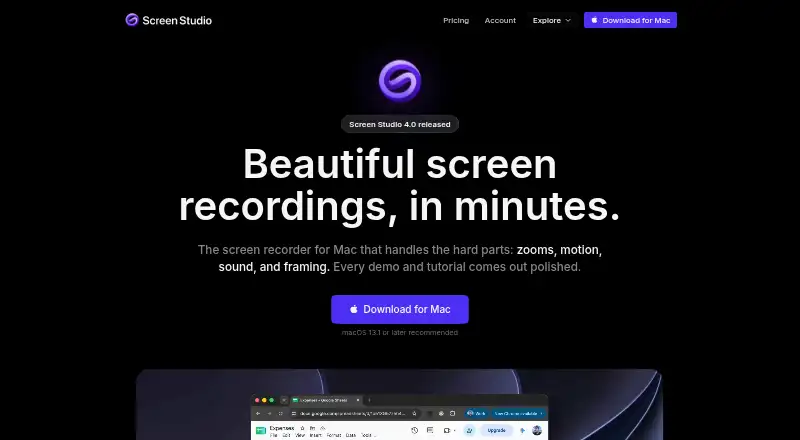
- Screen Studio is a Mac screen recorder for creating polished demos and tutorials.checked 8 Oct 2026
- Security disclosure
- The privacy policy says the company uses commercially acceptable protections but cannot guarantee absolute security of internet transmission or electronic storage.checked 8 Oct 2026
- Sharing integrations
- Users can copy finished videos into Slack, Linear, or a document, and share browser-viewable links or editable projects.checked 8 Oct 2026
- Support
- The maker lists [email protected] for questions and also links to a Telegram group and Screen Studio Guide.checked 8 Oct 2026
- System audio
- Yeschecked 20 Sep 2026
- Webcam recording
- Yeschecked 20 Sep 2026
Money
- Free plan
- Yeschecked 20 Sep 2026
- Free use limitation
- Without an active plan, users can access all features except exporting video files.checked 8 Oct 2026
The company
- Headquarters
- Kraków, Polandchecked 28 Sep 2026
Where it runs
- Supported platform
- Screen Studio supports macOS only, and recommends macOS Ventura 13.1 or higher.checked 8 Oct 2026
- Supported platforms
- macoschecked 20 Sep 2026
Alternatives to Screen Studio
- 1

Cap
Free planOpen sourceWebAPIExtensionLinux9.0From $29 a year - 2

Loom
Free planAndroidiOSWebmacOS8.9From $18 a month - 3

Vmaker
Free planiOSWebExtensionmacOS8.9From $18 a month - 4

ScreenPal
Free planAndroidiOSWebmacOS8.8From $4 a month - 5

Claap
Free planAndroidiOSWebAPI8.8From €32 a month - 6

Screencastify
Free planWebExtensionLinuxmacOS8.7From $7 a month