Screen Studio
The facts below are what the maker publishes about Screen Studio, checked and dated. Our editors have not written about it yet.
Plans and prices
From Screen Studio's own pricing page, checked 7 Oct 2026.
| Plan | Price | What it gives you |
|---|---|---|
| Free beta | Free | No watermark · no time limit · no export limit · no account · macOS 15+ |
The facts
Each one read from Screen Studio's own pages, with the date it was checked.
What it does
- Audio
- It records system audio, microphone audio, or both, synchronized with the video, without a virtual audio driver.checked 7 Oct 2026
- Auto-zoom
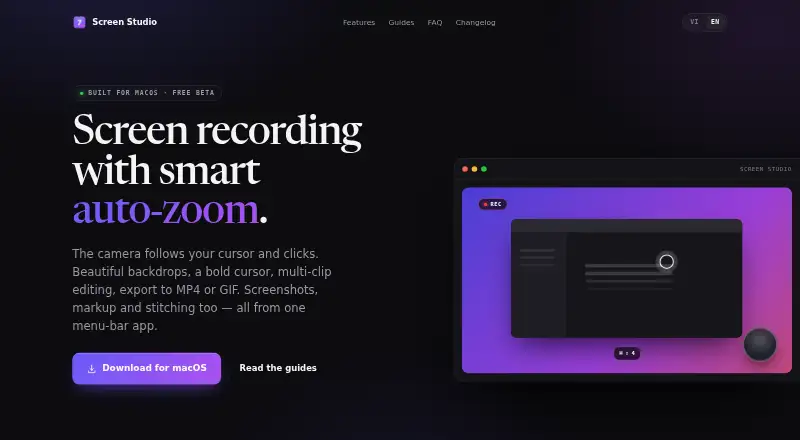
- Recording can automatically zoom toward cursor clicks, pan smoothly, and zoom back out when activity pauses.checked 7 Oct 2026
- Editing and export
- Its multi-clip editor supports trimming and reordering, and exports video as MP4, MOV, or GIF with framing and resolution options.checked 7 Oct 2026
- Integrations
- Captured images can be dragged into Finder, Slack, or email, and the maker names YouTube, Reels, TikTok, and blogs as supported framing targets.checked 7 Oct 2026
- Live recording effects
- The app renders recording effects live at 60 fps and offers backdrops, a bold cursor, keystroke overlays, and webcam overlays.checked 7 Oct 2026
- Max video quality
- 1080pchecked 24 Sep 2026
- Privacy
- The maker says screen content, video, images, audio, filenames, and typed characters are never sent; anonymous usage counters go to Google Analytics and can be disabled in Settings.checked 7 Oct 2026
- Product
- Screen Studio is a macOS menu bar app for screen recording, screenshots, markup, and image stitching.checked 7 Oct 2026
- Screenshots
- Screenshot tools include annotation, numbered badges, blur redaction, cropping, and a tray for arranging multiple shots into one image.checked 7 Oct 2026
- Security
- The app is signed with a Developer ID and notarized by Apple.checked 7 Oct 2026
- Support
- The maker invites questions by email and provides short practical guides for common tasks and troubleshooting.checked 7 Oct 2026
- System requirements
- The app requires macOS 15 or later and supports both Apple silicon and Intel Macs.checked 7 Oct 2026
- Update checks
- The app checks for updates on launch through Sparkle; the request has no identifier but the server sees the IP address and app version, and this check cannot be disabled.checked 7 Oct 2026
- Webcam overlay
- Yeschecked 24 Sep 2026
Where it runs
- Capture platforms
- macOSchecked 24 Sep 2026
- Platform limitation
- The maker says there is no Windows or Linux build because the app is written natively for macOS using ScreenCaptureKit and AVFoundation.checked 7 Oct 2026
Money
- Free plan
- Yeschecked 24 Sep 2026
The company
- Maker
- The site credits Screen Studio to Trần Đắc Trường.checked 7 Oct 2026
Alternatives to Screen Studio
- 1

Loom
Free planAndroidiOSWebmacOS8.8From $18 a month - 2

ScreenPal
Free planAndroidiOSWebmacOS8.7From $4 a month - 3

Screencastify
Free planWebExtensionLinuxmacOS8.5From $7 a month - 4
EaseUS RecExperts
Free planWebmacOSWindows8.0Free plan - 5

OBS Studio
Free planLinuxmacOSWindows7.9Free plan - 6
Vidyard
Free planWebmacOSWindows7.9Free plan