Scotch
Scotch is a free, GPL-3.0 macOS application for running Windows games and applications on Apple Silicon.
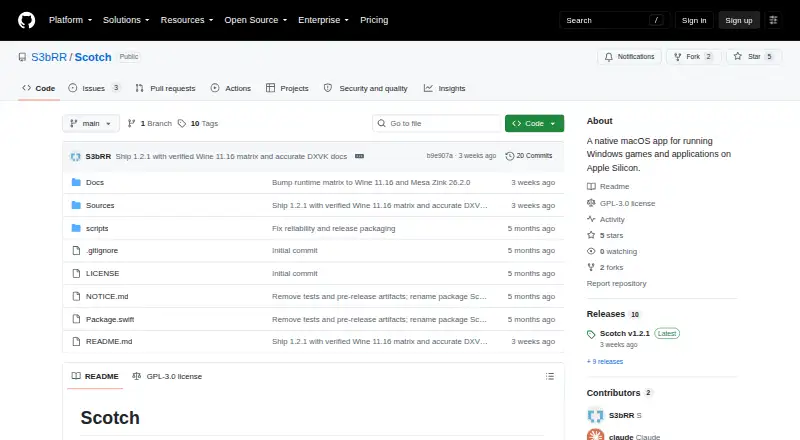
What Scotch is
Scotch is a free, GPL-3.0 macOS application for running Windows games and applications on Apple Silicon. It organizes Wine bottles and lets you set locale, launch arguments, and environment variables for each program. A setup wizard, bottle management tools, and integrated Winetricks support configuration. For graphics translation, each bottle can use DXVK, DXMT, D3DMetal, or Zink. GPU identity presets include AMD RX 7900 XTX, RX 6800 XT, NVIDIA RTX 4090, RTX 3080, Custom, and Off. Diagnostics provide a live process list, log browser, and effective-environment preview, while Finder QuickLook can show .exe thumbnails. The scotch command-line tool lists, runs, adds, and removes bottles and performs shellenv operations. Scotch requires Apple Silicon, Rosetta 2, and macOS 26 Tahoe or later. First launch downloads Wine and graphics backends, using about 500 MB. The project says it is personal software for use at your own risk.
Good
- Free and GPL-3.0 licensed
- Multiple selectable graphics backends
- Per-program bottle settings
- Integrated Winetricks and diagnostics
- Command-line bottle management
Watch out
- Requires macOS 26 Tahoe or later
- Intel Macs are unsupported
- Listed anti-cheat games are unsupported
- Ad-hoc signed and not notarized
Who it suits
Scotch suits Apple Silicon Mac users who need to run Windows software through Wine. It is not intended for Intel Macs, older macOS releases, or listed anti-cheat games.
Verdict
Scotch combines bottle controls, graphics backend choices, diagnostics, and command-line operations in a native macOS package. Check the operating-system, hardware, signing, and game-compatibility limits before using it.
The facts
Each one read from Scotch's own pages, with the date it was checked.
What it does
- Bottle management
- Scotch manages Wine bottles and includes per-program settings for locale, arguments, and environment variables.checked 8 Oct 2026
- Bottle tools
- Scotch includes bottle management, a setup wizard, Winetricks integration, and per-program settings for locale, arguments, and environment variables.checked 8 Oct 2026
- CLI
- The scotch command-line tool supports list, run, add, remove, and shellenv operations.checked 8 Oct 2026
- Dependencies
- Scotch wraps Wine Staging and uses upstream projects including DXVK, DXMT, Apple's D3DMetal, and Mesa Zink for compatibility and graphics translation.checked 8 Oct 2026
- Diagnostics
- The app includes a diagnostics screen with a live process list, log browser, and effective-environment preview.checked 8 Oct 2026
- GPU spoofing
- Its GPU identity spoofing presets include AMD RX 7900 XTX, RX 6800 XT, NVIDIA RTX 4090, and RTX 3080, along with Custom and Off options.checked 8 Oct 2026
- Graphics backends
- It offers DXVK, DXMT, D3DMetal, and Zink translation backends, selectable per bottle.checked 8 Oct 2026
- Install size
- Scotch downloads Wine and graphics backends on first run, requiring approximately 500 MB.checked 8 Oct 2026
- License
- The repository identifies Scotch as GPL-3.0 licensed.checked 8 Oct 2026
- Purpose
- Scotch is a native macOS app for running Windows games and applications on Apple Silicon.checked 8 Oct 2026
- Requirements
- It requires macOS 26 Tahoe or later, Apple Silicon, and Rosetta 2; the README recommends GStreamer.framework and about 500 MB of free disk for the runtime and overlays.checked 8 Oct 2026
- Security and signing
- The v1.2.2 release says Scotch is ad-hoc signed, not Developer ID signed or notarized, and that ad-hoc signing does not provide Apple-verified publisher identity.checked 8 Oct 2026
- Signing
- The v1.2.2 release says the app is ad-hoc signed, not Developer ID signed or notarized, and macOS may block its first launch.checked 8 Oct 2026
- Support status
- The README describes Scotch as a personal project and says to use it at your own risk.checked 8 Oct 2026
- Unsupported games
- Games using Easy Anti-Cheat, BattlEye, Vanguard, or Ricochet are unsupported.checked 8 Oct 2026
- Updates
- Automatic updates are not wired up.checked 8 Oct 2026
- Utilities
- Features include integrated Winetricks, diagnostics with a live process list and log browser, and Finder QuickLook thumbnails for .exe files.checked 8 Oct 2026
Where it runs
- Unsupported games and devices
- The project says anti-cheat games such as Easy Anti-Cheat, BattlEye, Vanguard, and Ricochet, Intel Macs, and macOS versions older than 26 are unsupported.checked 8 Oct 2026