
SAS Federation Server
SAS Federation Server provides multi-user access to data from multiple services through a virtualized data layer.
What SAS Federation Server is
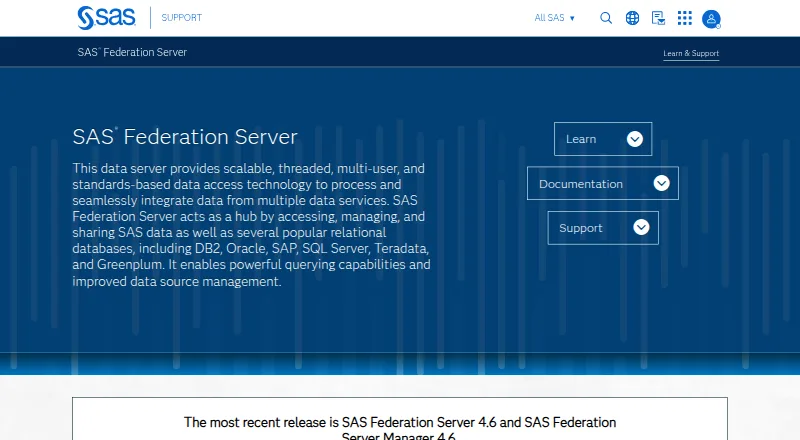
SAS Federation Server provides multi-user access to data from multiple services through a virtualized data layer. It brings separate sources into a federated view, with listed connections for DB2, Oracle, SAP, SQL Server, Teradata, and Greenplum. The described performance tools include database pushdown, connection pooling, privilege access caching, and in-memory data caching. Security capabilities include centralized role-based access, data masking, and encryption of personally identifiable information. Federated views can apply data-quality functions such as standardization and parsing. Users can create and share SAS metadata with other SAS solutions, and a Data REST API reference is listed for version 4.6. The most recent releases identified are SAS Federation Server 4.6 and SAS Federation Server Manager 4.6. Server requirements list Oracle Linux 8.10 and 9.1, Red Hat Enterprise Linux 8.10 and 9.1, and SUSE Linux Enterprise Server 15 SP3. It is intended for IT administrators, technical users, and business users addressing security, performance, and data-access needs. Pricing is on request.
Good
- Unifies multiple sources in a federated view
- Lists six supported relational database connections
- Includes role-based access and data masking
- Federated views can apply data-quality functions
- Version 4.6 has a Data REST API reference
Watch out
- Pricing is available on request
- Server requirements list specific Linux environments
Who it suits
It suits IT administrators, technical users, and business users who need to unify access to data sources or address data-access, security, and performance concerns.
Verdict
SAS Federation Server is aimed at organizations needing a shared layer across varied data sources, with access controls and data-quality functions. Pricing requires contacting SAS, and server deployment is described for specified Linux environments.
Plans and prices
From SAS Federation Server's own pricing page, checked 29 Sep 2026.
| Plan | Price | What it gives you |
|---|---|---|
| SAS Federation Server | Priced on request | No public price listed; contact SAS for pricing |
The facts
Each one read from SAS Federation Server's own pages, with the date it was checked.
What it does
- Audience
- SAS describes the intended audience as IT administrators, technical users and business users who need to address security, performance and data-access issues.checked 29 Sep 2026
- Current release
- The support page identifies SAS Federation Server 4.6 and SAS Federation Server Manager 4.6 as the most recent releases.checked 29 Sep 2026
- Database connections
- The product page lists DB2, Oracle, SAP, SQL Server, Teradata and Greenplum as supported relational databases.checked 29 Sep 2026
- Data quality
- Federated views can apply data quality functions such as standardization and parsing.checked 29 Sep 2026
- Purpose
- SAS Federation Server provides scalable, multi-user data access and integrates data from multiple data services.checked 29 Sep 2026
- Querying and performance
- The course describes database pushdown, connection pooling, privilege access caching and in-memory data caching for improving data access performance.checked 29 Sep 2026
- REST API
- The support page lists a SAS Federation Server 4.6 Data REST API reference.checked 29 Sep 2026
- SAS integration
- The course says users can create and share SAS metadata with other SAS solutions.checked 29 Sep 2026
- Security
- The course describes centralized role-based access, data masking and encryption of personally identifiable information.checked 29 Sep 2026
- Support
- The support page offers a knowledge base, SAS user community and technical support through its support track system.checked 29 Sep 2026
- Supported environments
- The 4.6 system requirements list Oracle Linux 8.10 and 9.1, Red Hat Enterprise Linux 8.10 and 9.1, and SUSE Linux Enterprise Server 15 SP3 for the server tier.checked 29 Sep 2026
- Virtualization
- It creates a virtualized data layer that unifies disparate sources into a federated view.checked 29 Sep 2026
The company
- Founded
- 1976checked 28 Sep 2026
- Headquarters
- Cary, North Carolina, USAchecked 28 Sep 2026
The full review of SAS Federation Server
SAS Federation Server provides a shared data-access layer for organizations working across multiple data services. It is best suited to IT administrators and technical or business users who need to govern and improve access to varied sources. Its strongest case is combining federation, access controls, and data-quality functions; custom pricing and a Linux server tier make it a considered infrastructure choice rather than a lightweight tool.
Overview
Federation Server virtualizes disparate data sources into a federated view, so users can access combined data without treating every source as a separate destination. Supported relational databases include DB2, Oracle, SAP, SQL Server, Teradata, and Greenplum. That breadth is useful in mixed environments, though buyers should assess their own source requirements before committing.
For performance, the product supports database pushdown, connection pooling, privilege access caching, and in-memory data caching. These mechanisms target the overhead of repeated or distributed data access; they make the product relevant where performance and shared access are operational concerns, not a substitute for evaluating workload fit.
Key features
- Governed access: Centralized role-based access, row-level security, data masking, and encryption of personally identifiable information give administrators tools to control sensitive data across the federated layer.
- Data quality: Federated views can apply standardization and parsing, allowing teams to address inconsistencies as data is accessed.
- SAS workflow support: Users can create and share SAS metadata with other SAS solutions, a practical advantage for organizations already working in the SAS ecosystem.
- Interfaces and querying: SQL querying and API access are supported, and a Data REST API reference is available for version 4.6. Query result caching and scheduled queries are also included in the plan.
Pricing
SAS Federation Server is paid software with custom pricing; contact SAS for a quote. There is one plan, SAS Federation Server, with no public price. Organizations should weigh that procurement route against their need for a multi-user federated layer, security controls, and data-quality functions. No cheaper tier is described, so teams seeking a self-serve entry option or a published price should look elsewhere.
Platforms
The product is self-hosted and supports Linux, Windows, web, and API access. The documented server-tier requirements for version 4.6 include Oracle Linux 8.10 and 9.1, Red Hat Enterprise Linux 8.10 and 9.1, and SUSE Linux Enterprise Server 15 SP3. That defined Linux support makes environment compatibility an important deployment check; self-hosted operation will suit organizations prepared to manage infrastructure, not those looking solely for a cloud-hosted service.
The support page identifies SAS Federation Server 4.6 and SAS Federation Server Manager 4.6 as the most recent releases. Support resources include a knowledge base, SAS user community, and technical support through SAS’s support track system.
Who it's for
This is a fit for IT administrators and technical users responsible for access, security, and performance across multiple data services, as well as business users who need governed access to combined data. SAS customers may particularly value the metadata-sharing connection. It is less suitable for teams that need a simple hosted product, want published pricing, or cannot accommodate the specified server environments.
Pros and cons
- Pro: A federated view connects varied sources, including several major relational databases, which can reduce the friction of accessing data across a mixed estate.
- Pro: Role-based and row-level controls, masking, and encryption address governance needs alongside access.
- Pro: Caching, pooling, and database pushdown target performance, while standardization and parsing add data-quality functions to views.
- Con: Custom pricing requires a direct sales conversation, limiting quick budget comparisons.
- Con: The server tier has specified Linux requirements, so deployment depends on matching supported environments.
Alternatives
For a broader category comparison, explore Data Federation Software and Data Virtualization Software. Retail-focused readers can also browse Retail Assortment Planning Software.
Centric Planning & Pricing is a paid web option with pricing by demo request; consider it when a web-based planning product is a better fit than self-hosted data federation. RELEX Demand Planning is another paid web alternative. Toolio is paid web software with pricing by contact, while Increff Merchandising Software is a paid web option with a free trial and demo request. Retalon Price Management and Optimization is paid web software with pricing by demo request. Style Arcade bases pricing on estimated annual sales orders and number of data sources. AssortSmart is another paid alternative. Board offers paid self-hosted Finance, Supply chain, and Retail plans with customized quotes; consider it when those plan categories better match your needs.
Verdict
Choose SAS Federation Server when your organization needs a governed, performance-conscious layer across varied data sources, especially if SAS metadata sharing matters. Its combination of federation, security, and data-quality capabilities is the central reason to consider it. Look elsewhere if you need published pricing, a simpler hosted deployment, or a server environment outside its supported Linux configurations.
Getting started
- Open the SAS Federation Server support website
- Prepare a self-hosted server using a listed Linux environment
- Connect supported relational databases such as DB2, Oracle, SAP, SQL Server, Teradata, or Greenplum
- Configure federated views and any data-quality functions
- Set centralized roles, masking, and personally identifiable information encryption
- Use SQL querying or the listed Data REST API
Limits worth knowing
SAS lists no public price; pricing is on request. Server-tier requirements are limited to the specified Oracle Linux, Red Hat Enterprise Linux, and SUSE Linux Enterprise Server versions.
Questions
How is SAS Federation Server priced?
SAS Federation Server is paid, with pricing available on request.
Is it self-hosted?
Yes. The product is listed as self-hosted and provides server-tier Linux requirements.
Which databases can it connect to?
Listed relational connections include DB2, Oracle, SAP, SQL Server, Teradata, and Greenplum.
Does it provide API access?
Yes. The support page lists a SAS Federation Server 4.6 Data REST API reference.
What security controls are described?
Capabilities include centralized role-based access, data masking, and encryption of personally identifiable information.
Which releases are identified as current?
The support page identifies SAS Federation Server 4.6 and SAS Federation Server Manager 4.6 as the most recent releases.
Alternatives to SAS Federation Server
- 1
Virtuoso Universal Server
Open sourceWebAPILinuxmacOS7.9From $99.99 a year - 2
PrestoDB
Free planOpen sourceWebAPILinuxmacOS7.7Free plan - 3

Query Streams
Free planWebAPILinuxmacOS7.7From $15 a month - 4

Stardog
Free planAndroidiOSWebAPI7.7Free plan - 5

Starburst Galaxy
Free planWebAPILinux7.1Free plan - 67.0From $1.15 a month