SafePDF
SafePDF is an open source desktop toolkit for converting, compressing, merging, splitting, rotating and repairing PDFs on Windows, macOS and Linux.
What SafePDF is
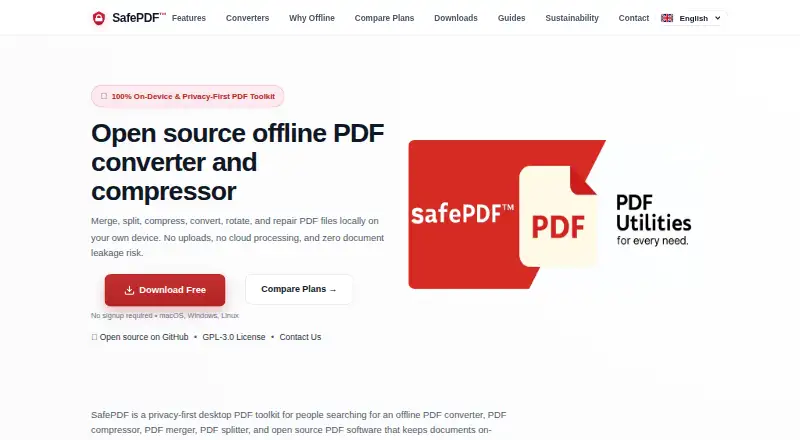
SafePDF is an open source desktop toolkit for converting, compressing, merging, splitting, rotating and repairing PDFs on Windows, macOS and Linux. It also supports page extraction and reordering, image export, text and DOCX conversion, and metadata editing. The listed conversion targets include PDF, DOCX, TXT, JPG, PNG, AVIF, XLSX and PPTX, and OCR conversion is supported. The maker says PDF operations run locally without an internet connection and do not send files to external servers. Compression includes quality presets and image controls; Pro adds a lossless mode and an ultra-high-quality option at 300 DPI and 95% JPEG. Command-line examples and scripts are provided for automating repeated work, while Pro supports batch processing of multiple files. SafePDF uses the GPL-3.0 license, and its complete source code is publicly available on GitHub. Downloads are offered for Windows 10 or later, macOS 10.15 or later, and most Linux distributions; pip installation requires Python 3.8 or newer. A free plan is available. Listed paid options are €3.34 a month for 30 days, €6.59, paid once for 90 days, and €12 a year.
Good
- Processes PDF operations locally, according to the maker.
- Supports OCR and batch conversion.
- Offers Windows, macOS and Linux downloads.
- GPL-3.0 licensed with source code on GitHub.
- Includes PDF repair and metadata editing.
Watch out
- Windows requires version 10 or later.
- macOS requires version 10.15 or later.
- Pip installation requires Python 3.8 or newer.
Who it suits
SafePDF suits people who need local PDF tools on a desktop system, including users who want conversion, editing or repair options. Its command-line examples may also suit people automating repetitive PDF work.
Verdict
SafePDF combines a broad set of PDF operations with local processing and an open source license. Check the listed system requirements and plan terms to see whether they fit your setup.
Plans and prices
From SafePDF's own pricing page, checked 5 Oct 2026.
| Plan | Price | What it gives you |
|---|---|---|
| 30 Days | €3.34 a month | Full Pro features for 30 days · 30 days; page also shows €4.99 + VAT |
| 90 Days | €6.59, paid once | Full Pro features for 90 days · 90 days; page also shows €11.99 + VAT |
| Yearly | €12 a year | Full Pro features for 12 months · 12 months; page also shows €29.99 + VAT |
The facts
Each one read from SafePDF's own pages, with the date it was checked.
What it does
- Automation
- The site describes CLI examples and scripts for automating repetitive tasks and batch processing; Pro includes batch processing for multiple files.checked 5 Oct 2026
- Compression
- Compression offers quality presets and image controls, while Pro adds ultra-high-quality compression at 300 DPI and 95% JPEG and a lossless mode.checked 5 Oct 2026
- Formats
- The site describes PDF conversion workflows involving Word, Excel, PowerPoint, JPG, PNG, and plain text.checked 5 Oct 2026
- License
- SafePDF is published under the GPL-3.0 license, and the maker says its complete source code is publicly available on GitHub.checked 5 Oct 2026
- Offline processing
- The maker says PDF operations run locally without an internet connection and files are not uploaded to external servers.checked 5 Oct 2026
- Other features
- The site lists page-range splitting and extraction, merge with page reordering, image export, text and DOCX conversion, page rotation, PDF repair, and metadata editing.checked 5 Oct 2026
- Payments
- The pricing section says payments are processed via Gumroad and that no files are uploaded to SafePDF servers for payment processing.checked 5 Oct 2026
- Privacy
- The privacy page says local processing does not transmit file contents or PDF metadata by default, and optional website analytics and marketing cookies require consent.checked 5 Oct 2026
- Purpose
- SafePDF is an open source desktop toolkit for converting, compressing, merging, splitting, rotating, and repairing PDFs locally.checked 5 Oct 2026
- Support and updates
- SafePDF Pro lists priority customer support and automatic signed update checks; the download page also mentions automatic updates among Pro features.checked 5 Oct 2026
- Supported systems
- Downloads are offered for Windows, macOS, and Linux; the download page says pip installation requires Python 3.8 or newer.checked 5 Oct 2026
Where it runs
- Platform requirements
- The download page lists Windows 10 or later, macOS 10.15 or later, and compatibility with most Linux distributions.checked 5 Oct 2026
Alternatives to SafePDF
- 1
Convertio
Free planAndroidiOSWebAPI8.3From $6.99 a month - 2

HiPDF
Free planAndroidiOSWebAPI8.2Free plan - 3

MinerU
Free planOpen sourceWebAPILinuxmacOS8.2From $59.90 a year - 4
PDF Agile
Free planWebmacOSWindows7.8$39 one-time - 5
HTML2PDF Rocket
Free planAndroidWebAPILinux7.5From $5 a month - 6
FoxyUtils Online PDF Tools
Free planWeb7.0Free plan