
Reverse Image Search Anywhere
Reverse Image Search Anywhere is a free image-search tool available on the web, Android, and as a browser extension.
What Reverse Image Search Anywhere is
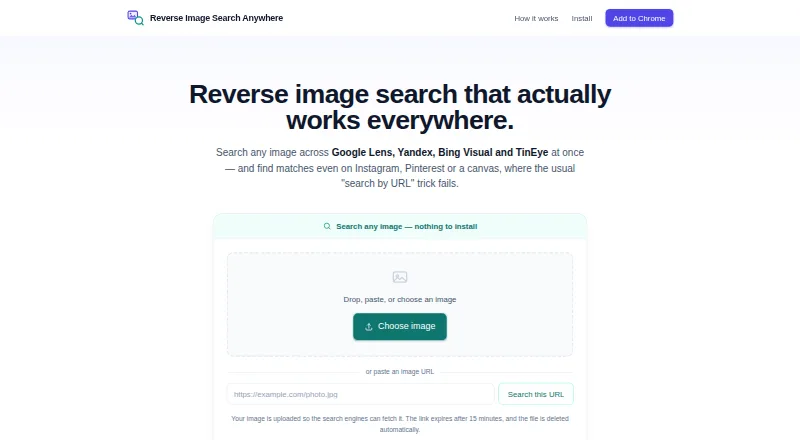
Reverse Image Search Anywhere is a free image-search tool available on the web, Android, and as a browser extension. It searches across Google Lens, Yandex, Bing Visual, and TinEye; the extension can open all four engines together or use a selected engine. Users can paste a copied image or capture a rectangular area of a page to search. An upload-based option supports searches on sites such as Instagram and Pinterest, where image URLs are hidden. A face-search flow sends an image first to Yandex, then Google Lens and Bing Visual, and allows cropping around one face. The toolbar popup lets users toggle and reorder engines and add custom ones. Normal extension searches go from the browser directly to the search engine. Uploaded images receive a link that expires after 15 minutes and are deleted automatically about a day after arrival. The maker says it does not track browsing, create user profiles, or sell data, and that the extension has no ads or third-party trackers. Its source is public under the MIT license. Desktop support includes Chrome, Edge, and Firefox, plus Firefox for Android; Safari is not supported.
Good
- Searches Google Lens, Yandex, Bing Visual, and TinEye.
- Can capture a page region for searching.
- Upload search supports sites with hidden image URLs.
- Extension source is public under the MIT license.
- Web search works in mobile browsers.
Watch out
- Safari is not supported.
- Batch search is not available.
- There is no API access.
- Cannot search inside video.
Who it suits
It suits people who want to look for similar images across several search engines, including from pages where image URLs are hidden. Users who need Safari support, batch search, or an API should note those limits.
Verdict
Reverse Image Search Anywhere offers several ways to submit images and search across multiple engines at no cost. Its stated limits include no Safari extension, batch search, or video search.
Plans and prices
From Reverse Image Search Anywhere's own pricing page, checked 15 Oct 2026.
| Plan | Price | What it gives you |
|---|---|---|
| Free | Free | No account or sign-up · browser extension · web search · four search engines · Free |
The facts
Each one read from Reverse Image Search Anywhere's own pages, with the date it was checked.
What it does
- AlternativeTo listing
- AlternativeTo lists the product as free, open source under MIT, and available for Google Chrome and Mozilla Firefox.checked 15 Oct 2026
- Backend licensing
- The GitHub repository states that its presigned-upload and search-proxy backend is not included and is not MIT-licensed.checked 15 Oct 2026
- Chrome adoption
- The Chrome Web Store listing shows 828 users, version 0.8.0 and an update on September 13, 2026.checked 15 Oct 2026
- Chrome rating
- 5.0 out of 5 from 15 ratings.checked 15 Oct 2026
- Clipboard search
- Users can paste a copied image with Ctrl/Cmd+V.checked 15 Oct 2026
- Custom engines
- The toolbar lets users toggle, reorder and add custom search engines.checked 15 Oct 2026
- Data handling
- The maker says it does not track browsing, build user profiles, or sell data; the extension has no ads or third-party trackers.checked 29 Sep 2026
- Developer build
- The public repository says builds require Node 24 and use npm scripts for Chrome and Firefox development, compilation, tests and packaging.checked 15 Oct 2026
- Documentation and support
- Documentation consists of a detailed usage guide and feature-specific guides, with support available at [email protected].checked 15 Oct 2026
- Exact-copy search
- TinEye is included for finding exact or edited copies and where TinEye first found them.checked 15 Oct 2026
- ExtWise permissions analysis
- ExtWise reports three permissions, Manifest V3 and a computed low risk score of 9/100.checked 15 Oct 2026
- Face search
- Its face workflow sends images to Yandex first, then Google Lens and Bing, and allows cropping to one face.checked 15 Oct 2026
- Firefox adoption
- The Firefox listing shows 143 users and availability on Firefox for Android.checked 15 Oct 2026
- Firefox rating
- 5 out of 5 from 1 review.checked 15 Oct 2026
- Firefox requirements
- The guide lists Firefox 140 or newer and Firefox for Android 142 or newer.checked 15 Oct 2026
- Limit: AI detection and video
- The homepage says it cannot determine whether an image is AI-generated or search inside video; users must search a video frame.checked 15 Oct 2026
- Limit: identity certainty
- The maker warns that a similar face is only a lead and cannot prove who a person is.checked 15 Oct 2026
- Limit: phone Bing
- The mobile web tool omits Bing because Bing image search does not accept these links on phones.checked 15 Oct 2026
- Limit: private content
- The product cannot find images that were never posted publicly, including private accounts, messaging apps and closed groups.checked 15 Oct 2026
- Limits
- The maker says it cannot find images never posted publicly, identify a person with certainty, determine whether an image is AI-generated, or search inside video.checked 29 Sep 2026
- Limit: Safari
- The official guide says Safari is not currently supported for the extension.checked 15 Oct 2026
Where it runs
- Browser support
- The extension supports desktop Chrome, Edge and Firefox plus Firefox for Android; Safari is not supported.checked 15 Oct 2026
The company
- Company structure
- The About page presents a single-person independent project rather than a named corporation, headquarters or funded company.checked 15 Oct 2026
- Maker
- The product is an independent project built and maintained by Anton Kopylov.checked 15 Oct 2026
Alternatives to Reverse Image Search Anywhere
- 1
Berify
Free planAndroidiOSWebAPI8.0From $5.95 a month - 2
LocalLens
Free planOpen sourceWebLinuxmacOSSelf-hosted7.5Free plan - 3

Pixsy
Free planWebAPI7.4From $209 a year - 4

SerpApi
Free planWebAPIExtension7.4From $25 a month - 5

ImageRights Discovery
Free planWebAPImacOSWindows7.0Free plan - 6
Imagga Visual Search
Free planWebAPILinuxSelf-hosted6.9From $79 a month