
ReRender AI
ReRender AI turns screenshots of architectural models into photorealistic renders while preserving the design and materials.
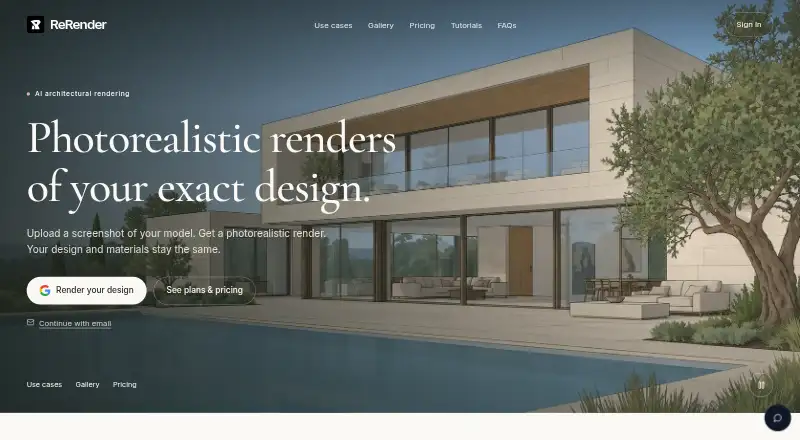
What ReRender AI is
ReRender AI turns screenshots of architectural models into photorealistic renders while preserving the design and materials. Its tools are aimed at architects and interior designers, with listed workflows for models or renders from AutoCAD, Maya, Cinema 4D, Blender, 3ds Max, ArchiCAD, Revit, SketchUp, and other rendering tools. For SketchUp, the browser workflow uses an exported image; the dedicated plugin is still being prepared. Moodboards gather materials, colors, and reference images for reuse, while Coloring applies watercolor, marker, or realistic-material looks to plans, elevations, and 3D views. The Enhance workflow accepts JPG, JPEG, and PNG uploads. ReRender AI is available on the web and through an API with documentation and a downloadable specification. A free trial allows three renders daily for non-commercial use, at standard quality with watermarks. The annual plan is $38 a year, billed as a one-time $450 charge for the first year; the monthly plan is $45 a month. Free and trial renders may be public or eligible for promotional display; private rendering is a paid feature where included.
Good
- Preserves model design and materials in renders
- Moodboards save materials, colors, and references
- Coloring offers watercolor, marker, and realistic styles
- Web access and API are available
Watch out
- Free trial is limited to three renders daily
- Trial use is non-commercial and renders are watermarked
- Free and trial renders may be publicly displayed
- Dedicated SketchUp plugin is still being prepared
Who it suits
ReRender AI suits architects and interior designers who want to render model screenshots or stylize plans and views. Its listed workflows cover a range of modeling and rendering tools, including SketchUp.
Verdict
ReRender AI combines architectural image rendering with moodboards, view styling, and API access. Check the trial’s commercial-use and visibility limits, and note that SketchUp users currently follow the browser upload workflow.
Plans and prices
From ReRender AI's own pricing page, checked 21 Oct 2026.
| Plan | Price | What it gives you |
|---|---|---|
| Free Trial | Free | 3 renders daily · Non-commercial use · Standard image quality · Watermarked renders · Private by default · Simple lighting effects · Theme-based rendering |
| Monthly Plan | $45 a month | Unlimited renders · Full commercial usage rights · 4x image upscaling · Watermark-free renders · Private by default · Advanced controls · Prompt customization · SketchUp plugin support · Video generation credits · $45 total billed each month |
| Annual Plan | $450 a year | Unlimited renders · Full commercial usage rights · 4x image upscaling · Watermark-free renders · Private by default · Advanced controls · Prompt customization · SketchUp plugin support · Video generation credits · One-time charge of $450 for the first year |
The facts
Each one read from ReRender AI's own pages, with the date it was checked.
What it does
- 4K enhancement
- The SketchUp workflow advertises 4K photoreal results with enhanced material and surface detail.checked 21 Oct 2026
- AI training policy
- The company says it does not use uploads, prompts, project files, references, or outputs to train models it develops or controls.checked 21 Oct 2026
- API
- An API reference page provides endpoints, request parameters, response formats, and a downloadable specification.checked 4 Oct 2026
- Audience
- ReRender says its tools are built for architects and interior designers.checked 4 Oct 2026
- Coloring
- Coloring presents plans, elevations, and 3D views in watercolor, marker, or realistic-material styles.checked 4 Oct 2026
- Core workflow
- Users upload a model screenshot, generate a render, and download the result.checked 21 Oct 2026
- Editing tools
- Editing tools can change materials or style after the initial render.checked 21 Oct 2026
- Facade editing
- Facade and context editing tools let users adjust materials and surrounding environments without changing the source model.checked 21 Oct 2026
- Geometry preservation
- The service says rendering keeps the model’s shape, proportions, layout, and materials unchanged.checked 21 Oct 2026
- Image formats
- The Enhance workflow supports JPG, JPEG, and PNG uploads.checked 4 Oct 2026
- Limit: Trustpilot login and generation complaints
- The sole Trustpilot reviewer reported repeated welcome emails, frequent logout during generation, unavailable customer support, and video credits deducted without a generated video.checked 21 Oct 2026
- Model workflows
- The maker lists workflows for models or renders from AutoCAD, Maya, Cinema 4D, Blender, 3ds Max, ArchiCAD, Revit, SketchUp, and other rendering tools.checked 4 Oct 2026
- Moodboards
- Moodboards collect materials, colors, and reference images so users can reuse choices on later renders.checked 4 Oct 2026
- People insertion
- A people tool lets users define a placement frame, role, action, clothing, and identity for generated figures.checked 21 Oct 2026
- Photorealistic output
- The product is marketed as producing photorealistic architectural images from existing designs.checked 21 Oct 2026
- Privacy and training
- The maker says it does not use uploads, prompts, references, project files, or generated outputs to train AI models it develops or controls.checked 4 Oct 2026
- Private rendering
- Private rendering is a paid feature where included; free and trial renders may be public or eligible for public or promotional display.checked 4 Oct 2026
- Prompt customization
- Paid plans include prompt-based customization.checked 21 Oct 2026
- Public API availability
- The URL https://rerenderai.com/api returned a 404 Not Found response when checked, and no public API documentation page was located.checked 21 Oct 2026
- Rating on Chrome Web Store
- 5.0 out of 5 from 1 ratingchecked 21 Oct 2026
The company
- Company complaint record
- BBB shows Stylefie, Inc. as not accredited with a D+ rating and cites failure to respond to one complaint among the reasons.checked 21 Oct 2026
- Company headquarters
- BBB lists Stylefie, Inc. in St. Petersburg, Florida.checked 21 Oct 2026
- Company legal name
- The service terms identify Stylefie, Inc. as the owner and operator of ReRender.checked 21 Oct 2026
- Output ownership
- Terms state that users own images generated from their inputs and may use them commercially subject to the terms.checked 21 Oct 2026
Alternatives to ReRender AI
- 1

Fashion Diffusion
AndroidiOSWebAPI7.7From $119.99 a year - 2

Vizcom
Free planWebmacOSWindows7.7From $49 a month - 3
Neolocus AI
Free planAndroidWeb7.5From $39 a month - 4
Gendo
Free planWeb7.4From £79 a month - 5

Raspberry AI Prints & Patterns
Free planWebAPI7.4From $49 a month - 6
FLORA Fashion Studio
Free planWebAPI7.3From $18 a month