Remote Counsel
Remote Counsel provides software, services, and support for court reporting firms handling depositions and other legal proceedings.
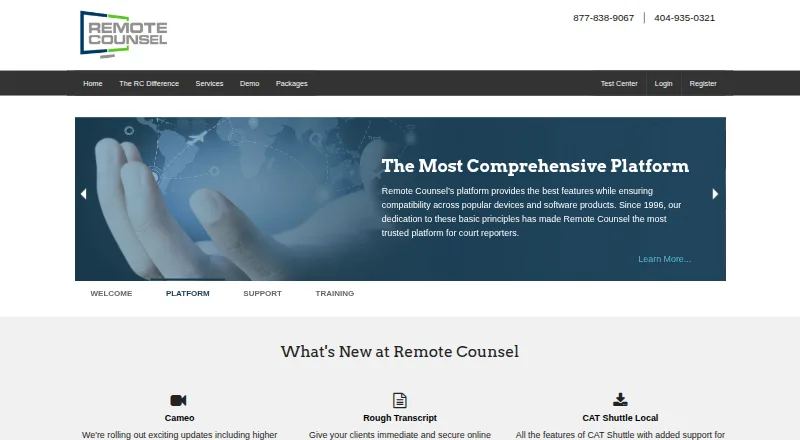
What Remote Counsel is
Remote Counsel provides software, services, and support for court reporting firms handling depositions and other legal proceedings. Participants can join by video or audio, follow streaming video and text, annotate, and chat privately or in groups. Remote Realtime lets viewers search and annotate streamed transcript text in a browser. Exhibits can be shared and marked up during a deposition without uploading them. Users can manage multiple depositions for a case in one place, monitor reporter connections, and review logs of connected participants. Reporters can stream from CAT software, with CaseCatalyst integration and CAT Shuttle for other applications. Clients can view streams in a browser without downloading software. Events can be scheduled by users or through concierge scheduling; White Glove support provides an operator for technical support, breakout rooms, text streaming, and exhibits. The company also offers training online, on demand, or in person, and says its platform has served court reporters since 1996. Pricing is available by contacting staff for current per-connection rates.
Good
- Browser access for clients requires no software download.
- Users can manage multiple depositions in one place.
- Exhibits can be shared without uploading them.
- White Glove support includes an event operator.
Watch out
- Pricing requires contacting staff.
- Each event has a minimum charge of one connection.
Who it suits
Remote Counsel is designed for court reporting firms and supports attorneys and their deposition teams. It may suit legal teams managing depositions, trials, mediations, or arbitrations.
Verdict
Remote Counsel combines deposition streaming, transcript tools, exhibit sharing, and event support for court reporting firms and legal teams. Buyers should contact the company for current per-connection pricing.
Plans and prices
From Remote Counsel's own pricing page, checked 30 Sep 2026.
| Plan | Price | What it gives you |
|---|---|---|
| Remote Counsel Streaming | Priced on request | Minimum charge of one connection per event; no setup fees for transcript-only streams |
The facts
Each one read from Remote Counsel's own pages, with the date it was checked.
What it does
- Access
- Remote Counsel Streaming provides browser-based access with no software download required for clients.checked 29 Sep 2026
- Additional rooms
- Cameo lists enterprise, HIPAA, and government rooms as available options.checked 29 Sep 2026
- Case management
- The platform lets users manage multiple depositions for a case in one place with one login and monitor reporter connections.checked 29 Sep 2026
- CAT software
- Court reporters can stream from any CAT software, and the site says CaseCatalyst supports a two-click setup.checked 29 Sep 2026
- Chat and exhibits
- The platform supports private and group chat, plus real-time exhibit sharing and annotation without uploading exhibits.checked 30 Sep 2026
- Client access
- Clients can view streams in a browser without purchasing special software or a license, according to the FAQ.checked 30 Sep 2026
- Deposition participation
- Participants can join depositions by video or audio conference, stream video and text, annotate, and chat.checked 29 Sep 2026
- Exhibits
- Users can show and annotate exhibits during a deposition without uploading them.checked 29 Sep 2026
- Integrations
- The site names Case Catalyst, LiveNote, Summation, and Trial Director as compatible software; it says transcript streams cannot currently feed directly into other vendors’ litigation support software.checked 30 Sep 2026
- Intended users
- The company describes Remote Counsel as a platform for court reporters and attorneys handling depositions, trials, mediations, and arbitrations.checked 29 Sep 2026
- Management
- Users can manage depositions in one place, monitor connections, and access usage logs listing connected participants.checked 30 Sep 2026
- Pricing availability
- The FAQ directs customers to contact staff for current per-connection pricing.checked 30 Sep 2026
- Purpose
- Remote Counsel provides software, services, and support to help court reporting firms deliver and manage remote deposition services.checked 30 Sep 2026
- Reporter setup
- Reporters can stream from CAT software, with Case Catalyst integration and CAT Shuttle offered for other applications.checked 30 Sep 2026
- Scheduling
- Users can schedule events themselves 24/7 or use the concierge scheduling team, which can coordinate testing and event-day monitoring.checked 29 Sep 2026
- Security
- The features page describes the platform as fully encrypted and says team chat is secure.checked 30 Sep 2026
- Support
- Remote Counsel says trained technicians are available all day and offers White Glove event support and management.checked 29 Sep 2026
- Support and training
- The company offers support for time-sensitive legal events and training live online, on demand, or in person.checked 30 Sep 2026
- Text streaming
- Remote Realtime lets users follow and search streaming text in a web browser and annotate it.checked 29 Sep 2026
- Transcript availability
- Participants can save transcripts by default, unless the option is disabled, and may import saved transcripts into most litigation support software.checked 30 Sep 2026
- Transcript tools
- Remote Realtime lets viewers search and annotate streamed text in a web browser.checked 30 Sep 2026
The company
- Company history
- The company says its platform has served court reporters since 1996.checked 29 Sep 2026
- Founded
- 1996checked 28 Sep 2026
- Headquarters
- The site lists its address as 4901 Olde Towne Pkwy, Suite 100, Marietta, Georgia 30068.checked 29 Sep 2026
The full review of Remote Counsel
Remote Counsel is a deposition platform and support service for court reporting firms and the legal teams they serve. It is best for firms that want streaming, transcript and exhibit tools, and event help in one service. Its broad workflow is a strength; custom per-connection pricing makes it less suited to buyers who need predictable public rates.
Overview
Remote Counsel combines video or audio deposition participation with streamed text, exhibits, scheduling, and case management. Clients can join through a browser without downloading software or buying a separate license. For reporting firms, one login can cover multiple depositions within a case and provide a view of reporter connections.
The company says its platform has served court reporters since 1996. Its scope goes beyond connecting participants: firms can arrange events themselves or use a concierge scheduling team, and can add technical support during proceedings. That combination is useful when the service needs to cover both the session and its logistics, but may be more than teams looking only for a basic remote meeting tool require.
Key features
Streaming, transcripts, and exhibits
Participants can join depositions by video or audio conference, stream video and text, and use private or group chat. Remote Realtime lets viewers follow streamed text in a browser, search it, and annotate it. Transcripts can be saved by default unless that option is disabled, then imported into most litigation support software. This gives deposition teams ways to work with testimony during and after a session, while transcript saving depends on the event setting.
Exhibits can be shown and annotated in real time without uploading them. That avoids a separate upload step during a proceeding, though it does not make Remote Counsel a general-purpose document repository.
Case and event management
Firms can manage multiple depositions for a case in one place, monitor reporter connections, and review usage logs showing connected participants. Self-service scheduling is available around the clock; the concierge team can coordinate testing and monitor an event day. These tools are particularly relevant to reporting firms coordinating several proceedings, rather than individual users seeking only a transcript viewer.
White Glove adds an operator throughout a remote deposition for technical support, breakout room management, text streaming, and exhibit sharing. Trained technicians are available all day, and training is offered live online, on demand, or in person. This level of help can reduce the burden on a legal team managing a time-sensitive event, but it is an operational service rather than a reason to choose the platform if no event support is needed.
Reporter workflows and security
Court reporters can stream from any CAT software. Case Catalyst has a two-click setup, while CAT Shuttle is offered for other applications. Remote Counsel can output realtime text to products including LiveNote, Summation, CaseViewNet, West Case Notebook, Transcript Manager Pro, and Bridge, which helps firms retain established transcript workflows.
The company describes the platform as fully encrypted and team chat as secure. Cameo also offers enterprise, HIPAA, and government rooms.
Pricing
Remote Counsel uses paid, custom pricing, and customers must contact the company for current per-connection rates. The Remote Counsel Streaming plan has a minimum charge of one connection per event; transcript-only streams have no setup fees. That minimum matters for small events, while firms handling multiple connections should confirm the per-connection cost before comparing budgets.
There are no published tier prices or seat and quota allowances to weigh against one another. Buyers should ask for an event-specific quote and clarify how connections are counted. The lack of public rates makes advance cost comparisons harder than with tools that publish a fixed plan price.
Platforms
Remote Counsel supports Android, iOS, macOS, web, and Windows. Browser-based streaming means clients do not need a software download or special license, which lowers the access burden for deposition participants. Reporter workflows also connect to CAT software, including Case Catalyst and other applications through CAT Shuttle.
Who it's for
Remote Counsel is designed for court reporting firms and supports attorneys and deposition teams handling depositions, trials, mediations, and arbitrations. It is a strong fit for firms that want event coordination, transcript tools, exhibit handling, and technical support alongside streaming. A team that only needs a low-cost, self-serve video session, or one that cannot proceed without knowing a fixed price upfront, should compare other options.
Pros and cons
- Browser access for clients: Participants can view streams without a download, special software, or separate license.
- Connected deposition workflow: Streaming, searchable and annotatable text, exhibits, case management, and usage logs serve more of the reporting process than a meeting link alone.
- Event support options: Concierge scheduling and White Glove operator support can help firms coordinate testing and manage proceedings.
- Custom per-connection cost: Buyers must request current rates, and each event carries a one-connection minimum, making cost planning less straightforward.
- Transcript saving is configurable: Participants can save transcripts by default, but that can be disabled for an event.
Alternatives
For a free client portal, MyVeritext is the clearest alternative, though court reporting and other services may carry separate charges. vTestify is another paid option for Android, iOS, and web.
Choose AgileLaw if a published per-host-session price and defined starter limits are more useful than custom per-connection pricing: its Starter plan is $195, paid once, with one monthly active host, 5 GB storage, one active case, and on-demand depositions. DepoDash is another paid option with a free trial and Mac, web, and Windows support; its pay-as-you-go and subscription rates are not shown.
eLitigateZE offers a plan with Testimony Tools for up to 500 participants, which requires an Esquire digital reporter. LiveLitigation has a $399 a year Local Only plan with unlimited local sessions, detailed usage reports, full offline access, and pay-as-you-go remote usage. Veritext Virtual is a paid option billed per user per day, with rates available through a local Veritext office.
Colibri Legal may suit teams preferring a low monthly subscription: final transcripts are charged by the page and court reporter appearance fees are optional. Browse legal deposition software to compare other tools in the category.
Verdict
Remote Counsel is a good choice for court reporting firms that want deposition streaming tied to transcript, exhibit, scheduling, and event-support workflows. Browser access for clients and the option of an operator-led event are its strongest practical advantages. Look elsewhere if fixed public pricing is essential or the team needs only a simple meeting tool; current per-connection pricing requires a quote.