Reframe
Reframe is a desktop studio for product demos, pitch videos, presentations, tutorials, company updates, course lessons, and release walkthroughs.
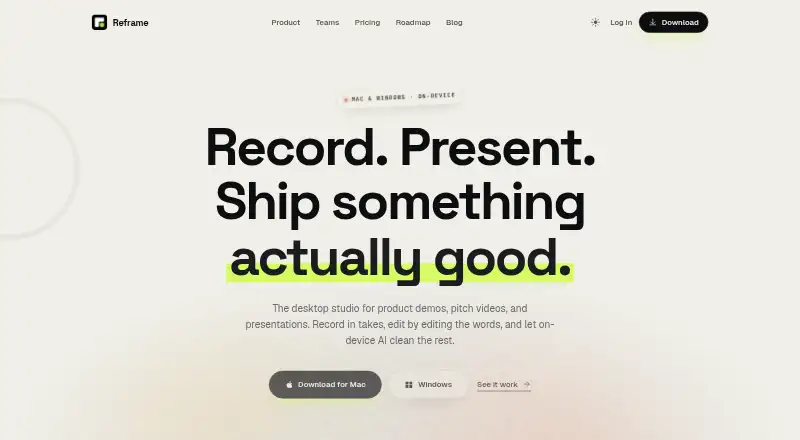
What Reframe is
Reframe is a desktop studio for product demos, pitch videos, presentations, tutorials, company updates, course lessons, and release walkthroughs. It runs on macOS and Windows and records screen, webcam, and microphone input in sections, with multiple takes and a teleprompter. Recordings become editable text, so removing words or sentences cuts the matching video. Audio tools include noise removal, volume leveling, filler-word removal, and silence trimming. Video options include cursor-tracking auto-zoom, cursor smoothing, backgrounds, captions, background blur, colour grade, and studio backdrop effects. Exports are MP4 or GIF at up to 4K and 60fps with hardware acceleration. Audio cleanup and effects run on-device, and footage stays on the user’s machine. The Free plan costs nothing forever, needs no account, and allows 5 exports / month. Pro costs $12 a month with unlimited exports. Lifetime costs $79 a month, has no subscription, and includes 1 year of updates. A full refund is available by email within 30 days.
Good
- Screen, webcam, and microphone recording
- Transcript-based video editing
- Exports up to 4K and 60fps
- On-device effects and audio cleanup
- Free plan requires no account
Watch out
- Free plan allows five exports monthly
- Team licensing with brand kits is not available yet
- Lifetime option lists $79 a month
Who it suits
It suits people creating narrated demos, presentations, tutorials, or course videos on macOS or Windows. Teams wanting brand kits should note that team licensing is described as being on the roadmap.
Verdict
Reframe combines recording, transcript editing, cleanup, effects, and high-resolution export in a desktop app. The free tier supports limited exports, while Pro removes that cap and Lifetime avoids a subscription under its listed terms.
Plans and prices
From Reframe's own pricing page, checked 10 Oct 2026.
| Plan | Price | What it gives you |
|---|---|---|
| Free | Free | 5 exports / month · no watermark · screen, webcam and mic recording · takes, teleprompter and script editor · transcript-based editing · forever · no account needed |
| Pro | $12 a month | Unlimited exports · audio cleanup · auto-zoom, backgrounds and captions · priority support · cancel anytime |
| Lifetime | $79, paid once | Everything in Pro · 1 year of updates included · all your Macs & PCs · one-time payment |
| Pro | $96 a year | Everything included · unlimited exports · audio cleanup · auto-zoom, backgrounds and captions · priority support · cancel anytime |
The facts
Each one read from Reframe's own pages, with the date it was checked.
What it does
- Audio editing
- The product describes noise removal, volume leveling, filler-word removal and silence trimming.checked 10 Oct 2026
- Effects
- The site lists background blur, colour grade and studio backdrop as video effects.checked 10 Oct 2026
- Export
- It exports MP4 and GIF at up to 4K and 60fps using hardware acceleration.checked 10 Oct 2026
- Maximum video quality
- 4kchecked 22 Sep 2026
- Microphone recording
- Yeschecked 22 Sep 2026
- Payments and taxes
- The pricing page says Lemon Squeezy acts as Merchant of Record and handles VAT and sales tax at checkout.checked 10 Oct 2026
- Product
- Reframe is a desktop studio for product demos, pitch videos and presentations.checked 10 Oct 2026
- Recording
- It records screen, webcam and microphone in sections, with multiple takes and a teleprompter.checked 10 Oct 2026
- Refunds
- The pricing page offers a full refund when requested by email within 30 days.checked 10 Oct 2026
- Support
- The Pro plan includes priority support.checked 10 Oct 2026
- Transcript editing
- Recordings become text, and deleting words or sentences cuts the corresponding clip.checked 10 Oct 2026
- Use cases
- The site lists product demos, pitch videos, tutorials, company updates, course lessons and release walkthroughs.checked 10 Oct 2026
- Video polish
- Features listed include cursor-tracking auto-zoom, cursor smoothing, backgrounds and captions.checked 10 Oct 2026
- Webcam recording
- Yeschecked 22 Sep 2026
Money
- Free plan
- Yeschecked 22 Sep 2026
Where it runs
- On-device processing
- The site says audio cleanup and effects run on-device and footage stays on the user's machine.checked 10 Oct 2026
- Supported platforms
- macOS,Windowschecked 22 Sep 2026
The company
- Team branding
- The site describes brand kits that apply team colors, logos and lower thirds to exports.checked 10 Oct 2026
- Team pricing
- Team licensing with brand kits is described as being on the roadmap; companies can contact the maker about using Reframe today.checked 10 Oct 2026
Alternatives to Reframe
- 1

Cap
Free planOpen sourceWebAPIExtensionLinux9.0From $29 a year - 2

Loom
Free planAndroidiOSWebmacOS8.9From $18 a month - 3

Vmaker
Free planiOSWebExtensionmacOS8.9From $18 a month - 4

ScreenPal
Free planAndroidiOSWebmacOS8.8From $4 a month - 5

Claap
Free planAndroidiOSWebAPI8.8From €32 a month - 6

Screencastify
Free planWebExtensionLinuxmacOS8.7From $7 a month