
Rainmeter
Rainmeter is a free Windows desktop customization program that displays skins for system information and interactive tools.
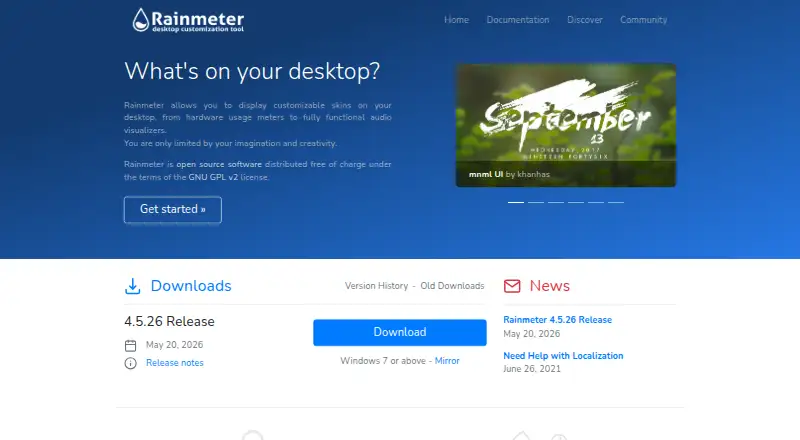
What Rainmeter is
Rainmeter is a free Windows desktop customization program that displays skins for system information and interactive tools. A skin can show hardware usage, RSS feeds, and weather, or provide space for notes and to-do lists. Skins can also launch applications and control media players. The NowPlaying feature retrieves track information and offers controls for supported players such as AIMP, iTunes, Winamp, and Windows Media Player; some players need extra plugins or have partial support. Users can create and edit skins with Rainmeter’s skin language, meters, measures, plugins, and Lua scripting. Measures and plugins can draw information from the computer or the internet. The Manage interface loads and unloads skins, changes settings, and saves layouts, while the About window can show logs, measure values, and application or plugin status. A portable installation stores the program, skins, and settings in a chosen folder without changing the Windows Registry or Start menu. Rainmeter runs on Windows 7 Service Pack 1 with Platform Update and later.
Good
- Free, open-source software under GNU GPL v2
- Skins can display system information, feeds, and weather
- Can launch apps and control supported media players
- Portable installation avoids Registry and Start menu changes
Watch out
- Windows only
- Some media players need plugins or have partial support
- Requires Windows 7 SP1 with Platform Update or later
Who it suits
Rainmeter suits Windows users who want configurable desktop information panels, widgets, or media controls. It also fits people interested in authoring or editing their own skins.
Verdict
Rainmeter offers a wide range of desktop skin functions, from monitoring and weather displays to notes and media controls. Its Windows-only support and some player limitations are worth considering before choosing it.
Plans and prices
From Rainmeter's own pricing page, checked 4 Oct 2026.
| Plan | Price | What it gives you |
|---|---|---|
| Rainmeter | Free | Windows 7 or above · distributed under GNU GPL v2 |
The facts
Each one read from Rainmeter's own pages, with the date it was checked.
What it does
- Community support
- Rainmeter documentation directs users to its forum, an unofficial Discord channel, and a web-based IRC channel for help.checked 4 Oct 2026
- Custom skin authoring
- Users can create and edit skins using Rainmeter's skin language, meters, measures, plugins, and Lua scripting.checked 4 Oct 2026
- Desktop customization
- Rainmeter displays customizable desktop skins, from hardware usage meters to audio visualizers.checked 4 Oct 2026
- License
- Rainmeter is open source software distributed under the GNU GPL v2 license.checked 4 Oct 2026
- Low resource use
- The maker says Rainmeter uses very little hardware resources and runs well on PCs using Windows 7 through Windows 11.checked 4 Oct 2026
- Management and diagnostics
- The Manage interface loads and unloads skins, controls settings, and saves layouts, while the About window can show logs, measure values, and application and plugin status.checked 4 Oct 2026
- Media players
- NowPlaying can retrieve track information and control supported players including AIMP, iTunes, Winamp, and Windows Media Player; some players require extra plugins or have partial support.checked 4 Oct 2026
- Portable installation
- Portable installation keeps program, skin, and settings files in a chosen folder and makes no changes to the Windows Registry or Start menu.checked 4 Oct 2026
- Recovery
- Safe Start unloads active skins and loads the default Illustro layout if a skin prevents Rainmeter from starting or causes it to crash on startup.checked 4 Oct 2026
- Skin features
- Skins can show system information, RSS feeds and weather, keep notes and to-do lists, launch applications, and control media players.checked 4 Oct 2026
- Web data
- Rainmeter measures and plugins can gather information from the system or the internet for display in skins.checked 4 Oct 2026
Where it runs
- Windows support
- Rainmeter runs on Windows 7 Service Pack 1 with Platform Update and above.checked 4 Oct 2026
The full review of Rainmeter
Rainmeter is a free, open-source Windows app for adding customizable skins to the desktop. It suits people who want at-a-glance system data, feeds, notes, weather, or media controls, especially those willing to shape their own layouts. Its breadth and custom authoring are compelling; its Windows focus and uneven player support narrow the fit.
Overview
Rainmeter turns desktop space into a configurable information surface, with skins ranging from hardware meters and audio visualizers to practical widgets. It is more than a fixed collection of widgets: users can create and edit skins with Rainmeter’s own skin language, meters, measures, plugins, and Lua scripting. That flexibility rewards customization, but makes it a stronger choice for users who want to arrange or author their desktop than for someone seeking a single polished, preset dashboard.
Key features
- Desktop skins: Display system information, memory and battery data, RSS feeds, weather, notes, and to-do lists. This range can keep everyday reference information visible without opening separate apps.
- Launchers and media controls: Skins can launch applications and control supported media players. NowPlaying can retrieve track information and control AIMP, iTunes, Winamp, and Windows Media Player, though some players need extra plugins or have partial support. That makes it useful for basic desktop playback controls, but not a safe choice if a particular player must work fully.
- Web and system data: Measures and plugins can gather information from the computer or the internet for display in skins, giving creators room to build beyond the built-in widget categories.
- Layout management and recovery: The Manage interface loads and unloads skins, changes settings, and saves layouts. The About window exposes logs, measure values, and application and plugin status. Safe Start can unload active skins and restore the default Illustro layout if a skin prevents startup or causes a crash—a useful fallback for experimentation.
- Portable installation: Users can keep the program, skins, and settings in a chosen folder without changes to the Windows Registry or Start menu. That suits people who prefer a self-contained installation.
Pricing
Rainmeter is free: its Rainmeter plan costs nothing and covers Windows 7 or above under the GNU GPL v2 license. There is no paid tier or free-trial decision to weigh. Users give up no paid-only feature tier, though they do need Windows and may need extra plugins for some media players.
Platforms
Rainmeter runs on Windows 7 Service Pack 1 with Platform Update and above. Its maker says it uses very little hardware resources and runs well on PCs using Windows 7 through Windows 11. Portable installation is an option. It is not the choice for someone who needs a macOS or Linux desktop widget app.
Who it's for
Rainmeter is best for Windows users who want a highly configurable desktop for monitoring, weather, feeds, notes, launchers, or media controls—and especially for people interested in making or editing skins. The management and diagnostic tools, community forum, unofficial Discord, and web-based IRC channel provide useful support paths for users who are willing to work with a customizable system. Choose something simpler if you want a fixed widget set without skin authoring, or if dependable control of an unsupported or partially supported player is essential.
Pros and cons
- Pro: A broad mix of desktop widgets and custom skin authoring lets users tailor both the information shown and its presentation.
- Pro: Portable installation avoids Registry and Start menu changes, while saved layouts and Safe Start make configuration easier to manage and recover.
- Pro: Free, open-source distribution under GNU GPL v2 avoids subscription or purchase costs.
- Con: Windows-only support rules it out for macOS and Linux users.
- Con: Some media players require plugins or have partial support, so controls may not work consistently across a user's preferred player setup.
Alternatives
For more options, browse Desktop Widget Software.
- Monitor Flows is worth considering if you want a freemium option with a free trial, 15 core widgets, three pages, and five themes on its free plan, or a $3 a month Pro plan.
- GadgetPack (formerly 8GadgetPack) is another free Windows option; its plan specifies Windows 10/11, a 23MB download, and administrative rights.
- Themia may suit someone who prefers defined widget and screen limits: its free plan includes 10 widgets, two screens, every widget type, and full customization; Pro costs $19, paid once.
- Übersicht is a free, open-source option for macOS users rather than Windows.
- Conky is a free alternative for Linux, macOS, or self-hosted environments.
- Duckboard offers a free plan limited to one dashboard and three widgets, or a 29.00 USD one-time Extended upgrade for unlimited widgets on one dashboard.
- GKrellM is a free alternative available for Windows, macOS, and Linux.
- WidgetSpark is a freemium Windows option with a free widget set and a $1.99 a month Pro monthly plan.
Verdict
Choose Rainmeter if you use Windows and want a free desktop you can build around your own mix of system monitoring, feeds, weather, notes, launchers, and media controls. Its custom skin system and layout tools are the main reasons to choose it. Look elsewhere if you need another operating system or require full, dependable support for a player Rainmeter only partially supports.
Alternatives to Rainmeter
- 1
Mango Mirror
Free planAndroidiOSWebLinux7.4From $5.99 a month - 2

Desktop Widgets
APILinuxmacOSWindows7.0From $12.99 a year - 3

Nexus
Free planAndroidiOSWebLinux6.9Free plan - 4
SAWAS Dashboard
Free planAndroidiOSWebWindows6.7Free plan - 5
Duckboard
Free planmacOSWindows6.5$29 one-time - 6
Monitor Flows
Free planAPIWindows6.5From $3 a month