Quiver
Quiver is a macOS notebook for programmers that combines text, code, Markdown, LaTeX and diagrams in one note.
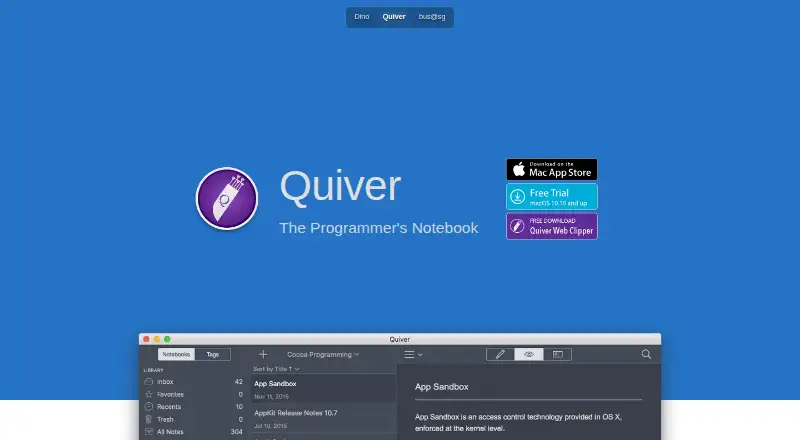
What Quiver is
Quiver is a macOS notebook for programmers that combines text, code, Markdown, LaTeX and diagrams in one note. Code cells use the ACE editor with syntax highlighting for more than 120 languages and over 20 themes. Markdown supports inline formatting, custom CSS and live preview, while LaTeX equations use MathJax with support limited to math-mode macros. Full-text search uses Search Kit, and tags help organize notes. Full-screen presentation mode is available for showing notes. Libraries can sync across computers through Dropbox, iCloud Drive, Google Drive or other file-based cloud services. Shared notebooks let teams view or edit notes, and libraries or notebooks can be placed under version control. Quiver stores data locally as plain JSON files, exports notes in formats such as HTML and PDF, and provides one-click backup and restoration for the whole library. The maker’s privacy policy says it does not collect personal information or app analytics data. The App Store listing requires macOS 10.13 or later. No price is listed.
Good
- Supports more than 120 coding languages
- Live Markdown preview with custom CSS
- Syncs through several file-based cloud services
- Shared notebooks support team editing
- Plain JSON storage and one-click backups
Watch out
- Mac-only application
- Requires macOS 10.13 or later
- LaTeX support is limited to math-mode macros
- No price is listed
Who it suits
It suits Mac programmers who want code, writing, equations and diagrams together, with optional cloud syncing and shared notebooks.
Verdict
Quiver provides a structured programming notebook with mixed cell types, search, syncing and version-control options. Its Mac-only platform and constrained LaTeX support should guide the choice.
Plans and prices
From Quiver's own pricing page, checked 9 Oct 2026.
| Plan | Price | What it gives you |
|---|---|---|
| Quiver | $9.99, paid once | Only for Mac |
The facts
Each one read from Quiver's own pages, with the date it was checked.
What it does
- Backup and recovery
- Quiver provides one-click backup of the entire library and restoration from a backup.checked 9 Oct 2026
- Cloud sync
- Notes can sync across computers via Dropbox, iCloud Drive, Google Drive or other file-based cloud services.checked 9 Oct 2026
- Code editing
- Code cells use the ACE editor with syntax highlighting for more than 120 languages and over 20 themes.checked 9 Oct 2026
- Collaboration
- Shared notebooks let a team view or edit notes, and Quiver libraries or notebooks can be placed under version control.checked 9 Oct 2026
- Integrations
- Quiver stores notes in a documented plain JSON format that users can integrate with other tools using scripts; common scripts are provided on its documentation site.checked 9 Oct 2026
- LaTeX limit
- Quiver uses MathJax for LaTeX equations, but only math-mode macros are supported.checked 9 Oct 2026
- Local data and export
- Quiver stores data as plain JSON files on the local machine and supports exporting notes in formats such as HTML and PDF.checked 9 Oct 2026
- Markdown
- Markdown supports inline formatting and custom CSS, with a live preview as you type.checked 9 Oct 2026
- Notes and search
- Notes can contain text, code, Markdown, LaTeX and diagrams, and full-text search is based on Search Kit.checked 9 Oct 2026
- Note sharing
- Yeschecked 22 Sep 2026
- Organization and presentation
- Quiver supports tags and full-screen presentation mode for notes.checked 9 Oct 2026
- Privacy
- The maker’s Quiver privacy policy says the app does not collect personal information or app analytics data.checked 9 Oct 2026
- Support
- The maker lists [email protected] as the contact for questions or suggestions about the Quiver privacy policy.checked 9 Oct 2026
- What it does
- Quiver is a notebook built for programmers that combines text, code, Markdown and LaTeX in one note.checked 9 Oct 2026
Money
- Free plan
- Nochecked 22 Sep 2026
The company
- Maker
- The maker’s imprint identifies Yaogang Lian Software and gives its address as Pappelallee 78/79, Berlin 10437, Germany.checked 9 Oct 2026
Where it runs
- Platform and compatibility
- The App Store listing says Quiver is only for Mac and requires macOS 10.13 or later.checked 9 Oct 2026
- Supported platforms
- macOSchecked 22 Sep 2026
Alternatives to Quiver
- 1

Notion
Free planAndroidiOSWebmacOS9.1From $10 a month - 2

Goodnotes
Free planAndroidiOSWebmacOS9.0From $11.99 a year - 3
Turtl
Free planOpen sourceAndroidAPIExtensionLinux9.0From $3 a month - 4

Obsidian
Free planAndroidiOSExtensionLinux8.9From $50 a year - 5

Supernotes
Free planAndroidiOSWebAPI8.9From £6 a month - 6
Notesnook
Free planAndroidiOSWebLinux8.8From $1.99 a month