QuickGamma
QuickGamma is a Windows utility for calibrating monitor gamma without specialized hardware.
What QuickGamma is
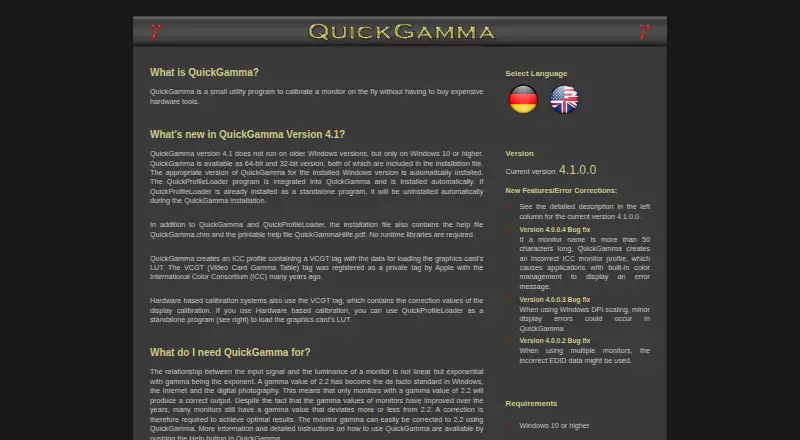
QuickGamma is a Windows utility for calibrating monitor gamma without specialized hardware. It can correct gamma to 2.2 and create an ICC profile with a VCGT tag containing data for loading a graphics card’s LUT. Its integrated QuickProfileLoader is installed automatically and can use that profile data to load a monitor’s LUT. Listed capabilities also include ICC profile export and multi-monitor calibration.
Version 4.1.0.0 requires Windows 10 or later and its installation file includes 32-bit and 64-bit versions, help files, and no runtime libraries. A SHA-512 checksum is published to help verify a download. The software is free for personal use; commercial use requires written consent from the author. Private users may share the complete, unchanged installer but not its components. The author provides it as-is without express or implied warranties and invites donations. The maker also lists utilities for reading graphics-card LUT and ICC-profile VCGT data, and for creating monitor ICC profiles.
Good
- Corrects monitor gamma to 2.2.
- Creates ICC profiles with VCGT data.
- Includes integrated QuickProfileLoader.
- Supports multi-monitor calibration.
- Installer includes 32-bit and 64-bit versions.
Watch out
- Requires Windows 10 or later.
- Commercial use requires written consent.
- Author provides no express or implied warranties.
Who it suits
QuickGamma suits Windows 10-or-later users who want to adjust monitor gamma and load LUT data through an ICC profile. Commercial users need written consent from the author.
Verdict
QuickGamma covers gamma correction, ICC profile creation, and LUT loading without calibration hardware. Its personal-use terms and Windows requirement are important constraints to check first.
Plans and prices
From QuickGamma's own pricing page, checked 7 Oct 2026.
| Plan | Price | What it gives you |
|---|---|---|
| QuickGamma | Free | Free for personal use · commercial use requires written consent |
The facts
Each one read from QuickGamma's own pages, with the date it was checked.
What it does
- Additional utilities
- The maker lists utilities for reading graphics-card LUT data, reading VCGT data from ICC profiles, and creating monitor ICC profiles.checked 7 Oct 2026
- Commercial use
- Commercial use requires written consent from the author.checked 7 Oct 2026
- Distribution
- Private users may distribute the complete, unaltered installation package free of charge, but may not distribute individual components.checked 7 Oct 2026
- Download integrity
- The page publishes a SHA-512 checksum to verify that a downloaded version is unaltered.checked 7 Oct 2026
- Gamma correction
- It can correct monitor gamma to 2.2.checked 7 Oct 2026
- ICC profiles
- QuickGamma creates an ICC profile containing a VCGT tag with data for loading the graphics card’s LUT.checked 7 Oct 2026
- No runtime libraries
- The installation file includes help files and does not require runtime libraries.checked 7 Oct 2026
- Purpose
- QuickGamma is a utility for calibrating a monitor without expensive hardware tools.checked 7 Oct 2026
- QuickProfileLoader
- QuickProfileLoader is integrated into QuickGamma and installed automatically; it can load a monitor’s graphics card LUT using VCGT data from an ICC profile.checked 7 Oct 2026
- Support
- The author invites users to support the project with a donation of any amount.checked 7 Oct 2026
- Version
- The current version shown is 4.1.0.0.checked 7 Oct 2026
- Warranty
- The author provides no express or implied warranties and licenses the software “as is.”checked 7 Oct 2026
Where it runs
- Windows support
- Version 4.1 requires Windows 10 or higher and includes 32-bit and 64-bit versions in its installation file.checked 7 Oct 2026
Alternatives to QuickGamma
- 1
ArgyllCMS
Free planOpen sourceAPILinuxmacOSSelf-hosted7.4Free plan - 2
EIZO ColorNavigator 7
Free planAPILinuxmacOSWindows6.8Free plan - 3
PatternSpace
Free planmacOS6.4$39.99 one-time - 4
QUBYX PerfectLum
LinuxmacOSWindows6.4$480 one-time - 5
ColourSpace
Free planmacOSWindows6.3Free plan - 6

DisplayCAL
Free planLinuxmacOSWindows6.2Free plan