QJoyPad
QJoyPad is a free Linux utility that converts gamepad or joystick input into keyboard presses and mouse actions for XWindows programs.
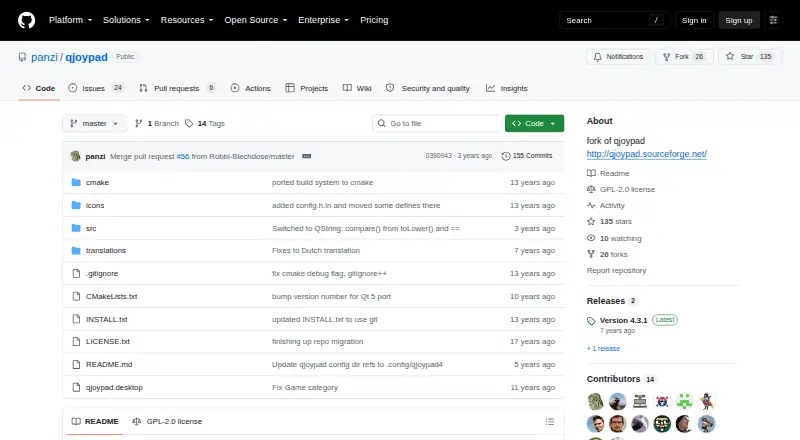
What QJoyPad is
QJoyPad is a free Linux utility that converts gamepad or joystick input into keyboard presses and mouse actions for XWindows programs. It can control XWindows games without joystick support and is also described for emulation software. Users save multiple controller layouts and switch between them in the interface, from the command line, or through shell scripts. A joystick can move and click the mouse, with configurable axis sensitivity and movement behavior. Buttons support sticky presses and rapid fire, while axes offer gradient behavior and throttle controls. QJoyPad detects Linux-supported joysticks and gamepads, including devices with more than two axes, when the kernel recognizes the hardware and loads its driver. It can run in the system tray or without a tray icon; the --notray option provides a larger floating icon. The project is open source under GPL-2.0 and costs nothing. Requirements include Linux, XWindows, Qt 5, and kernel joystick support; libudev is optional. The documented installation method builds from source with CMake and make. It does not work at the console or on Microsoft Windows.
Good
- Maps controllers to keyboard and mouse actions
- Supports saved layouts and profile switching
- Offers sticky buttons and rapid fire
- Works with multi-axis Linux controllers
- Free GPL-2.0 open-source project
Watch out
- Works only in XWindows
- Does not run on Microsoft Windows
- Requires Linux kernel joystick support
- Documented installation builds from source
Who it suits
QJoyPad suits Linux users who need controller mappings for XWindows games, emulators, or other XWindows programs. It is for systems whose kernel recognizes the connected joystick or gamepad.
Verdict
QJoyPad provides configurable controller-to-keyboard and mouse mapping for Linux XWindows software. Its free GPL-2.0 license is useful, but the XWindows-only scope and source-build requirement narrow where it fits.
Plans and prices
From QJoyPad's own pricing page, checked 10 Oct 2026.
| Plan | Price | What it gives you |
|---|---|---|
| Free (open source) | Free | Completely free · GPLv2 · source code |
The facts
Each one read from QJoyPad's own pages, with the date it was checked.
What it does
- Button options
- Buttons can be configured for sticky presses and rapid fire, and axes support gradient behavior and throttle controls.checked 10 Oct 2026
- Controller support
- QJoyPad detects Linux-supported joysticks and gamepads, including devices with more than two axes; the Linux kernel must recognize the device and have its driver loaded.checked 10 Oct 2026
- Gaming use
- It lets users control XWindows games that do not have joystick support with a game controller.checked 10 Oct 2026
- Installation
- The GitHub fork documents building from source with CMake and make, and provides no stated binary package offer on that page.checked 10 Oct 2026
- Integrations
- The project describes use with XWindows programs and emulation software, and supports layout switching through command-line calls and shell scripts.checked 10 Oct 2026
- Mouse control
- A joystick can move and click the mouse, with configurable axis sensitivity and movement behavior.checked 10 Oct 2026
- Requirements
- The documented requirements include a Linux computer, joystick support in the Linux kernel, XWindows, and Qt 5; libudev is optional.checked 10 Oct 2026
- Saved layouts
- Users can save multiple controller layouts and switch between them from the interface, command line, or a script.checked 10 Oct 2026
- Security and compliance
- The GitHub repository lists a GPL-2.0 license; the opened project pages do not state security certifications or compliance claims.checked 10 Oct 2026
- Support
- The repository directs users to GitHub issues for bug reports and feature requests, and the documentation also gives an email address for layout-file help.checked 10 Oct 2026
- System tray
- QJoyPad can run in the system tray or without a tray icon, and supports a larger floating icon through the --notray option.checked 10 Oct 2026
- What it does
- QJoyPad converts gamepad or joystick input into keystrokes or mouse actions for XWindows programs.checked 10 Oct 2026
Where it runs
- Linux and XWindows limit
- QJoyPad is intended for Linux and works only in XWindows; it does not work at the console or on Microsoft Windows.checked 10 Oct 2026
Alternatives to QJoyPad
- 1
Avidemux
Free planOpen sourceWebLinuxmacOSWindows7.3Free plan - 2

OmniControl
Free planWindows7.3From $59.99 a year - 3

ControllerBuddy
Free planOpen sourceLinuxmacOSWindows7.2Free plan - 4
JoyShockMapper
Free planOpen sourceLinuxSelf-hostedWindows7.2Free plan - 5

PadLink
Free planAndroidiOSmacOSWindows7.2$2.99 one-time - 6
reWASD
AndroidiOSWindows7.1$14.99 one-time