Qbs
Qbs is a free build automation tool for managing software projects across platforms.
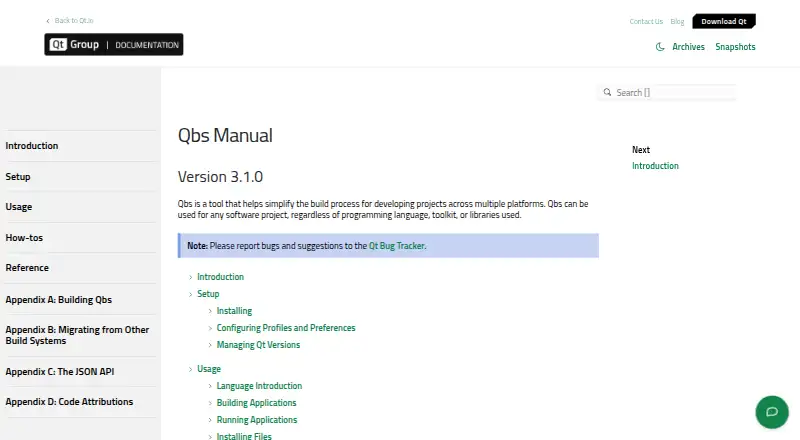
What Qbs is
Qbs is a free build automation tool for managing software projects across platforms. Its declarative build model lets a project describe tasks and dependencies without specifying the order in which tasks run, and it can be used regardless of programming language, toolkit, or libraries. The manual lists incremental builds and an extensible architecture among its features. Qbs documents built-in targets for Windows, Linux, macOS, Android, iOS, tvOS, watchOS, QNX, and FreeBSD, as well as cross-compilation. It can be used with Qt Creator and Visual Studio Code through the Qbs session feature, and it can generate Clang compilation databases. Project generation for Visual Studio, IAR Embedded Workbench, and Keil uVision is available but described as experimental. Binaries are available for Windows, macOS, Linux, and FreeBSD, or Qbs can be built from source. Its library and tools are offered under commercial licenses, LGPL version 3, and GPL version 2.
Good
- Build tasks and dependencies are described declaratively.
- Supports cross-compilation.
- Can generate Clang compilation databases.
- Uses all available CPU cores by default.
Watch out
- Project generators are described as experimental.
- Other UNIX-like platforms are not officially supported or regularly tested.
- Makefile generation refuses roots containing spaces.
Who it suits
Qbs suits software teams or developers who want declarative build management across different languages and target platforms. It may also fit projects using Qt Creator or Visual Studio Code.
Verdict
Qbs offers a cross-platform build system with declarative project descriptions and IDE integration options. Treat project generation as experimental, and check platform support if targeting systems outside its documented set.
Plans and prices
From Qbs's own pricing page, checked 11 Oct 2026.
| Plan | Price | What it gives you |
|---|---|---|
| Qbs | Free | Available under commercial licenses, LGPL version 3, and GPL version 2 |
The facts
Each one read from Qbs's own pages, with the date it was checked.
What it does
- Build features
- The manual lists correct and fast incremental builds and an extensible architecture among Qbs's features.checked 11 Oct 2026
- Build model
- Qbs uses a declarative approach that lets projects describe build tasks and dependencies rather than build order.checked 11 Oct 2026
- Build parallelism
- By default, Qbs uses all available CPU cores for build parallelization, and users can specify a concurrent job count.checked 11 Oct 2026
- Compilation database
- Qbs can generate Clang compilation databases.checked 11 Oct 2026
- Generator limitation
- The Makefile generator refuses to generate a Makefile if the source, build, or install root directory contains spaces.checked 11 Oct 2026
- IDE integrations
- Qbs can be used with Qt Creator and Visual Studio Code, which support Qbs projects through the Qbs session feature.checked 11 Oct 2026
- Installation
- Qbs binaries are available for Windows, macOS, Linux, and FreeBSD, and can also be built locally from source.checked 11 Oct 2026
- Licensing
- The Qbs library and tools are available under commercial licenses, LGPL version 3, and GPL version 2.checked 11 Oct 2026
- Project generators
- Qbs can generate projects for Visual Studio, IAR Embedded Workbench, and Keil uVision; the manual describes this option as experimental.checked 11 Oct 2026
- Project scope
- Qbs can be used for software projects regardless of programming language, toolkit, or libraries used.checked 11 Oct 2026
- What it does
- Qbs is a build automation tool for managing software projects across multiple platforms.checked 11 Oct 2026
Where it runs
- Target platforms
- Qbs documents built-in support for Windows, Linux, macOS, Android, iOS, tvOS, watchOS, QNX, and FreeBSD, as well as cross-compilation.checked 11 Oct 2026
- Unsupported platforms
- Other UNIX and Unix-like platforms may work, but are not regularly tested or officially supported.checked 11 Oct 2026
The full review of Qbs
Qbs is a free, cross-platform build automation tool for software projects in any language or toolkit. It suits developers who want to express build tasks and dependencies declaratively, particularly those working in Qt Creator or Visual Studio Code. Its broad documented target support is useful, but experimental project generators and limits on less-tested platforms make it a less certain fit for every environment.
Overview
Qbs models a build through its tasks and their dependencies rather than a prescribed sequence of build steps. That approach can accommodate projects built with different languages, toolkits, and libraries, and its extensible architecture offers room to adapt. The manual also describes incremental builds as correct and fast. By default, Qbs parallelizes work across all available CPU cores, though users can set a specific concurrent job count.
Qbs is open source and costs nothing. Its library and tools are available under commercial licenses, LGPL version 3, and GPL version 2. That choice gives teams licensing options, but they should select terms compatible with how they develop and distribute their software.
Key features
- Declarative build descriptions: Defining tasks and dependencies instead of build order can make the build model a natural fit for projects whose components and relationships matter more than a fixed sequence.
- IDE support: Qt Creator and Visual Studio Code support Qbs projects through the Qbs session feature. This is a practical advantage for developers already using either environment.
- Project generation: Qbs can generate projects for Visual Studio, IAR Embedded Workbench, and Keil uVision, but the manual calls this feature experimental. Treat it as a possibility to evaluate, not a dependable foundation for a workflow that requires generated projects.
- Build outputs: Qbs can generate Clang compilation databases, useful for workflows that consume that format. Its Makefile generator has a notable restriction: it refuses to create a Makefile if the source, build, or install root path contains spaces.
Pricing
Qbs costs nothing. There are no paid tiers to weigh against a reduced free version: the project is open source, and the library and tools are offered under commercial licenses, LGPL version 3, and GPL version 2. Teams choosing Qbs should focus on which license fits their use and distribution rather than comparing plan quotas or seat limits.
Platforms
Qbs documents built-in support for Windows, Linux, macOS, Android, iOS, tvOS, watchOS, QNX, and FreeBSD, as well as cross-compilation. Binaries are available for Windows, macOS, Linux, and FreeBSD, and Qbs can also be built locally from source. Other UNIX and Unix-like platforms may work, but are not regularly tested or officially supported; organizations targeting those systems should account for that uncertainty before standardizing on Qbs.
Who it's for
Qbs is a strong candidate for developers managing software across multiple platforms who prefer a declarative build model, especially when Qt Creator or Visual Studio Code is already part of their workflow. It is also worth considering for projects that need cross-compilation or a Clang compilation database. It is a weaker choice when a dependable project generator is essential, when the Makefile path restriction conflicts with the repository layout, or when official support is required for an undocumented UNIX-like system.
Pros and cons
- Pro: The build model applies across languages, toolkits, and libraries, so Qbs is not limited to one development stack.
- Pro: Documented targets span desktop, mobile, and embedded systems, with cross-compilation support.
- Pro: CPU-wide parallel builds are the default, with a configurable concurrent job count.
- Con: Project generation for Visual Studio, IAR Embedded Workbench, and Keil uVision is experimental, limiting its suitability for workflows that depend on it.
- Con: The Makefile generator cannot handle spaces in the source, build, or install root directory.
- Con: Other UNIX-like platforms lack regular testing and official support.
Alternatives
Consider fastlane for a free, open-source alternative available across Android, iOS, Linux, macOS, and Windows. Bazel is another free open-source build and test tool, with Linux, macOS, and Windows support. For a free tier with explicit usage allowances, Nx offers Hobby at no cost forever, with 50,000 credits that reset monthly, five contributors, and ten concurrent CI connections.
Other free options include FASTBuild, whose license permits commercial use and redistribution; SCons, licensed under MIT; Apache Ant, which requires Java 8 or later and is distributed in ZIP, TAR.GZ, and TAR.BZ2 formats; and Apache Maven, which uses Apache License 2.0 and requires JDK 8 or later for Maven 3.10. Buck2 is a free open-source build system from Meta.
Verdict
Choose Qbs if you want a free build system with declarative project descriptions, broad documented target support, and an existing Qt Creator or Visual Studio Code workflow. Its flexible build model is the main reason to choose it; look elsewhere if you need a proven project generator, or official support for platforms outside its documented set.
Alternatives to Qbs
- 1

AWS CodeBuild
Free planWebAPILinuxmacOS7.9From $0.01 a month - 2

fastlane
Free planAndroidiOSLinuxmacOS7.4Free plan - 3

Nx
Free planWebLinuxmacOSSelf-hosted7.2From $29 a month - 4

Bazel
Free planLinuxmacOSWindows6.7Free plan - 5

FASTBuild
Free planLinuxmacOSWindows6.6Free plan - 6
Open Build Service
Free planWebAPILinuxSelf-hosted6.6Free plan